
How to make an interactive lesson students can play with
By the Workshopy teamUpdated 3 min read
Pick the one idea in your lesson that is easier to understand by doing than by reading, such as a colour picker for CSS, a slider for a function, or a sort you can step through, and turn that step into something students can change and watch respond. One small interactive at the right moment teaches more than a page of animation.
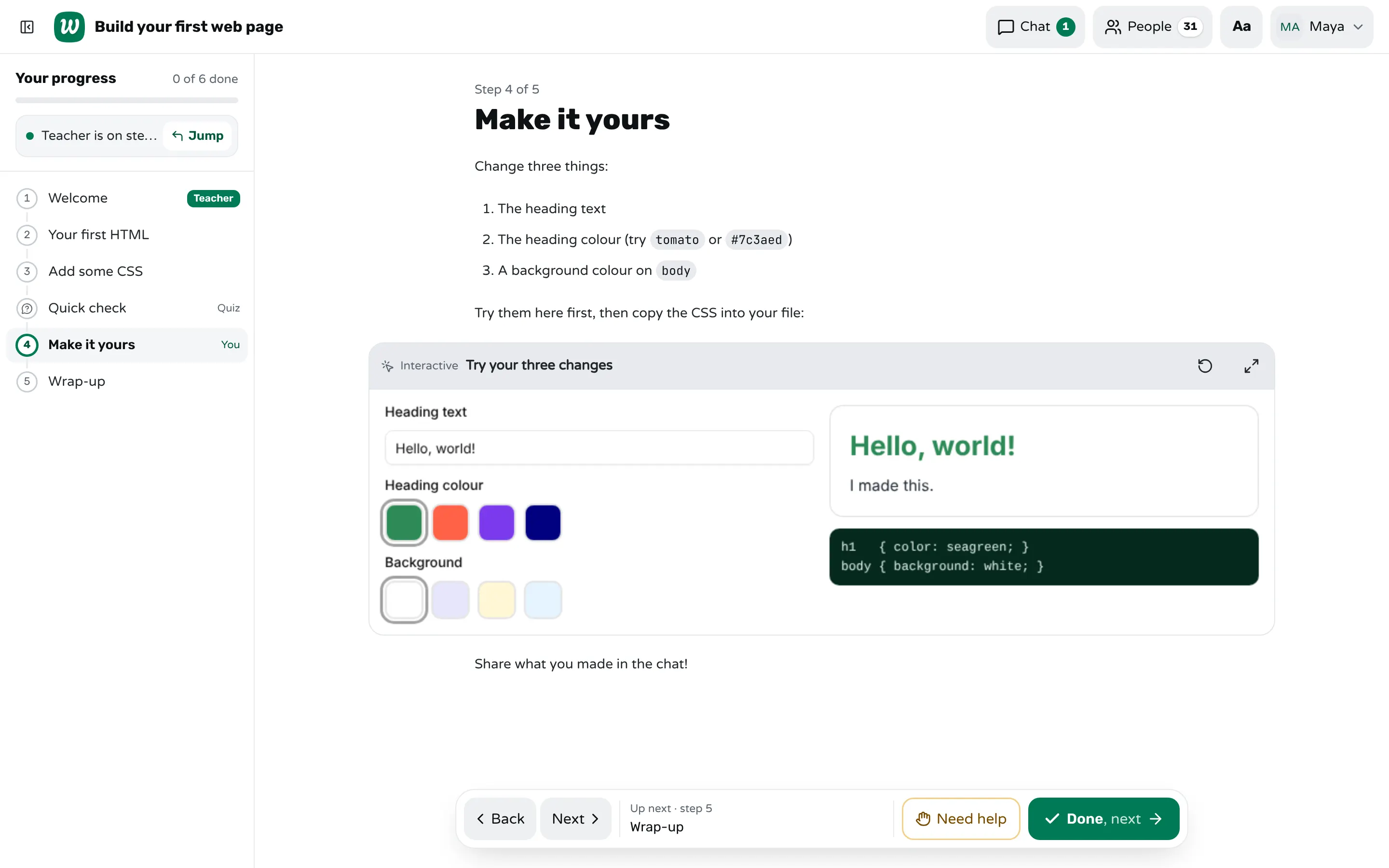
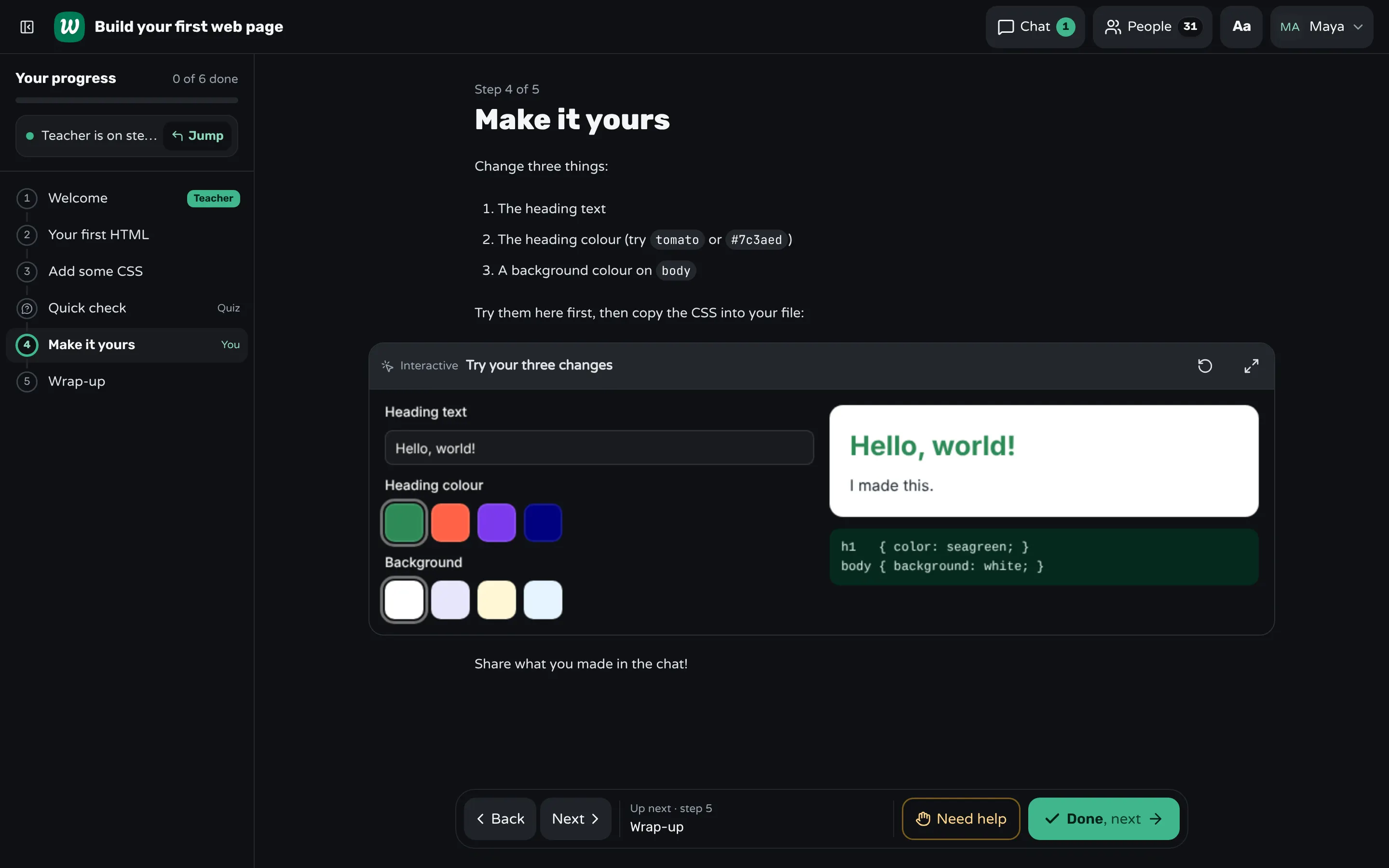
Choose the step that should be played with
Not every step needs to move. Look for ideas where cause and effect is the point: what changes when I change this? Good candidates are a value and its effect (a colour, a speed, a size), a process you can step through (an algorithm, a pipeline), and a system with a few parameters (a graph, a physics model). Definitions and instructions are not.
Students learn more when they do something with the material than when they only listen: a large analysis of 225 studies found that students in classes with active learning did better on exams and failed less often than students in traditional lectures. Simulations built for exploration, PhET's being the best known, are designed around exactly this: change one thing and see what happens.
Keep it to one idea and a few controls
- One question it answers, such as "what does this property do?".
- Two or three controls, labelled in the lesson's own words.
- Immediate feedback: the result changes as the control moves.
- A way back to the start, so experimenting feels safe.
- A sentence after it that tells students what to notice.
Build it inside the lesson
In Workshopy an interactive is a fenced block in the step's Markdown, tagged interactive, that holds HTML, CSS and JavaScript. It runs sealed off from the internet and from the rest of the page, follows the lesson's light or dark look when it reads the theme, and comes with libraries for motion, charts, diagrams and physics: anime.js, ECharts, Rough.js, D3, Matter.js, Three.js and PixiJS, plus form controls in the shadcn/ui look.
# Make it yours

Change the heading colour and watch what happens.

```interactive title="Try your three changes" height=420
<div id="app"></div>
<script>
  // your HTML, CSS and JavaScript
</script>
```

Now copy the CSS into your own file.
In the editor the block shows as a card. Edit opens a window with the code, a live preview in light and dark, and checks that point out problems before your students meet them.
Or ask your AI app to write it
You don't have to write the JavaScript yourself. Connect an AI app such as Claude to Workshopy (how to connect one) and ask in plain words, for example: "Add an interactive animation to step 3 that shows how binary search halves the list, with Step and Reset buttons." The app reads Workshopy's writing guide, picks a library that fits the idea, and the same checks run on what it writes.
Try it as a student before the class does
Preview the lesson and use the block the way a student would, on a phone too. Can they tell what to do without you? Does it still read in dark mode? In class, students can open a block in a big window — what they did in it stays — and Restart puts it back the way it started.
Frequently asked questions
Do I need to know JavaScript?
It helps if you want to edit a block by hand. Otherwise an AI app connected to Workshopy can write it for you from a plain description, and the editor's checks catch the common problems.
Can an interactive block reach the internet or my students' data?
No. It runs in a sealed frame, with no network access beyond the built-in libraries, and it can't read the page around it or anything your students wrote.
Does it work on phones?
Yes, when it's built for a narrow screen: large controls, and one column of layout on a phone, as the demo's block does. Students can also open it in a big window.
Keep reading
How to write a workshop in Markdown
The complete authoring format: how # headings become steps, what Markdown is supported, and how to import or export a single .md file.
3 min read · 12 Sept 2026
Using WorkshopyEdit your templates from ChatGPT, Claude and other AI apps
Connect ChatGPT, Claude or Codex to Workshopy over MCP: what an app can do with your templates, what it can't, and what to ask it.
6 min read · 6 Oct 2026
Run a live classHow to run a hands-on training on Zoom or Teams
Give people a done and a help signal that stays until you read it, take written help requests in order, and stop the class only on purpose.
7 min read · 22 Oct 2026
Try it as a student. No sign-up.
The live demo runs the real product with a simulated class. When you're ready, start free.