OtherEN
Intro to Git — Snapshots, Branches & Sharing
 WorkshopyOfficial
10 stepsQuiz9 interactiveDiagram
gitversion controlbeginners
Used by 1 teacherBeginner
A train the trainer workshop on designing hands-on sessions: write objectives you can see, plan an hour of talks, exercises and checks, find who's stuck.
WorkshopyOfficial
41 lessons · used by 2 teachers
Sign in to copy it to your workspace. It’s free.
11 steps · 2 quizzes · open any step, or read it here
In this train the trainer workshop you learn how to design a hands-on workshop: one where people practise after every idea and you see who is stuck while there is still time to help. You will plan a workshop of your own as you go, one decision per step.
Here is the difference in one picture: the same hour, planned two ways. Press Play the hour and watch what the learners spend their time on.
Interactive · Two plans for the same hour — try it in the lesson
In this lesson you'll:
It takes about 60 minutes. Keep one workshop you will run soon in mind: every step ends with a decision about it.
Takeaway: a hands-on workshop is an hour where learners do most of the work and you see that work often.
Most workshops are planned from the content: "I'll cover pivot tables, then filters, then charts." A stronger way starts from the end. Ask first what people should be able to do when they leave, then how you would see them do it, and only then what to teach. This is called backward design (Wiggins and McTighe, Understanding by Design, 1998).
A useful objective has three parts (Robert Mager, Preparing Instructional Objectives, 1962):
Verbs like understand, know about or be aware of sound right but can't be watched. If you can't see it in the room, you can't check it, and neither can they.
Try it: pick each verb below, then add the conditions and the standard.
Interactive · Is this objective something you can see? — try it in the lesson
Write the objective of your own workshop the same way, and under it, one sentence: how will I see them do it? That sentence is your final exercise. Plan the rest backwards from there.
Takeaway: an objective names an action you can watch, what they work with, and how well is good enough.
The people in a workshop never start at the same place. In a team Excel session, one person has never written a formula and another builds dashboards. Whatever pace you pick, some people fall behind and some sit waiting.
You can't pick a pace that fits everyone, but you can widen the range that fits: a core task at your chosen level, hints for those who need a hand, and a stretch task for those who finish early. Ask a few questions before the workshop (a two-minute form: "Have you used X? What do you want to leave with?") so you know where the room is.
Try it: move the pace, then add hints and a stretch task. The class of 24 below is made up.
Interactive · One pace, a room of mixed experience — try it in the lesson
For your workshop: write one hint for the hardest exercise, and one stretch task for whoever finishes first.
Takeaway: you widen the room's fit with hints and stretch tasks, not by finding a perfect pace.
New information first passes through working memory, which holds only a few new things at once: about four chunks, by most estimates (Nelson Cowan, 2001). Teach six new ideas before anyone practises, and some of them are gone before the first exercise starts. This is the core of cognitive load theory (John Sweller, 1988): the limit is real, so the design has to respect it.
The fix is simple: fewer new ideas at a time, each one practised before the next arrives. Something practised doesn't have to wait in those few slots.
Try it: add ideas to one step, then split them. The picture is a simplification of how memory works, not a measurement.
Interactive · How many new ideas fit in one go — try it in the lesson
Look at your own outline: if any part teaches more than two or three new things before an exercise, split it.
Takeaway: teach a little, let them use it, then teach the next little.
A new skill moves from you to the learners in three moves, often called I do, we do, you do (the gradual release of responsibility, Pearson and Gallagher, 1983):
Studying a worked example before solving helps beginners more than being thrown straight into a problem (the worked-example effect, Sweller and Cooper, 1985). The middle step is the one most often skipped, and it is where you catch misunderstandings while the whole room is still with you.
Try it: step through the three moves for a customer-support workshop.
Interactive · Who does the work: I do, we do, you do — try it in the lesson
For your workshop: pick the hardest skill and write the three examples you will use for I do, we do and you do.
Takeaway: move the work from you to them in three steps, and don't skip the one in the middle.
Now put it together. A workable rhythm for a hands-on hour is a cycle: a short talk or demo, an exercise, a quick check of what they made, then the next idea. A common rule of thumb among trainers is to keep each stretch of talking to about 10 to 15 minutes before learners do something: people can't practise while they listen, and long talks hide who is lost.
The planner below starts with a typical first draft. Press a block to remove it, add blocks below, and read what the planner says. Aim for a full 60 minutes, no talk longer than 15, and a check after every exercise.
Interactive · Workshop planner: one hour — try it in the lesson
One plan that passes: Talk 5, Exercise 10, Check 3, Talk 5, Exercise 10, Check 3, Talk 5, Exercise 10, Check 3, Talk 5. Then sketch your own workshop the same way, on paper or in the planner.
Takeaway: an hour is a cycle of talk, exercise and check, with no talk longer than about 15 minutes.
Question 1. Which objective could you check in the room?
Question 2. A learner finishes the exercise in two minutes. What did the plan need?
Question 3. About how many new things can working memory hold at once?
Question 4. In "I do, we do, you do", what happens in "we do"?
"Any questions?" is the most common check in training, and it finds very little. People who are lost often don't know what to ask, don't want to say so in front of colleagues, or think everyone else has got it. Silence after "Any questions?" tells you nothing.
What works is seeing their work, not their hands: everyone shows their answer at once (on paper held up, in a shared document, a quick poll, or on screen), you walk the room and read, or each person marks when they are done and when they are stuck. Then you know who to help while there is still time.
Try it: this class of 20 is made up, and 6 of them are stuck. Try each way of finding them.
Interactive · Three ways to find who is stuck — try it in the lesson
For your workshop: decide how each exercise will show you their work. Write it next to each exercise in your plan.
Takeaway: look at their work, not at the hands that go up.
"Did they like it?" is the easiest thing to measure and the least useful on its own. Donald Kirkpatrick's four levels (first published in 1959) are the most widely used way to think about what else to check:
Each level is harder to measure and takes longer to show. A workshop you design yourself should at least check level 2 in the room, through the exercises and a final quiz, and plan how to look at level 3 a few weeks later.
Try it: press each level to see what it asks and how to measure it.
Interactive · Kirkpatrick's four levels of evaluation — try it in the lesson
For your workshop: write how you will check level 2 in the room, and one question you will ask the learners or their manager a month later for level 3.
Takeaway: check that they can do it (level 2) in the room, and plan a look at their work weeks later (level 3).
Training is full of confident claims. Some have strong evidence behind them; some have none. Before you build a workshop on a claim, it's worth knowing which is which.
Try it: decide for each card whether it holds up or is a myth, then read why.
Interactive · Holds up, or myth? — try it in the lesson
For your workshop: look at your plan for a final quiz (retrieval) and a short follow-up a week later (spacing). Add them if they're missing.
Takeaway: build on retrieval, spacing and worked examples; drop learning styles and the learning pyramid.
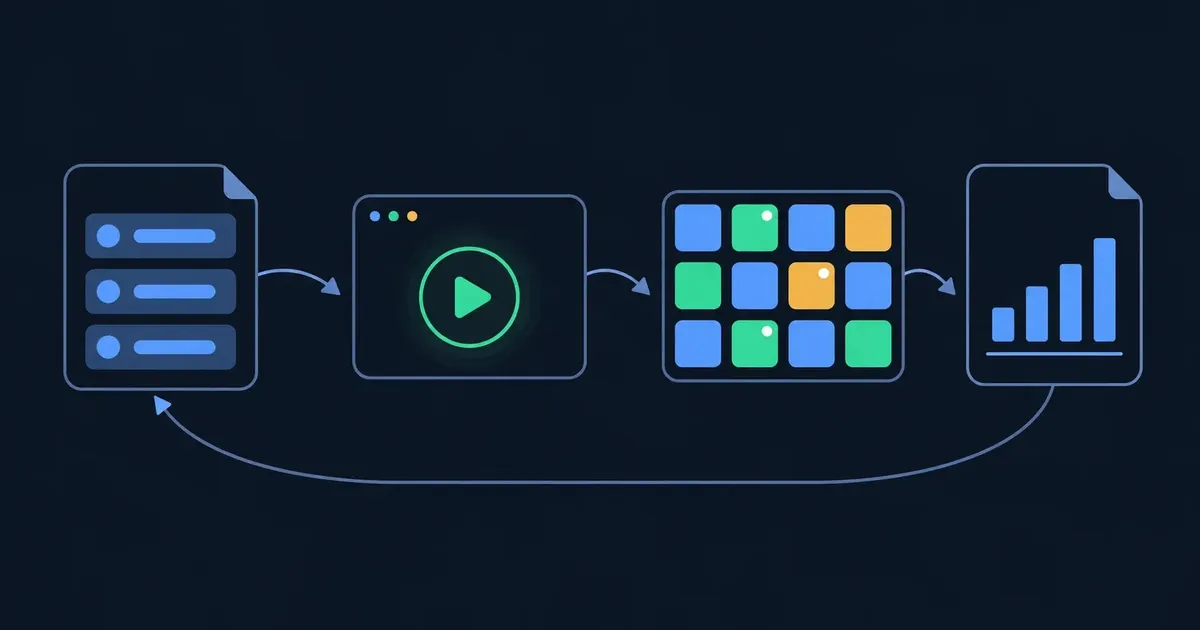
Training design is usually taught as a cycle. The best-known version is ADDIE: Analyse who is coming and what they need, Design the objectives and the plan, Develop the materials, Implement (run it), Evaluate, then go round again. It is a cycle, not a line: what you learn from one run goes into the next design.
The cheapest round is a dry run before the real workshop: two or three colleagues do the exercises while you time them. It finds the exercise that takes 18 minutes instead of 10 and the instruction everyone reads differently, while it's still cheap to fix.
Try it: play the cycle with a dry run in it.
Interactive · The design cycle with a dry run — try it in the lesson
For your workshop: name two or three colleagues for a dry run and put it in your calendar a week before the real one.
Takeaway: every workshop is a draft until one group has done it; a dry run is the cheapest round of the cycle.
Six questions about one trainer's plan. Work each one out, then check. A hint costs nothing.
Question 1. Backward design starts from…
Question 2. A plan has 30 minutes of talk in a 60-minute workshop. What share is talk?
Question 3. What is the quickest reliable way to find who is stuck on an exercise?
Question 4. In Kirkpatrick's model, what does level 4 measure?
Question 5. Which of these have good evidence behind them? (pick all that apply)
Question 6. What is a dry run for?
Workshopy shares this lesson under CC BY 4.0. Anyone may use and change it, with credit to you. Anyone can learn it here, free. A copy in your workspace is yours to change and run live; your students never need an account.
Version 1Current
· First published
Copies are made from the current version. A copy you already have doesn’t change.
WorkshopyOfficial10 stepsQuiz9 interactiveDiagram
gitversion controlbeginners
WorkshopyOfficial16 steps2 quizzes15 interactiveDiagram
workshopyproduct touronboarding
WorkshopyOfficial11 steps2 quizzes11 interactive
devopslinuxcommand line
WorkshopyOfficial9 steps2 quizzes8 interactive
ai-teachersai for teacherslesson planning
WorkshopyOfficial10 steps2 quizzes10 interactive
teacher traininglearning scienceretrieval practice
Comments
No comments yet. Be the first to say how it went.