
How to keep a whole class on the same step
By the Workshopy teamPublished 2 min read
Decide, step by step, whether the class moves together or at its own pace. Introduce new ideas with everyone on the same step, let students practise at their own speed, and bring the class back together before the next idea, after checking that the students who are behind have finished, not before.
Together, or at their own pace
Both belong in the same lesson. New ideas are best introduced together, in small steps, with the whole class looking at the same thing. Practice works better at each student's own speed: fast students aren't held back and slower ones aren't rushed. Rosenshine's principles of instruction put it the same way: present new material in small steps, with practice after each one.
So plan which steps are which. A short explanation, then an exercise, then a regroup is a rhythm most hands-on classes can keep for hours.
Before you move on, check who is behind
Moving on is when a class splits. Before you press Next, look at how many students have finished the current step. If most have, give the rest a minute and say what "done" looks like; if many haven't, the step needs another explanation, not more time.
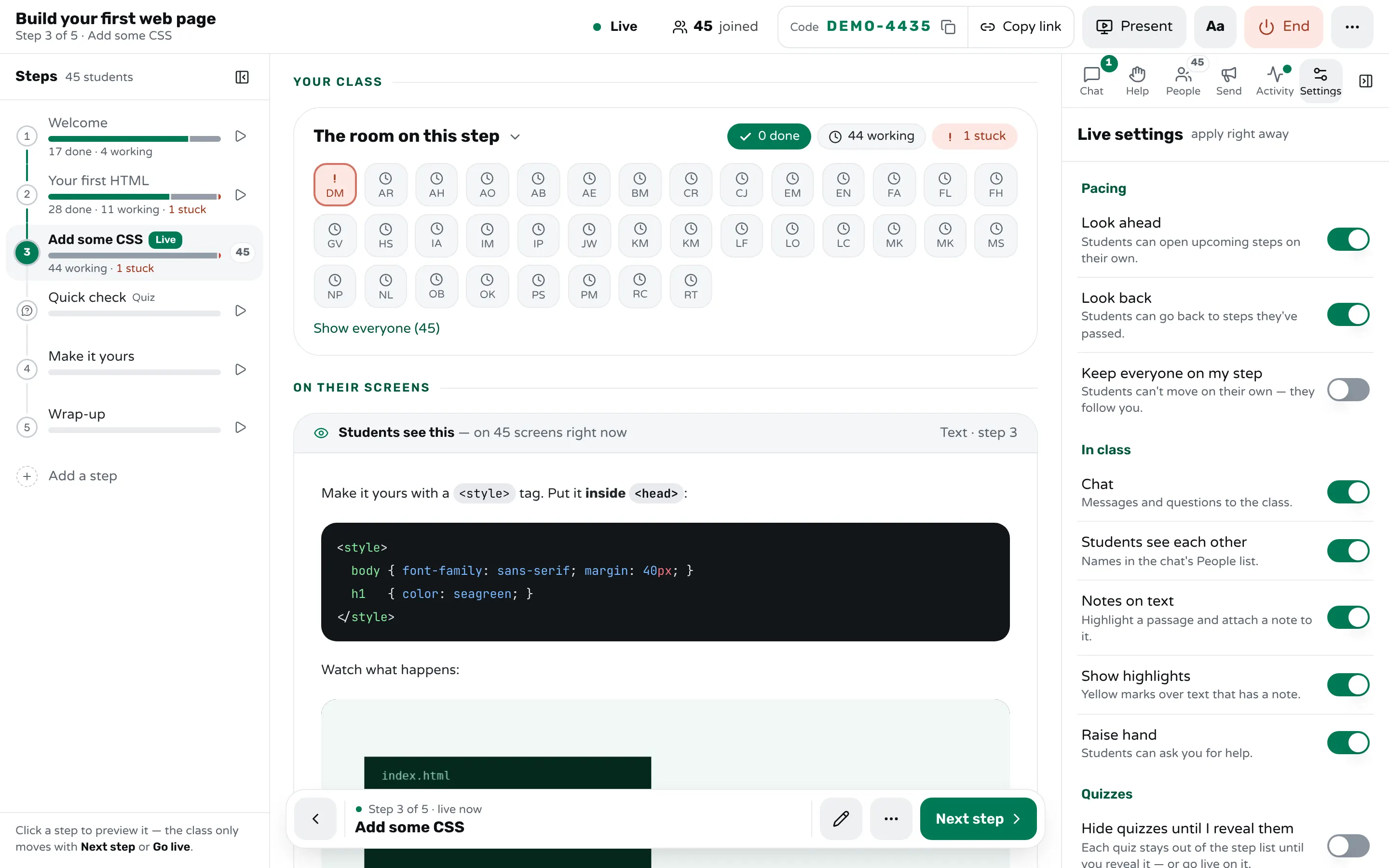
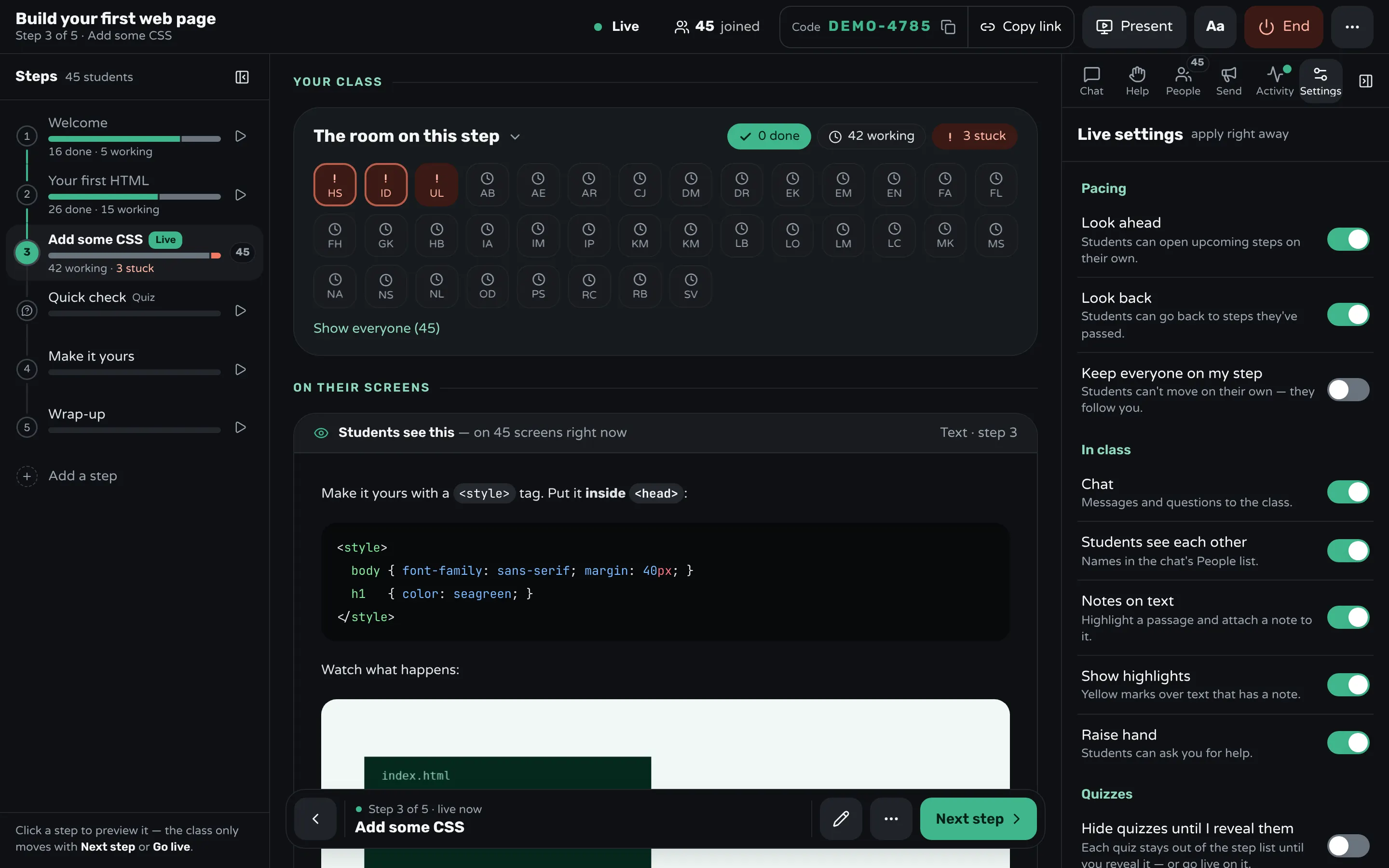
In Workshopy the step outline shows each step's done, working and stuck counts, and Next step in the dock at the foot of the screen moves the class on. You can open any step to look at it without moving anyone: the class only moves with Next step or Go live.
Keep everyone on your step
When you want the room in lockstep, for a demonstration or a discussion, stop students from wandering ahead. In Workshopy, turn on Keep everyone on my step in the live settings: students can't move on their own, and they follow you as you advance. Look ahead and Look back decide whether students may open later steps or return to earlier ones.
Bring everyone back in one move
After a stretch of self-paced practice, regroup in one move rather than "everyone, please go to step six". In Workshopy, Bring everyone moves every student to the step you choose and makes it the live step, after you confirm. Students who left a step unfinished can still return to it if Look back is on.
Let students see where you are
A student working ahead should always know where the class is. In Workshopy the student's outline says which step the teacher is on, with a Jump button, so anyone can come back to you in one tap.
Frequently asked questions
Isn't keeping everyone on one step bad for fast students?
For a whole lesson, yes. Use it for the moments the class needs to be together, and on practice steps give fast students a stretch task instead of holding them back.
What happens to a student's work when I move everyone?
Their marks stay. Moving the class changes where students are, not what they finished: a step marked done stays done.
Can a late joiner catch up?
They join on the step the class is on. If Look back is on, they can work through the earlier steps at their own pace.
Keep reading
How to tell which students are stuck in a hands-on class
Stuck students rarely raise a hand. Give every step a done signal, look for who hasn't sent it, and help the right student first.
3 min read · 19 Oct 2026
Using WorkshopyHow to run your first live session
From a Markdown file to a running session: starting it, how participants join with a 6-character code, and pacing the room.
3 min read · 12 Sept 2026
Run a live classHow to keep students focused in a laptop class
In a hands-on class the laptop is the work: give it a task every few minutes, keep talks short, and watch who finishes, not screens.
4 min read · 21 Oct 2026
See it with a class of 45. No sign-up.
The live demo runs the real product with a simulated class. When you're ready, start free.