
How to keep students focused in a laptop class
By the Workshopy teamPublished 4 min read
In a hands-on class you can't ban laptops, because the laptop is the work. Give it a job every few minutes: a short task with a result students can see. Keep explanations short, with screens turned away while you talk, and watch who finishes each task rather than what is on their screens. Off-task screens hurt the people sitting behind them too, so a room where every screen is on the task helps everyone.
What the research found, and what it didn't
The studies people quote about laptops are real, and they are about lectures.
- Faryal Sana and colleagues had students attend a lecture with laptops. Those asked to multitask scored 11 percentage points lower on a comprehension test afterwards. Students who could merely see a classmate multitasking scored 17 points lower, and didn't realise they had been affected.
- Susan Ravizza and colleagues monitored the internet use of students in a real lecture course. Non-academic browsing was common and went with lower exam scores, even after accounting for motivation, interest and intelligence. Using the internet for the class itself brought no benefit either.
- Robin Kay and Sharon Lauricella compared classes where laptop use was left open with classes where it was structured around tasks. Structured use meant more time on academic work and less on email, messaging and games.
In the first two, the laptop was a note-taker in a lecture and nothing asked students to use it for the lesson; in the third, giving it structured work is what helped. Sana and colleagues call a ban "extreme and unwarranted" and suggest building the laptop into exercises in class. A hands-on class is that suggestion taken all the way.
Give the laptop a job every few minutes
Kay and Lauricella's conclusion is blunt: if you don't use laptops intentionally and meaningfully in class, students will use them for everything else. The answer in a practical class is a steady rhythm of short tasks, each ending in something students can check:
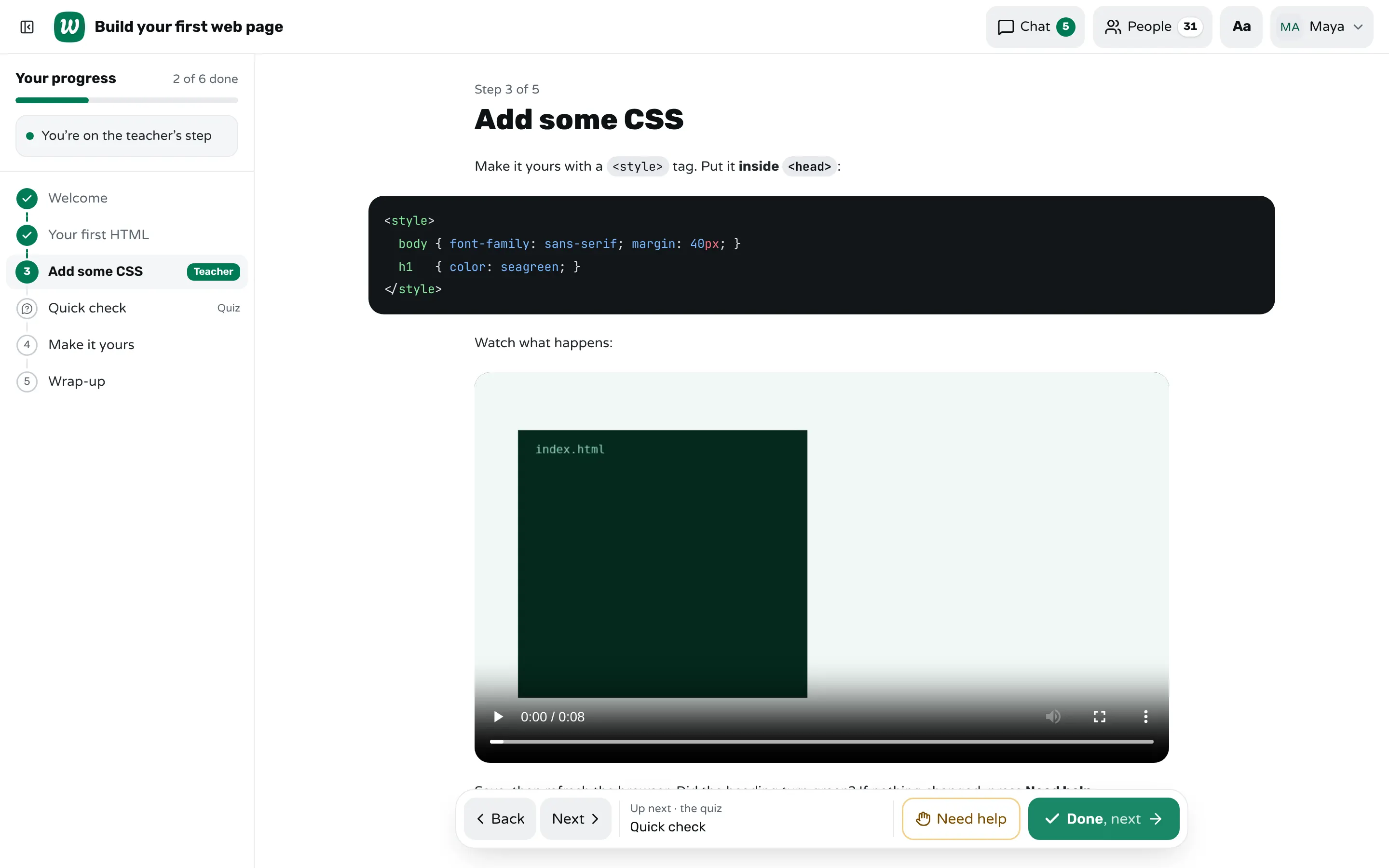
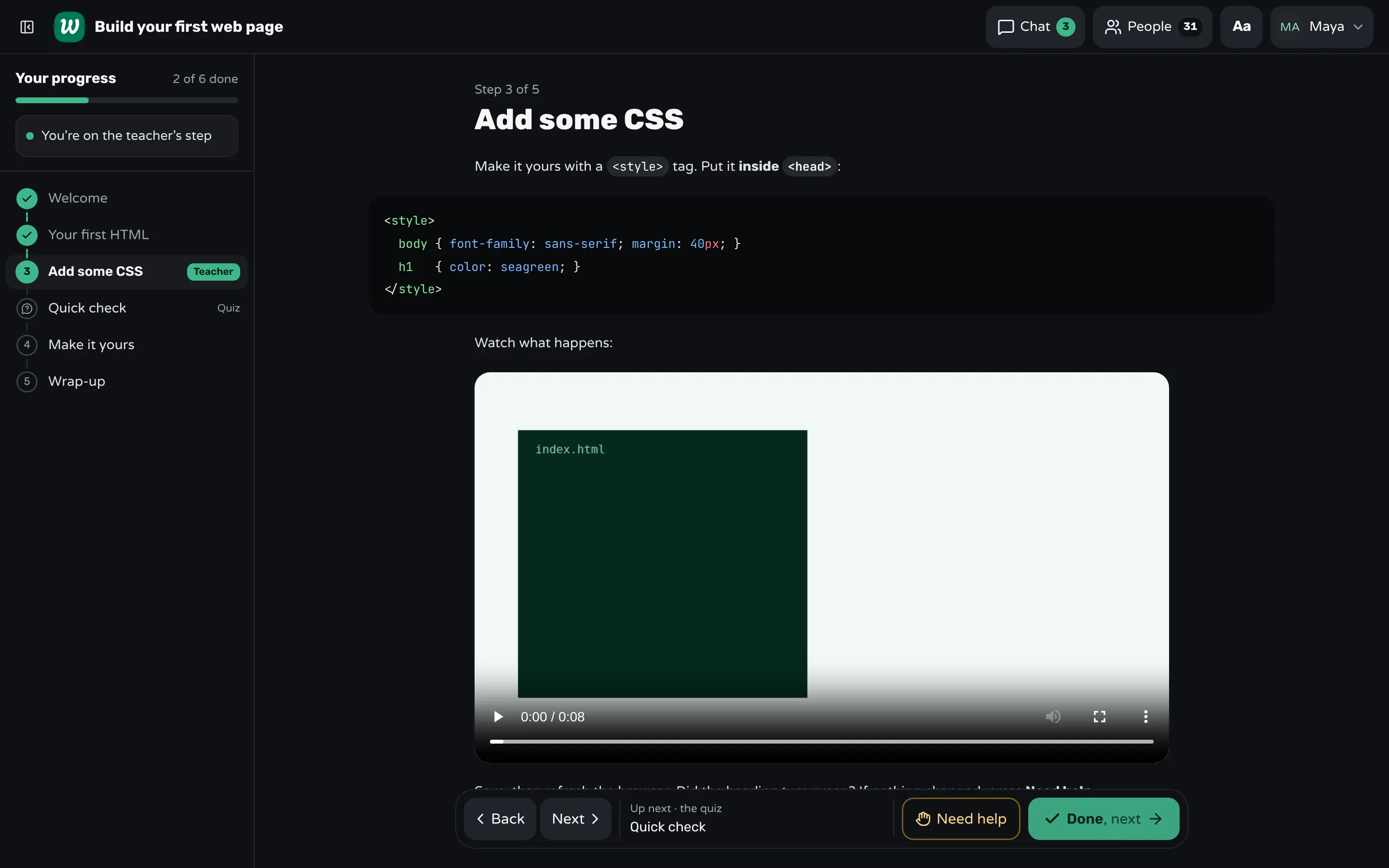
- "Add the style tag. You're done when your heading turns green."
- "Run the query. You're done when you get 12 rows."
- "Fix the formula in C4. You're done when the total matches the one on the screen."
A task with a visible result has a natural end, and the end is where you check who is through. A task with no clear end ("explore the menu for a while") is where the browser tabs open.
Separate explaining from doing
The lecture situation in those studies is exactly the part of your class where you explain. So keep explanations short, and for those few minutes ask for screens down or turned away. Then give the task and let the laptops open. Students who know a task is coming in three minutes listen differently from students facing an open-ended talk.
A projector helps here: put the step on the big screen while you explain, so students look up rather than down.
Mind the people behind the screen
Sana's finding about bystanders matters more than the one about multitaskers: the student distracted by a neighbour's screen did worse, and didn't seem to realise it. A later study by Amanda Hall and colleagues found that neighbours learned less while the laptop user was off task than while they were taking notes, wherever they sat around the screen.
So a rule like "laptops at the back" protects less than you'd think. What protects the room is every screen being on the task. Tell the class about the bystander finding once: most people who drift don't know it costs their neighbours.
Watch progress, not browsers
Walking the room to look at screens turns you into a monitor and gets you to the stuck student late. Watch progress instead: who has finished this task, and who hasn't moved in five minutes. The second group includes both the distracted and the stuck, and a quiet "how's it going?" helps either.
Keep the fast finishers busy too. A student who is done with nothing to do next is the one most likely to drift: plan an extension at the end of every task, such as a harder variant or a bonus step.
Keeping a laptop class on task with Workshopy
In Workshopy each student's screen holds one step at a time, with Done and Need help at the bottom, so every task has a clear end and a way to say they're stuck. Your screen shows a tile for each student on the current step (working, done or asking for help), so you see who hasn't moved without looking over anyone's shoulder.
With Look ahead on, fast students can continue to the next step; with Keep everyone on my step, the class follows you, and Bring everyone moves the whole room to your step when it's time to explain. Present opens the step on the projector, without names. Workshopy doesn't see what else is open on a student's laptop: it shows progress, not browsing.
Sources
- Faryal Sana, Tina Weston and Nicholas Cepeda, Laptop multitasking hinders classroom learning for both users and nearby peers (Computers & Education, 2013)
- Susan Ravizza, Mitchell Uitvlugt and Kimberly Fenn, Logged in and zoned out: how laptop internet use relates to classroom learning (Psychological Science, 2017)
- Robin Kay and Sharon Lauricella, Unstructured vs. structured use of laptops in higher education (Journal of Information Technology Education: Innovations in Practice, 2011)
- Amanda Hall, Tara Lineweaver, Eileen Hogan and Sean O'Brien, On or off task: the negative influence of laptops on neighboring students' learning depends on how they are used (Computers & Education, 2020)
Frequently asked questions
Should I ban laptops in class?
Not in a class where the laptop is the work. Even the researchers behind the best-known study call a ban extreme. Give laptops a task, keep explanations short with screens down, and watch progress.
Do laptops distract students sitting nearby?
Yes. In Sana and colleagues' study, students who could see a classmate multitasking scored 17 percentage points lower on a test afterwards.
Should I use monitoring software to see students' screens?
It shows you browsing, not learning, and watching it keeps you at your desk instead of helping. Watching who finishes each task tells you more about who needs you.
How long can I talk before giving a task?
As briefly as the next task allows: explain what they need for it, then hand over. Students listen better when they know a task is coming in a few minutes.
Keep reading
How to keep a whole class on the same step
Decide step by step whether the class moves together or at its own pace, check who is behind before you move on, and regroup in one move.
2 min read · 19 Oct 2026
See who's stuckHow to tell which students are stuck in a hands-on class
Stuck students rarely raise a hand. Give every step a done signal, look for who hasn't sent it, and help the right student first.
3 min read · 19 Oct 2026
Hands-on & coding workshopsHow to teach adults in a hands-on workshop
Start with something useful the same day, match the help to what each person knows, keep mistakes private, and never call anything "just".
5 min read · 21 Oct 2026
See it with a class of 45. No sign-up.
The live demo runs the real product with a simulated class. When you're ready, start free.