OtherEN
Intro to Git — Snapshots, Branches & Sharing
 WorkshopyOfficial
10 stepsQuiz9 interactiveDiagram~65 min
gitversion controlbeginners
Used by 1 teacherBeginner
Cybersecurity awareness training for employees: decide what to do in seven everyday situations, from airport Wi-Fi to found USB sticks, then practise.
WorkshopyOfficial
37 lessons · used by 2 teachers
Sign in to copy it to your workspace. It’s free.
10 steps · 2 quizzes · about 50 minutes · open any step, or read it here
In this cybersecurity awareness training for employees you practise the everyday habits that keep a company safe: locking your screen, installing updates, choosing safe Wi-Fi, leaving found USB sticks alone, keeping the door closed to strangers, keeping work files in work tools and reporting mistakes fast. Each step starts with a situation from a normal working day, and you decide what to do before you see why.
Most attacks on companies don't need a genius. They need one open door: a screen nobody locked, a laptop that skipped an update, a door held open out of politeness. Each habit below closes one of those doors, and each takes a few seconds.
Interactive · A working day, seven small habits — try it in the lesson
In this lesson you'll:
It takes about 50 minutes. Nothing you do here touches a real system: every network, file and message is made up.
Try it: press Play the day, then press any tile to read its habit again.
Takeaway: security at work is mostly seven small habits, repeated.
An unlocked computer is you, signed in to everything: email, customer data, the payroll system, chat. Anyone who sits down at it can read, copy, delete or send as you, and the records will say you did it.
Auto-lock helps, but it waits several minutes on purpose, so it doesn't lock while you read. That wait is exactly the time you're away.
Interactive · Four minutes away from your desk — try it in the lesson
The habit, every time you stand up, even for a minute:
| Computer | Lock it with |
|---|---|
| Windows | Windows key + L |
| Mac | Control + Command + Q |
| Phone or tablet | the side or top button |
Try it: pick an answer, then move the sliders. How long would the break have to be before auto-lock helps at all?
Takeaway: two keys before you stand up, every time.
A security update fixes a flaw that someone found in your laptop, your phone, your browser or an app. Once the fix is published, the flaw is public too: attackers compare the new version with the old one to see what changed, and build an attack for the devices that haven't updated yet.
So the risky time isn't before the update arrives. It's the days after it arrives, on a device where someone keeps pressing "Remind me later".
Interactive · How long can an update wait? — try it in the lesson
What counts as an update: the computer's own (Windows Update, macOS Software Update), your phone's, your browser's and your apps'. A real update comes from those settings, never from a pop-up on a website that says your software is out of date. Close that kind of pop-up and update from the settings instead.
Try it: pick an answer, then slide the delay. After how many days does the red start to overlap the striped zone?
Takeaway: install security updates the day they arrive; schedule the restart if you must, but for today.
In a café, a hotel or an airport you share the network with strangers, and you can't see who runs it. Anyone can set up a hotspot and give it any name, including a name one letter away from the real one. A fake network like that is called an evil twin.
Most websites use https today, so a stranger on the network can't read the pages themselves. A fake network can still see which sites you visit, show you a fake sign-in page, and reach your laptop if file sharing is switched on.
Interactive · Pick a network at the airport — try it in the lesson
Away from the office:
Try it: pick each network in turn, with the VPN on and off. Which choices stay safe either way?
Takeaway: a network you can't name is someone else's; bring your own hotspot or switch the VPN on.
A USB stick is a small computer. It can carry malware that runs when a file is opened, and some are built to pretend to be a keyboard and type commands the moment they're connected. Cables and chargers can be built the same way.
Attackers leave sticks where staff will find them because it works. In 2016, researchers dropped 297 USB drives around the University of Illinois campus to see what people would do. Before you look, decide what you would do.
Interactive · 297 USB sticks dropped on a campus — try it in the lesson
The habit:
Try it: pick an answer, then step through Dropped, Picked up and Files opened. Out of 297, how many ended up plugged in with a file opened?
Takeaway: found it? Hand it in, don't plug it in.
Four questions on locking, updates, Wi-Fi and USB sticks.
Question 1. Auto-lock is set to 10 minutes. You leave your desk for 4 minutes without locking. How long is the screen open with nobody there?
Question 2. Why is a security update most urgent in the days after it's published?
Question 3. A Wi-Fi page at a hotel asks for something. Which request is a red flag?
Question 4. In the 2016 campus study, files were opened on how many of the 297 dropped drives?
Not every attack comes through a computer. Someone who walks in behind you, which is called tailgating, can reach unlocked screens, printers, network sockets and papers on desks. It works because people are polite, and because a confident person with a good story rarely gets asked a question.
Interactive · One badge, two people — try it in the lesson
The habit, said kindly:
Try it: pick each answer and watch the two counters. When do they stop matching?
Takeaway: one badge, one person; badge-less visitors go to reception, with a smile.
Every copy of a work file in a personal place is a copy the company can't back up, protect or take back. If a personal email or cloud account is broken into, the customer's file goes with it, and nobody at work finds out.
It usually starts with a good intention: finishing something at home, sending a file that's too big, using a tool you know from home.
Interactive · Where does the file end up? — try it in the lesson
The habit:
Try it: pick each answer and count the dashed boxes that get a copy.
Takeaway: one copy, in work tools; if they don't fit the job, ask IT, not Gmail.
Everyone clicks something they shouldn't, sooner or later. What decides how much it costs is how fast someone who can act finds out. With your password, an attacker can start within minutes; IT can reset it, sign out every device and remove hidden mailbox rules, but only once they know.
Interactive · What happens while nobody knows — try it in the lesson
How to report:
Try it: pick an answer, then slide from 5 minutes to Monday morning. Which steps can still be stopped at 30 minutes?
Takeaway: report within minutes, even your own mistake; speed turns an attack into a near miss.
Six new situations. Pick an answer and check it. A wrong answer costs nothing, and each has a hint.
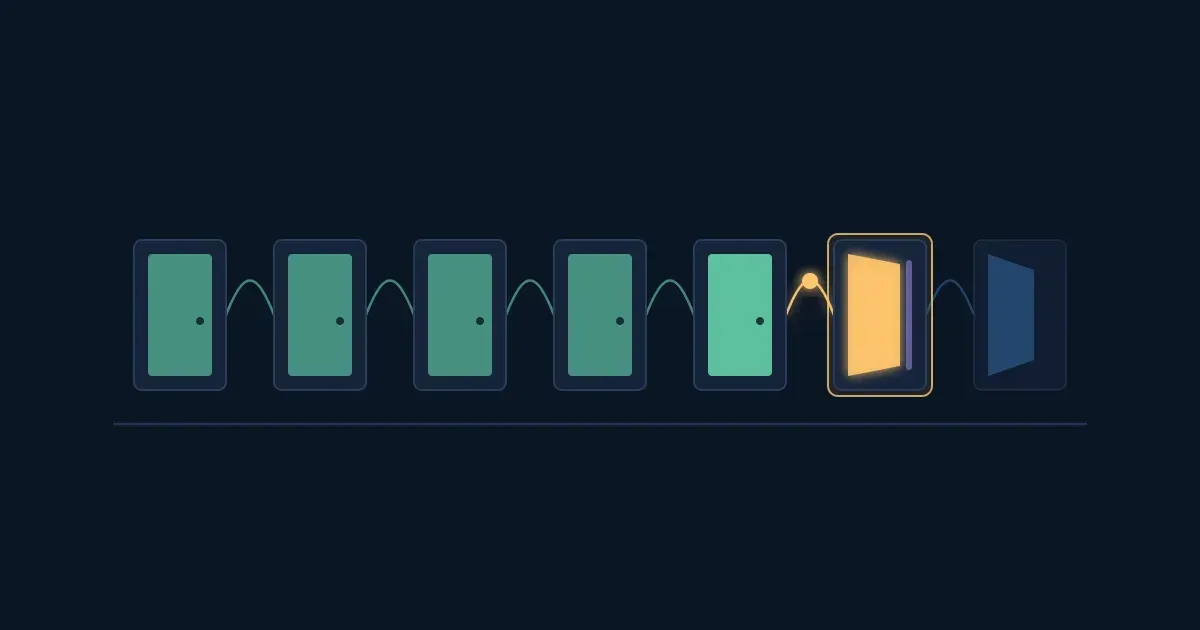
Seven doors, seven habits:
Interactive · Your habits for this week — try it in the lesson
Try it: tick the habits you already keep and the ones you'll start this week. Then tell the person next to you which one you'll start first.
Takeaway: none of these takes more than a minute, and together they close many of the doors attackers try every day.
Six questions on everything in this lesson.
Question 1. You'll be away from your desk for one minute to grab a printout. What do you do with your screen?
Question 2. Your laptop shows two networks: "Hotel_Guest" and "Hotel Guest". What is the safest way to connect?
Question 3. Someone without a badge asks you to hold the office door. What do you say?
Question 4. Which of these should you report to IT straight away? (pick all that apply)
Question 5. You need to finish a large work file at home over the weekend. What's the right way?
Question 6. Why does reporting within minutes matter so much?
Workshopy shares this lesson under CC BY 4.0. Anyone may use and change it, with credit to you. Anyone can learn it here, free. A copy in your workspace is yours to change and run live; your students never need an account.
Version 1Current
· First published
Copies are made from the current version. A copy you already have doesn’t change.
WorkshopyOfficial10 stepsQuiz9 interactiveDiagram~65 min
gitversion controlbeginners
WorkshopyOfficial16 steps2 quizzes15 interactiveDiagram~120 min
workshopyproduct touronboarding
WorkshopyOfficial13 steps2 quizzes12 interactive~60 min
dnageneticsbiology
WorkshopyOfficial10 steps2 quizzes9 interactive~55 min
securitypasswordspassword manager
WorkshopyOfficial11 steps2 quizzes10 interactive~50 min
securityphishingcybersecurity
WorkshopyOfficial10 steps2 quizzes10 interactive~70 min
businessstartupsentrepreneurship
Comments
No comments yet. Be the first to say how it went.