OtherEN
Intro to Git — Snapshots, Branches & Sharing
 WorkshopyOfficial
10 stepsQuiz9 interactiveDiagram
gitversion controlbeginners
Used by 1 teacherBeginner
Usability testing workshop: write unbiased tasks, moderate think-aloud, watch a mock session, then find the pattern in five sessions and rate severity.
WorkshopyOfficial
78 lessons · used by 2 teachers
Sign in to copy it to your workspace. It’s free.
10 steps · 2 quizzes · open any step, or read it here
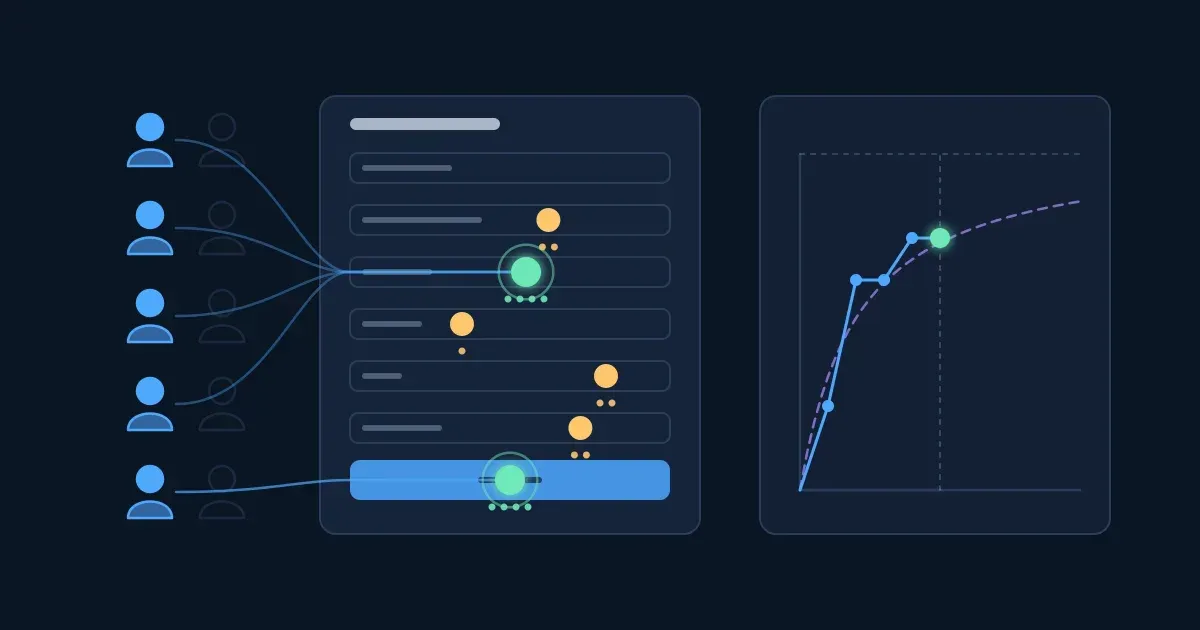
This usability testing workshop starts with a problem every product team meets: a new form went live, everyone on the team found it easy, and still people get stuck. Watch five people try it, one after another, and see where they stop.
Interactive · Five sessions, one form: where do people get stuck? — try it in the lesson
Each path ends where someone got stuck. Two places stopped almost everyone, and five short sessions were enough to find them. In this lesson you learn to run that test yourself.
You need a browser. No research background.
A usability test is simple: a real user of the product tries to do a real task with it while you watch what they do. You don't ask whether they like it. You look at where they hesitate, where they make a wrong turn, and whether they finish.
That separates it from methods that collect opinions: surveys, focus groups, preference tests ("which logo looks more trustworthy?"). Opinions are useful, but people are poor judges of what they will do, and they often rate a screen as easy right after struggling with it. Behaviour is the evidence.
Three things make it a test:
Try it: sort the six cases below. Two of them are usability tests, and they look quite different from each other.
Interactive · Usability test or something else? — try it in the lesson
Takeaway: if nobody is using the product to do something while you watch, it isn't a usability test.
A first test needs a one-page plan, not a research project. Write down:
| Moderated | Unmoderated | |
|---|---|---|
| Who is there | A moderator, in the room or on a call | Nobody: the participant follows written tasks while a tool records screen and voice |
| Strength | You can ask "what did you expect?" at the moment it matters | Fast and cheap for many people, at any hour |
| Weakness | Takes your time, one session at a time | No follow-up questions; unclear tasks can't be rescued |
| Good for | A first test, early designs, complex tasks | Checking a fix, clear tasks, comparing many people |
For a first test, run it moderated: you will learn more from watching five people live than from reading fifty recordings.
Recruit people who will really use the product, with a mix of how often and how expertly they use it. Leave out anyone who built it, designed it, ordered the test or administers it: they know how it is supposed to work, so they can't show you where it doesn't. Offer a small thank-you for their time; sessions of 30 to 60 minutes are typical.
Try it: the test is of the company's new room-booking form. Pick your five.
Interactive · Pick five participants for the room-booking test — try it in the lesson
Takeaway: the people you test with decide what you can find. Real users, nobody from inside.
A task is the instruction you read to the participant. Most first tests go wrong here: the task tells people where to click, so the test only shows that people can follow instructions.
A good task:
Read each task aloud once, then hand it over on a card so nobody has to remember it.
Try it: four draft tasks, each giving too much away. Choose the rewrite you would use.
Interactive · Rewrite the leading tasks — try it in the lesson
Takeaway: describe the situation and the goal; let the participant find the way.
In a think-aloud test, participants say what they are thinking while they work: what they are looking for, what they expect, what surprises them. The method comes from cognitive psychology (Ericsson and Simon's protocol analysis); in usability testing it is the most common way to hear why someone does what you see them do.
Before the first task, say three things:
During the session your job is to stay out of the way:
Try it: four moments from a session. What do you say?
Interactive · What do you say when the participant stops? — try it in the lesson
Takeaway: a moderator who helps ends the test. Neutral prompts, questions handed back, help only after.
Question 1. Which of these is a usability test?
Question 2. You want to test a new expense form with five people next week and ask them why they hesitate. Which kind of test fits best?
Question 3. Which task is written best?
Question 4. A participant has been silent for 30 seconds, looking at the screen. What does the moderator say?
During a session one person moderates and, ideally, a second person takes notes. Good notes are observations: what the participant did and said, where, and when. Interpretations ("the date field is badly designed") come later, when you compare sessions.
For every problem, write:
A problem is anything that slows the person down, confuses them or leads to a wrong result. A smooth moment isn't a problem, and neither is an opinion on its own.
Try it: Noa, a sales rep, books a room for Friday. Play her session and note each moment that is a problem.
Interactive · Watch a mock session and note the problems — try it in the lesson
Takeaway: note what you see and hear, with a time. The "why" and the fix come later.
Check your work · Noa said one thing out loud that contradicted what she did. Paste her last words. — check it in the lesson
How many people do you need? In 1993 Jakob Nielsen and Thomas Landauer looked at usability studies and found that the share of problems a test finds follows a simple curve:
$$\text{found}(n) = 1 - (1 - L)^n$$
where $n$ is the number of participants and $L$ the share of problems one participant shows you. Across their studies $L$ averaged about 31%. With that value five users find $1 - 0.69^5 \approx 0.84$ of the problems (Nielsen rounds it to 85%), which is where the advice "test with five users" comes from. Each extra person mostly repeats what you saw.
Try it: run sessions one at a time on the room-booking form. Its problems are illustrative: some hit most people, some almost nobody. Watch where the curve flattens, then try a new group of people.
Interactive · Run sessions one by one and watch the pattern appear — try it in the lesson
What the curve doesn't promise:
Nielsen's own advice is to spend the budget on several small tests rather than one big one: test five, fix what you found, test five more on the fixed version.
Takeaway: five sessions find the problems most people meet. Fix them and test again, rather than adding more people to one round.
After five sessions you have five sets of notes. Before you discuss solutions, put them on one sheet: a row for each observation, a column for each participant, a mark where that person met it. (Some teams call this a "rainbow spreadsheet"; sticky notes grouped on a wall work the same way.)
Then read it row by row:
Try it: here are the five sessions of the room-booking test on one sheet. Mark every row.
Interactive · Five sessions on one sheet: find the pattern — try it in the lesson
Takeaway: count before you discuss. The pattern tells you what to fix first; your memory of the most vivid session doesn't.
Not every problem is equally bad. Jakob Nielsen's widely used scale rates each one from 0 to 4:
| Rating | Name | Meaning |
|---|---|---|
| 0 | Not a problem | Nobody struggled |
| 1 | Cosmetic | Noticed, but changes nothing anyone does |
| 2 | Minor | Slows people down; they recover |
| 3 | Major | Causes a wrong result or a lot of lost time for some people |
| 4 | Catastrophe | Stops most people or gives a wrong result; fix before release |
Three things go into a rating: frequency (how many met it), impact (slowed down, or a wrong result) and persistence (once, or every time they use it). A problem that hits one person in five but makes them miss a meeting can outrank one that hits everyone for ten seconds.
Try it: rate four problems from the booking test and watch your fix list sort itself.
Interactive · Rate four problems from the room-booking test — try it in the lesson
Keep it short enough that the team reads it the same day:
Takeaway: rate each problem by how many met it, how bad it was and how often it happens. Then fix, and test again.
Work each one out, then check. Use $\text{found}(n) = 1 - (1 - L)^n$ where you need it. Round percentages to whole numbers.
Question 1. What did Nielsen and Landauer's model find about five users?
Question 2. Which of these are limits of the five-user rule? (pick all that apply)
Question 3. A participant says "That was really easy" after two failed tries at the date field. What goes in your findings?
Question 4. Which reply keeps a think-aloud session neutral when the participant asks "Is it this button?"
Question 5. After five sessions, which problem do you fix first?
Question 6. Why is the team that built a product the wrong group to test it with?
Workshopy shares this lesson under CC BY 4.0. Anyone may use and change it, with credit to you. Anyone can learn it here, free. A copy in your workspace is yours to change and run live; your students never need an account.
Version 1Current
· First published
Copies are made from the current version. A copy you already have doesn’t change.
WorkshopyOfficial10 stepsQuiz9 interactiveDiagram
gitversion controlbeginners
WorkshopyOfficial16 steps2 quizzes15 interactiveDiagram
workshopyproduct touronboarding
WorkshopyOfficial10 steps2 quizzes10 interactive
data-literacystatisticsmean and median
WorkshopyOfficial10 steps2 quizzes10 interactive
designweb accessibilitywcag
WorkshopyOfficial10 steps2 quizzes10 interactive
designempathy maphow might we
WorkshopyOfficial9 steps2 quizzes9 interactive
designcoloraccessibility
Comments
No comments yet. Be the first to say how it went.