
How to run a hands-on coding workshop
By the Workshopy teamPublished 3 min read
Plan the workshop as short steps that each end in something students can see working, write the code live and slowly, and keep a visible queue for the students whose code won't run. The hard part of a coding workshop is helping the few who are stuck while the rest of the room keeps going, so build the workshop around that from the start.
Plan it as steps, not slides
A coding workshop is a sequence of small wins. Write it as steps of a few minutes each, every one ending in something the student can check: a page that loads, a test that passes, output that matches. If you can't say how a student knows they're done, the step is too big.
- One idea per step. Installing, configuring and writing code are three steps, not one.
- Put the code to type in the step itself, so nobody copies from a blurry projector.
- End each step with a check: "you should see…", and the expected output.
- Plan a stretch task for the students who finish early.
In Workshopy a workshop is one Markdown document: each # heading starts a step, and code goes in fenced blocks with syntax highlighting and a copy button. A quiz step or an interactive block can go wherever it helps.
Set up the room before the first line of code
Setup eats the first half hour of many workshops. Send the install instructions beforehand, make the first step "check your setup", and keep a fallback ready for the machines that won't cooperate, such as an online editor or two students sharing one working laptop. Make sure everyone can read your screen: a big font and one maximised window.
Write the code live, and slowly
Live coding beats slides for teaching programming: you write the program in front of the class while learners type along. It slows you down to a pace people can follow, and it shows them how you diagnose and fix mistakes, which is what they will spend much of their own time doing.
- Say what you're about to type, type it, run it, then let the room catch up.
- Make the occasional mistake and fix it out loud. It shows that mistakes are normal.
- Stop at the end of each step until most of the room has marked it done.
Handle the student whose code won't run
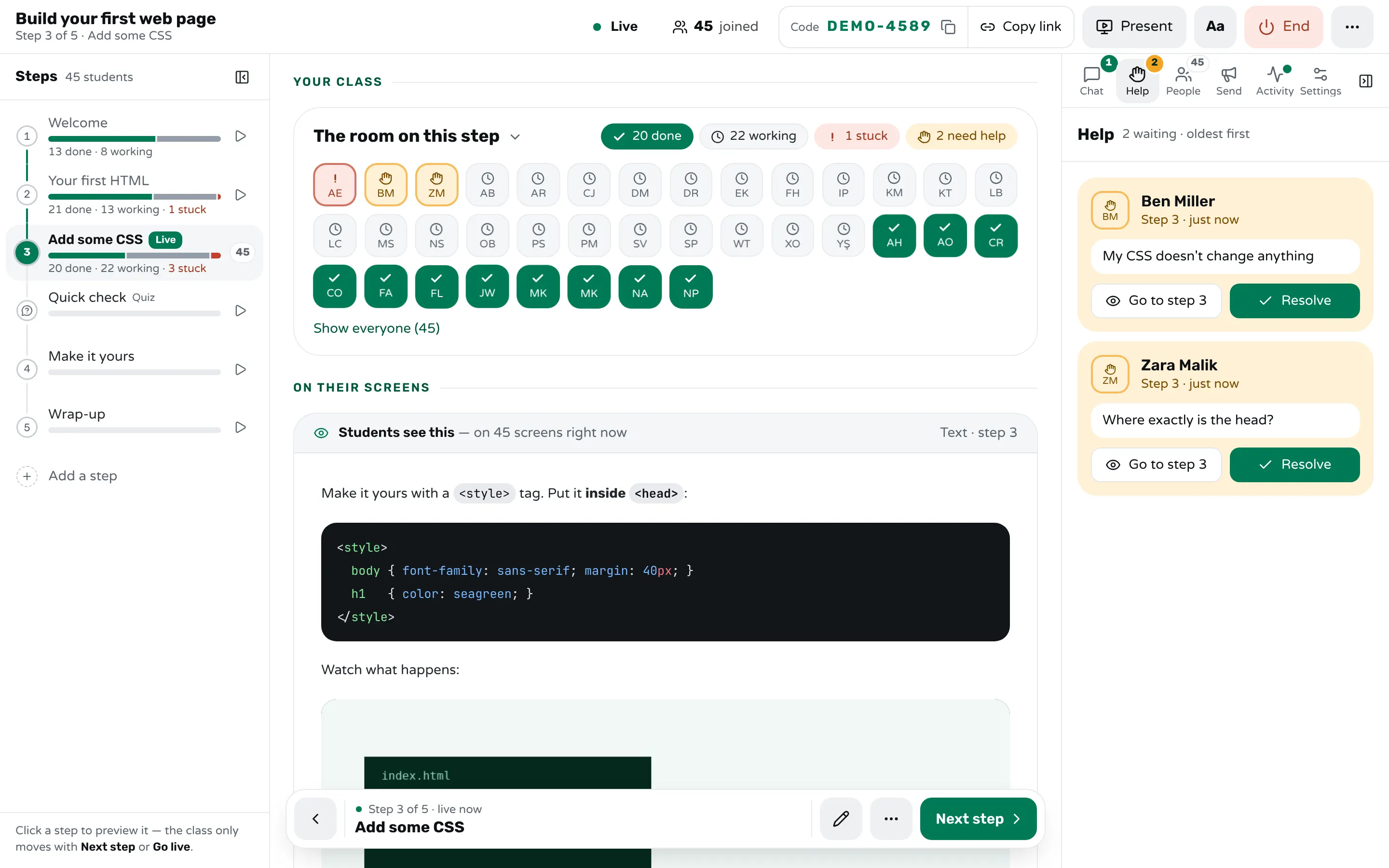
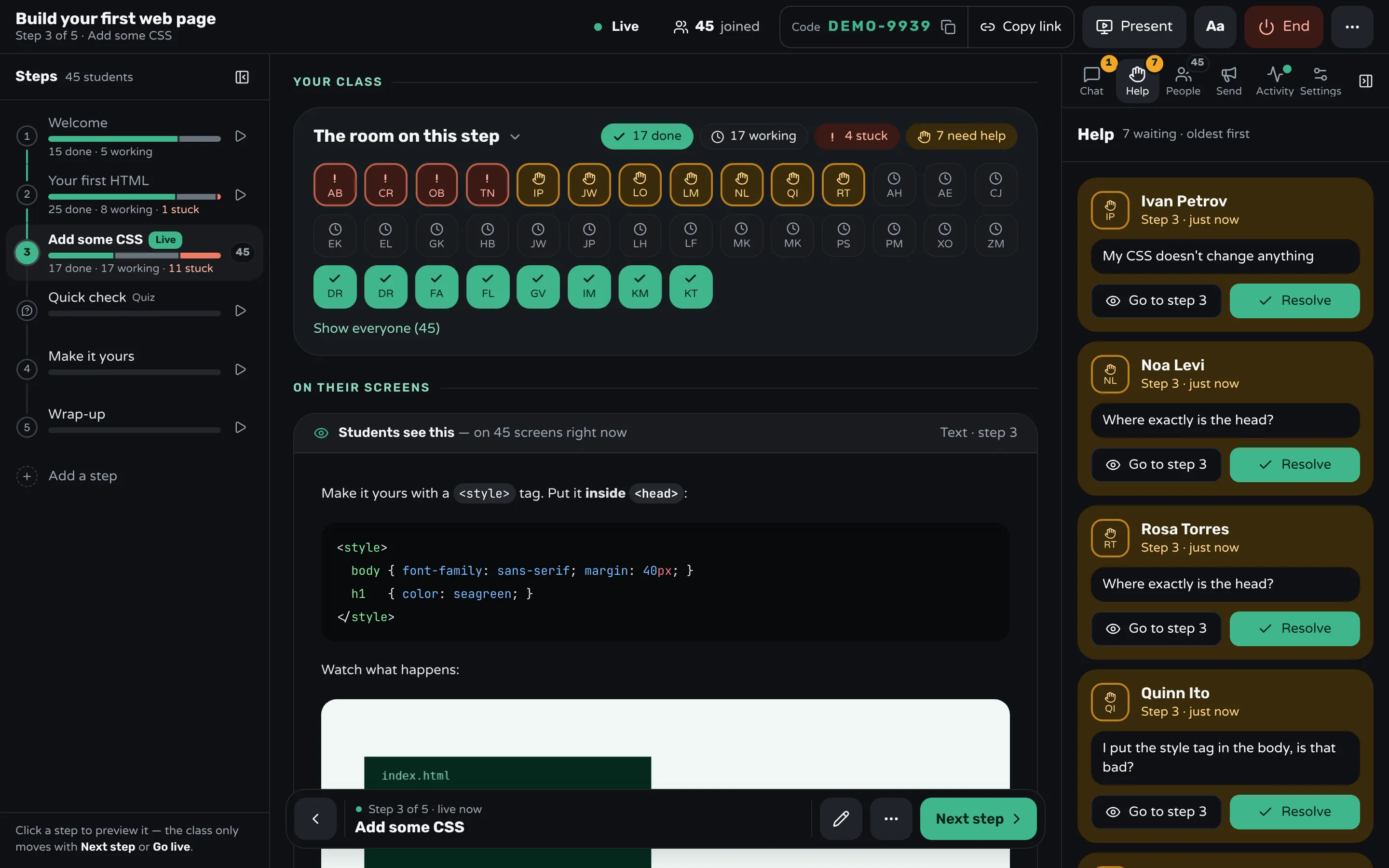
In every coding workshop someone's code fails for a reason nobody else has: a typo, a different version, a missing file. Helping them must not stop everyone else. Let students flag a problem without raising a hand, keep a queue, and help in order. If the same error shows up three times, fix it for everyone: explain it to the room, or change the step.
In Workshopy, Need help sends you a request with the student's note, and the Help tab lists the requests oldest first with Go to step and Resolve. A private message answers one student without the class reading it. If the step itself has a mistake, edit it during the class and every student's screen updates.
Keep the fast and the slow students both working
Let fast students move ahead to the stretch task while slower ones finish, then bring the class together before the next new idea. Decide per workshop whether students may look ahead: in Workshopy that's the Look ahead setting, and when it's time to regroup, Bring everyone moves the whole class to your step.
After the workshop
Look at where the class got stuck and fix that step before you run the workshop again, and ask the class what to change before they leave. Workshopy's report shows, for each step, how many students finished it, how many asked for help and how long they waited.
Frequently asked questions
Should I use slides at all?
A few, for the big picture at the start. For the code itself, write it live: students follow typing better than reading a finished program, and they see how you recover when something breaks.
What if the setup fails for half the room?
Make setup its own first step so you see who is through before you start teaching, and keep a fallback ready, such as an online editor or pairing two students on one working laptop.
Can students go back to an earlier step?
Yes, if you allow it. Look back is a live setting in Workshopy, and a student who returns to a step they finished keeps their Done mark.
Keep reading
How to tell which students are stuck in a hands-on class
Stuck students rarely raise a hand. Give every step a done signal, look for who hasn't sent it, and help the right student first.
3 min read · 19 Oct 2026
Using WorkshopyHow to write a workshop in Markdown
The complete authoring format: how # headings become steps, what Markdown is supported, and how to import or export a single .md file.
3 min read · 12 Sept 2026
See who's stuckHow to run a help queue in a classroom
Keep one list of who needs help, take it in order, keep each visit short, and explain a repeated problem to the whole room at once.
6 min read · 20 Oct 2026
See it with a class of 45. No sign-up.
The live demo runs the real product with a simulated class. When you're ready, start free.