
How to run a Python workshop for beginners
By the Workshopy teamPublished 8 min read
Make getting Python running part of the workshop, and end setup with one command everyone runs and shows you. Then teach in steps of a few minutes, each ending in a program that prints something students can compare with what you expect. Write the fixes for the first errors into the steps before the class meets them: Python not found, code typed at the wrong prompt, a missing colon or quote, a misspelled name. A beginner who can read an error message on their own is the real result of the day.
Decide what they can do by the end
Pick one small program everyone will have written and run by the last hour: a number-guessing game, a script that counts the words in a text file, a tip calculator that asks for the bill. Every step of the day builds a piece of it. Beginners stay with you when they can see where the pieces go.
Keep the language small. The Carpentries' instructor notes for their Python lesson say it plainly: the goal isn't to teach Python as a language but the ideas behind programming, so "resist the temptation to explain the 'other 90%'" and pair every idea with a use for it right away. For a first workshop that means variables, print, input, if, a for loop, lists, and one function. Dictionaries, classes and list comprehensions can wait for the next one.
The organisers of the Boston Python Workshop, an outreach event for beginners, kept goals small on purpose: completing a task, however small, tells a beginner they are on the right track.
Make setup part of the workshop
Installing Python is where beginner workshops lose their first hour. The Boston Python Workshop's lesson was to stop asking people to install before the day, which scares some beginners off, and to make setup part of the event instead: a Friday evening where each person installs Python, starts and leaves the prompt, runs a file, and gets each step checked off by a helper.
Whether setup happens at home or in the room, write one page that ends in a check people can run themselves. Teaching Tech Together suggests emailing it a couple of days before, then having everyone run a simple command as they arrive and show you the result, so the people who ran into trouble get help first. For Python the check is two commands:
python --version
python hello.py
The first should print a version of 3.10 or later, and the second a line of output. Version 3.10 matters: it was the release that made Python's error messages much clearer for beginners (more on that below). Getting everyone set up in the first five minutes covers the setup page and the first task in detail.
Plan for the operating systems in the room. On Windows, Python's own documentation now offers an install manager that provides the python and py commands; when python opens the Microsoft Store instead, Python isn't installed yet, or the app alias needs switching back on in "Manage app execution aliases". On a Mac, the command is usually python3. Put both commands in your steps, so nobody guesses.
Keep a way out ready for the laptop that won't cooperate: a browser-based Python environment, or two students on one working machine. Teaching Tech Together notes the trade-off of browser tools: they depend on the venue's wifi, and people leave without Python on their own computer. Use them as a fallback, not as the plan.
Pick one place to write and run code
Beginners lose time switching between tools. Choose one setup and use it all day: an editor and a terminal, a simple editor such as IDLE that installs with Python, or Jupyter notebooks. Each works; mixing them doesn't.
If you use notebooks, teach the notebook first. The Carpentries' notes point out that their lesson skips Jupyter's basics, so instructors have to show how to start it, create a notebook, run a cell, and what the In and Out numbers mean. If you use a terminal, show the difference between the terminal and Python's own >>> prompt in the first ten minutes. Typing python hello.py at the >>> prompt is one of the most common first errors, and Python answers it with a SyntaxError that explains nothing to a beginner.
Give every step a program that prints something
Write the workshop as steps of three to eight minutes, and end each one with output students can check without you: "Run it. You should see Hello, Maya." If you can't say what a student sees when they're done, the step holds too much.
Write the code live, and slowly. Teaching Tech Together calls live coding the most effective way to teach programming: it slows you to a pace the room can follow, and it shows beginners how you find and fix your own mistakes, which is what they will spend most of the day doing. Say what you are about to type, type it, run it, and wait. When you make a typo, fix it out loud.
Grow programs a little at a time. The Carpentries' notes suggest copying the previous version and changing the copy, rather than editing one block over and over, so learners can see how the program got there. In a terminal setup, the same idea is guess1.py, guess2.py, guess3.py.
Put the code to type inside the step, with a copy button, and the expected output under it. Students who copy from a projector make typos you then spend the step fixing.
Plan for the errors beginners hit first
Python workshops go wrong in the same places, so write each fix into the step where it happens:
- Python isn't found. "command not found" on a Mac, "is not recognized" on Windows, or the Microsoft Store opens. Try
python3on a Mac andpyon Windows; otherwise it's a setup problem. - Code typed at the
>>>prompt.python hello.pytyped inside Python gives a SyntaxError.exit()gets them out. - The wrong folder. "can't open file" means the terminal is somewhere else. Show
cdand how to list the folder's files early. - A missing colon or quote.
if guess == secretwithout the colon. Recent versions sayexpected ':', and an unclosed bracket now gets "'{' was never closed" at the line where it opened. - Indentation. A line under an
ifthat isn't indented gives an IndentationError; mixing tabs and spaces gives a TabError. Set the editor to insert four spaces before the day. - A name spelled two ways.
Nameandnameare different variables, and a word without its quotes is read as a variable. Both give a NameError. - Numbers that are text.
input()always gives back text, soinput("Age? ") + 1fails with a TypeError. Teachint()in the same step asinput().
Name your files carefully too. A student who saves their practice file as random.py and then writes import random imports their own file instead of Python's module.
Teach them to read an error message
Beginners see a red block of text and stop. Show them where to look: the Carpentries' lesson on errors says the place where the error happened is at the bottom of the traceback, and the last line names the type of error and what went wrong. Read the last line, then the line number above it, then that line of their code.
This is why the Python version matters. Python 3.10's release notes list the changes: a missing colon now says expected ':', an IndentationError says which statement expected the indented block, and a misspelled name ends with "Did you mean: …?" pointing at the right one. A beginner on an older version gets "invalid syntax" on the wrong line.
Make one mistake on purpose early in the day, read the message out loud, and fix it. Then, when a student calls you over, ask them to read you the last line first. Most can fix the problem by the time they've read it.
How Workshopy runs a Python workshop
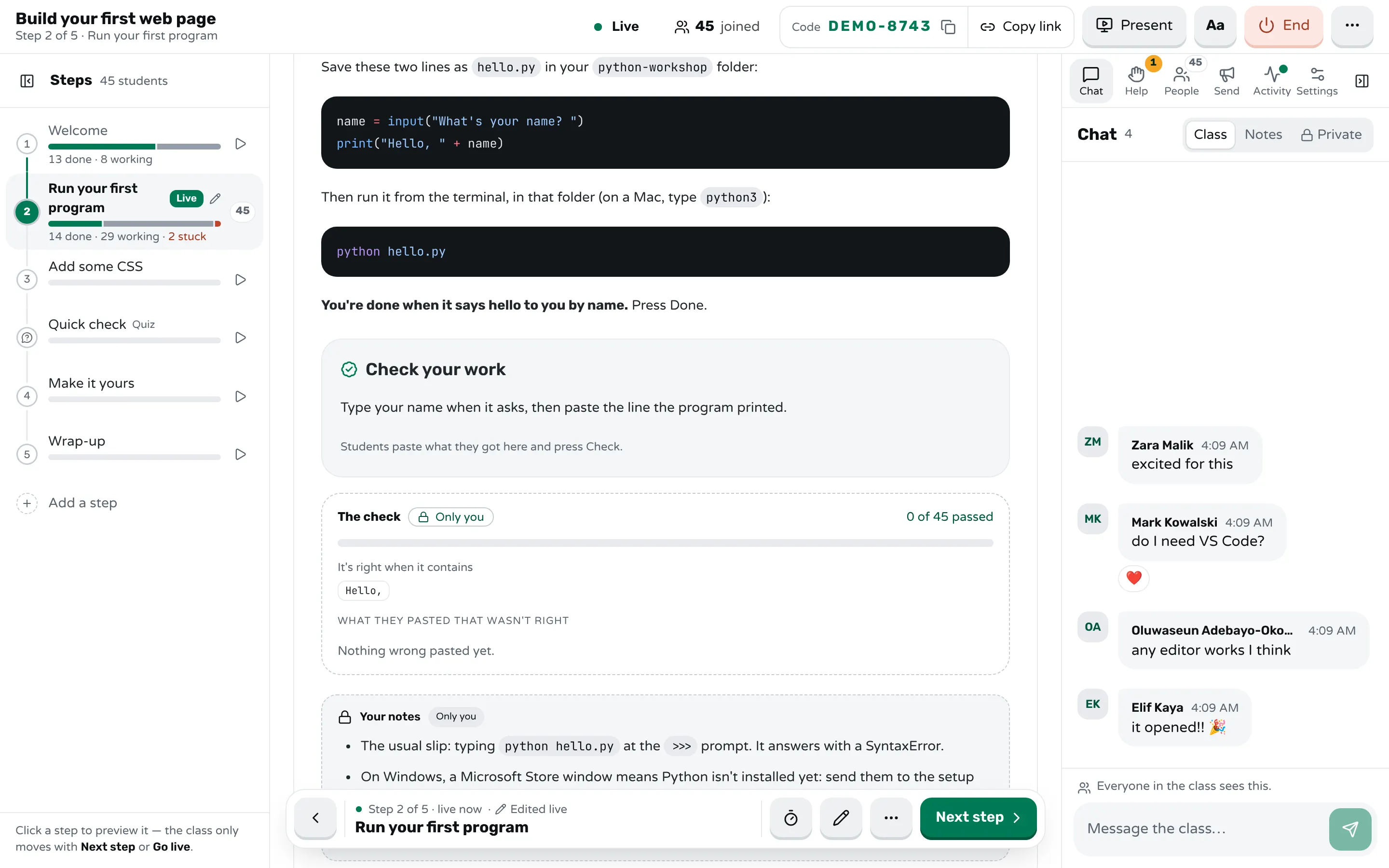
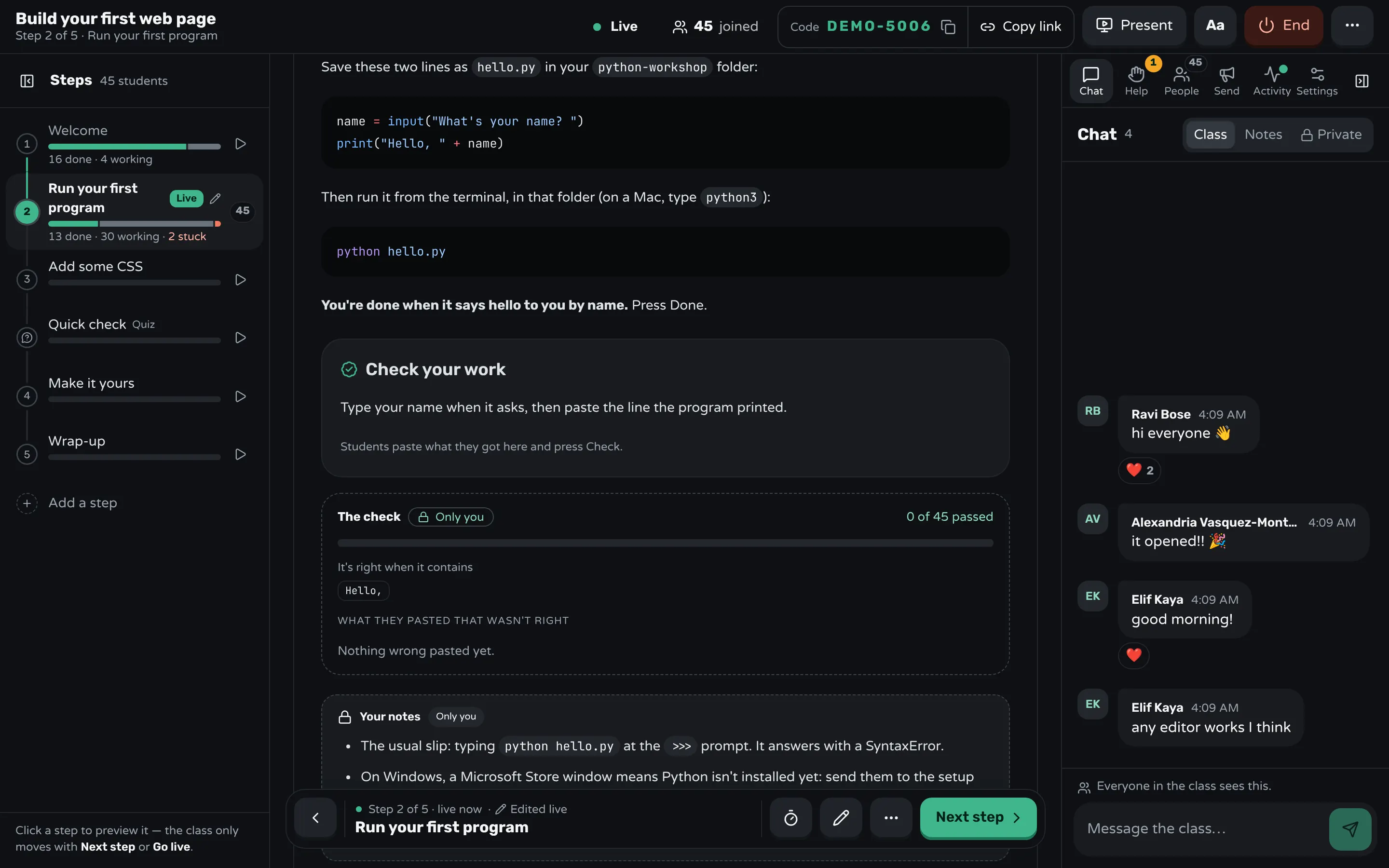
In Workshopy the workshop is a list of steps that students follow on their own screens while you watch the room. Each code block has a copy button, so nobody retypes code from the projector. End a step with a Check your work block: students paste what their program printed and press Check, and the server compares it with what you wrote, so the answer never reaches their screens.
```check
Type your name when it asks, then paste the line the program printed.

contains: Hello,

mistake: command not found → On a Mac, type `python3 hello.py`; on Windows, `py hello.py`.
mistake: can't open file → You're not in the folder with `hello.py`. Run `cd python-workshop`.
mistake: NameError → A name is spelled differently on the two lines.
hint: Run the command in the terminal, not at Python's `>>>` prompt.
```
A paste that holds an error you foresaw gets your words for it, and each wrong try opens the next hint. That turns the list of first errors above into answers students get without waiting for you. A right paste marks the step done, and beside the step you see how many passed and the wrong pastes grouped, with the ones you foresaw marked.
A teacher block in the step holds your own notes, such as the >>> slip or how long the step takes; students never see it. A student who is stuck presses Need help, picks "I get an error" and can paste the message; the Help tab lists the requests oldest first, and the room marks a student who is taking much longer than the class without asking. If a step has a mistake in it, edit it during the class and every student's screen updates. After the class, the report shows each step's checks, which tells you which step to rewrite before the next workshop.
Sources
- The Carpentries, Programming with Python: Instructor Notes
- The Carpentries, Programming with Python: Errors and Exceptions
- Greg Wilson, Teaching Tech Together (2019)
- OpenHatch, Lessons learned from the Boston Python Workshop (2011)
- Python documentation, What's New in Python 3.10: Better error messages (2021)
- Python documentation, Using Python on Windows
Frequently asked questions
Which Python version should beginners install?
The latest release, and at least 3.10. From 3.10 on, error messages name the missing colon or the bracket that was never closed and suggest the name a student meant, which saves you many trips across the room.
Should a beginner Python workshop use Jupyter notebooks or scripts?
Either works if you use one all day. Notebooks keep code and output together, which suits data work; scripts in a terminal are closer to how programs are run outside the workshop. Teach the tool itself in the first minutes.
Can beginners use an online Python editor instead of installing Python?
Yes, and it removes the install problems, but the class then depends on the venue's wifi and people leave without Python on their own computer. Many workshops install Python and keep a browser editor as the fallback.
How long does a Python workshop for beginners take?
Plan a half day for the basics: variables, input and output, a condition, a loop, and a small program that uses them. A full day leaves room for lists, functions and a small project. Leave the first half hour for setup unless it happened before.
What is the most common error beginners make in Python?
Typing a terminal command at Python's >>> prompt, closely followed by missing colons and names spelled two ways. Putting the fix for each in the step where it happens prevents most of them.
Keep reading
How to run a hands-on coding workshop
Plan short steps that each end in working code, write the code live and slowly, and keep a queue for students whose code won't run.
4 min read · 19 Oct 2026
Run a live classHow to get everyone set up in the first five minutes
Send one setup page that ends in a check, make the first task that same check, and help the people who can't start before anyone else.
8 min read · 27 Oct 2026
Hands-on & coding workshopsHow to teach Git to beginners in a workshop
Teach the few commands that matter on day one, draw where each one moves a file, and end every step with output students can check.
7 min read · 29 Oct 2026
Ready-made lessons from the library
Intro to Git — Snapshots, Branches & Sharing
A short, hands-on first lesson in Git for complete beginners. Students build the mental model one idea at a time — snapshots, the three areas…
10 steps · ~65 min · Free
Teacher trainingMeet Workshopy — A Live, Interactive Product Tour
A live, interactive product tour of Workshopy for new users. It runs as a real Workshopy session, so the audience experiences the product as participants while…
16 steps · ~120 min · Free
ScienceHow Epidemics Spread — R, Curves and Herd Immunity
An interactive first look at how infectious diseases spread through a population — and what stops them.
9 steps · ~60 min · Free
Learn any of them on your own, free, or copy one and teach it live. Browse the library
See it with a class of 45. No sign-up.
The live demo runs the real product with a simulated class. When you're ready, start free.