OtherEN
Intro to Git — Snapshots, Branches & Sharing
 WorkshopyOfficial
10 stepsQuiz9 interactiveDiagram
gitversion controlbeginners
Used by 1 teacherBeginner
API training for non-technical teams: send requests to a pretend help-desk API, read JSON, decode status codes, keys, rate limits and webhooks.
WorkshopyOfficial
78 lessons · used by 2 teachers
Sign in to copy it to your workspace. It’s free.
11 steps · 2 quizzes · open any step, or read it here
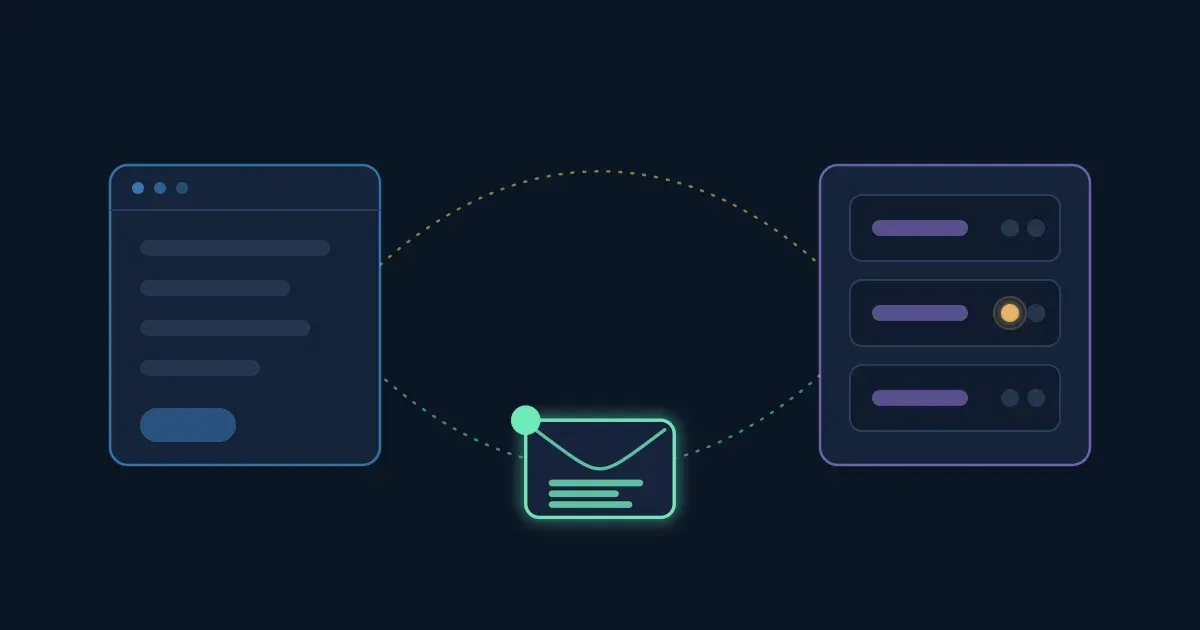
This APIs explained lesson for non-developers starts with something you see every day: you press Sync, Save or Connect in one tool, and data shows up in another. Behind that button, one program sent another a request and got a response back, and that exchange is what people mean by "the API".
Interactive · What really happens when an app asks another app for data — try it in the lesson
You just watched one request travel to a server and its response travel back. By the end of this lesson you'll be able to write that request yourself and read the answer.
Everything runs in this page: no coding background and no software needed.
An API (application programming interface) is the set of requests a program agrees to answer, and the shape of each answer. When your CRM shows a customer's open support tickets, the CRM is not looking at the help desk's screen. It sends the help desk's API a request, such as "give me the tickets of customer 7", and gets the data back in a fixed format.
You may have heard the waiter comparison: you (the app) don't walk into the kitchen (the server), you order from a menu (the API). It's a fair start, but three things matter more at work:
Most APIs you'll meet at work are web APIs: the request and the response travel over HTTP, the same protocol your browser uses to load pages.
Try it: send all four requests below. Read the request on the left before you look at the response on the right.
Interactive · Send a request to a pretend help desk and read what comes back — try it in the lesson
Two of the four came back purple. Neither broke anything: the API answered with what went wrong.
Takeaway: an API call is a request (what you want, sent by one program) and a response (a status and data, sent back by another).
Every web API request is built from the same few parts. Learn them once and you can read any API's documentation.
| Part | What it says | Example |
|---|---|---|
| Method | What you want done | GET (read), POST (create) |
| Endpoint | Which thing you mean: the API's base address plus a path | https://api.deskly.example/v1 + /tickets/42 |
| Query (optional) | Filters, after a ?, as name=value pairs joined by & |
?status=open&priority=high |
| Headers | Notes on the envelope: who you are, what format you send | Authorization: Bearer sk_live_… |
| Body (optional) | The data you send along, usually JSON | { "subject": "Printer jammed" } |
A path usually names a collection (/tickets, all tickets) or one item in it (/tickets/42, the ticket with id 42). The v1 in the base address is the API's version: when the API changes in a way that would break old integrations, the owners often publish a v2 and keep v1 running for a while.
Try it: build the three requests in the task list. Watch the request text change as you change each part.
Interactive · Build a request, part by part — try it in the lesson
Takeaway: method + endpoint say what you want and where; headers say who you are; the body carries data you send.
Most web APIs answer in JSON (JavaScript Object Notation): plain text that people and programs can both read. It has only a few pieces:
{ }: pairs of a name in double quotes, a colon and a value, separated by commas.[ ]: values in order, separated by commas."open"), numbers without quotes (42), true or false, and null, which means "nothing here".Objects and lists nest inside each other. A ticket can hold a customer object, and a list of comments where each comment is an object. Tools and docs point at a value with its path: customer.email is the email inside the customer object; comments[1].author is the author of the second comment, because lists count from 0.
Try it: answer the four questions by pressing the right value in the response.
Interactive · Find the answers in a JSON response — try it in the lesson
Takeaway: read JSON from the outside in: find the object, then the name, then the value; in a list, the position counts from 0.
The method is the verb of the request. Five cover almost everything:
| Method | What it does | Typical answer |
|---|---|---|
GET |
Reads. Changes nothing on the server | 200 OK |
POST |
Creates something new (or starts an action) | 201 Created |
PUT |
Replaces a whole item with what you send | 200 OK |
PATCH |
Changes only the fields you send | 200 OK |
DELETE |
Removes an item | 204 No Content |
Two ideas help when you plan an integration or read an incident report:
GET only reads, so calling it never changes data.GET, PUT and DELETE are; POST is not. That's why a "Create invoice" call retried after a timeout can make two invoices, and why many APIs let you send an idempotency key with a POST.Try it: press each method once, then press POST and DELETE a second time. Then compare PUT and PATCH on ticket 42.
Interactive · Five methods on one list of tickets — try it in the lesson
Takeaway: GET reads, POST creates, PUT replaces, PATCH edits, DELETE removes; repeat a POST and you may create twice.
Question 1. In `GET https://api.deskly.example/v1/tickets?status=open`, which part is the filter?
Question 2. Which part of a request usually carries the API key?
Question 3. In this response, what is the value of `customer.name`?
Question 4. You want to change a ticket's priority and leave everything else as it is. Which method fits best?
Every response starts with a three-digit status code. The first digit is the family, and the family already tells you who has to act:
200 OK (here is your answer), 201 Created (something new exists), 204 No Content (done, nothing to send back).400 Bad Request (the server can't use what you sent, such as broken JSON or a missing field), 401 Unauthorized (missing or wrong key: the server doesn't know who you are), 403 Forbidden (it knows who you are, and you're not allowed), 404 Not Found (nothing at that address), 429 Too Many Requests (slow down).500 Internal Server Error means something broke on their side; your request may be fine.There are also 1xx (information) and 3xx (redirection) codes, which tools handle for you. When an integration fails, the code is the first thing to put in your message to a developer or to the vendor's support team, with the time it happened.
Try it: sort the nine codes by what you'd do next.
Interactive · Sort the status codes by what you do next — try it in the lesson
Takeaway: 2xx worked, 4xx: change the request (or wait, for 429), 5xx: tell the API's owner.
An API needs to know who is calling before it answers. The most common way is an API key: a long secret string your account generates, sent in a header with every request (often Authorization: Bearer <key>; some APIs use a header such as X-API-Key). Some integrations use OAuth instead: you click "Allow" once, and the tool gets a token that works like a key with limits.
A key is a password for a program. Whoever holds it can do everything the key allows, in your name. So:
Try it: send both requests with every key and fill in the table. Watch for the difference between 401 and 403.
Interactive · Which key may do what: 401 or 403? — try it in the lesson
Takeaway: 401 means "who are you?", 403 means "not for you"; treat every key like a password and replace one that leaked.
APIs limit how many requests one key may send in a time window, such as 100 a minute or 10,000 a day. Limits protect the service from overload and share it fairly between customers. Go over the limit and you get 429 Too Many Requests, often with a Retry-After header that says how long to wait (usually a number of seconds). Many APIs also send headers that tell you how many requests you have left in the window; their names vary, so check the docs.
At work this shows up as "the sync stopped halfway" or "the import failed for the last 300 rows". The fix is rarely a bigger limit: it's sending fewer requests (asking for lists instead of one item at a time) and waiting when told.
Try it: send 20 requests a minute against a limit of 10 and press Run. Then tick Wait when told and run it again. Finally try a rate under the limit.
Interactive · A rate limit of 10 requests a minute, two minutes of traffic — try it in the lesson
Takeaway: a rate limit is a budget per time window; a tool that waits when told gets the same work done without a pile of refused calls.
How does your tool find out that something happened in another tool, such as a payment arriving? Two ways:
Webhooks are why a payment can post to a channel within seconds. The price: your tool needs an address the service can reach, and it should check that each call really came from that service (many services sign their webhooks with a shared secret for this).
Try it: move the slider to set how often your tool polls, and press Play the hour to watch three payments arrive.
Interactive · One hour, three payments: polling against a webhook — try it in the lesson
Takeaway: polling trades empty requests against delay; a webhook tells you once, when it happens.
API documentation lists the endpoints, what each method does there, the fields you can send and the answers you'll get. Here are the docs of the pretend help desk. Read them, then do the five tasks in the console below.
Base address: https://api.deskly.example/v1 · Authentication: Authorization: Bearer <your key> on every request (the console adds your key when its box is ticked).
| Method and path | What it does | Notes |
|---|---|---|
GET /tickets |
List tickets | Filters: status (open, pending, closed), priority (low, normal, high) |
GET /tickets/{id} |
Read one ticket | 404 if there is no such ticket |
POST /tickets |
Create a ticket | Body: subject (required), priority (optional, default normal) |
PATCH /tickets/{id} |
Change some fields | Body: any of subject, status, priority |
PUT /tickets/{id} |
Replace a ticket | Body: all of subject, status, priority |
GET /customers/{id} |
Read one customer |
{id} in a path means "put the item's id here", so /tickets/{id} becomes /tickets/42.
Try it: you can type just the path (/tickets/42) or the whole address. Errors are part of the exercise: read what comes back and fix the request.
Interactive · Call the pretend help-desk API yourself — try it in the lesson
Check your work · Paste the email address of the customer who raised ticket 42, exactly as the API returned it. — check it in the lesson
Takeaway: with the docs open, an API call is a sentence you can write: method, path, key, body.
Read each response the way a program would. A wrong answer costs nothing, and every exercise has hints.
{ "id": 58, "subject": "Login link expired", "status": "open", "priority": "low", "assigned_to": null }
{ "order": { "id": 881, "customer": { "name": "Ana Ruiz" },
  "items": [ { "sku": "A-1", "qty": 2 }, { "sku": "B-7", "qty": 1 } ] } }
DELETE /tickets/42 with a valid read-only key. Which answer do you expect?429 Too Many Requests with the header Retry-After: 30. How many seconds should the tool wait before it tries again?Question 1. A request returns `404 Not Found`. What is the most likely cause?
Question 2. What is the difference between 401 and 403?
Question 3. A colleague pastes an API key into a team chat by mistake. What should happen first?
Question 4. An import stops with `429 Too Many Requests`. What is the best response?
Question 5. Why would a payment tool offer webhooks?
Question 6. Which are parts of an HTTP request? (pick all that apply)
Workshopy shares this lesson under CC BY 4.0. Anyone may use and change it, with credit to you. Anyone can learn it here, free. A copy in your workspace is yours to change and run live; your students never need an account.
Version 1Current
· First published
Copies are made from the current version. A copy you already have doesn’t change.
WorkshopyOfficial10 stepsQuiz9 interactiveDiagram
gitversion controlbeginners
WorkshopyOfficial16 steps2 quizzes15 interactiveDiagram
workshopyproduct touronboarding
WorkshopyOfficial10 steps2 quizzes10 interactive
data-literacystatisticsmean and median
WorkshopyOfficial10 steps2 quizzes9 interactive
webcss flexboxflexbox
WorkshopyOfficial9 steps2 quizzes8 interactive
webjavascriptfunctions
Comments
No comments yet. Be the first to say how it went.