
OtherEN
Intro to Git — Snapshots, Branches & Sharing
 WorkshopyOfficial
10 stepsQuiz9 interactiveDiagram
gitversion controlbeginners
Used by 1 teacherBeginner
New employee onboarding training for day one: learn the company, who to ask, safe account setup, then plan your first week and 30-60-90 days, with checks.
WorkshopyOfficial
78 lessons · used by 2 teachers
Sign in to copy it to your workspace. It’s free.
9 steps · 2 quizzes · open any step, or read it here
This new employee onboarding training starts with the question every new hire has on day one: what happens this week, and who do I ask when I'm stuck? You'll spend your first day at a made-up company, Lantern Supply Co., and leave with a plan for your real one.
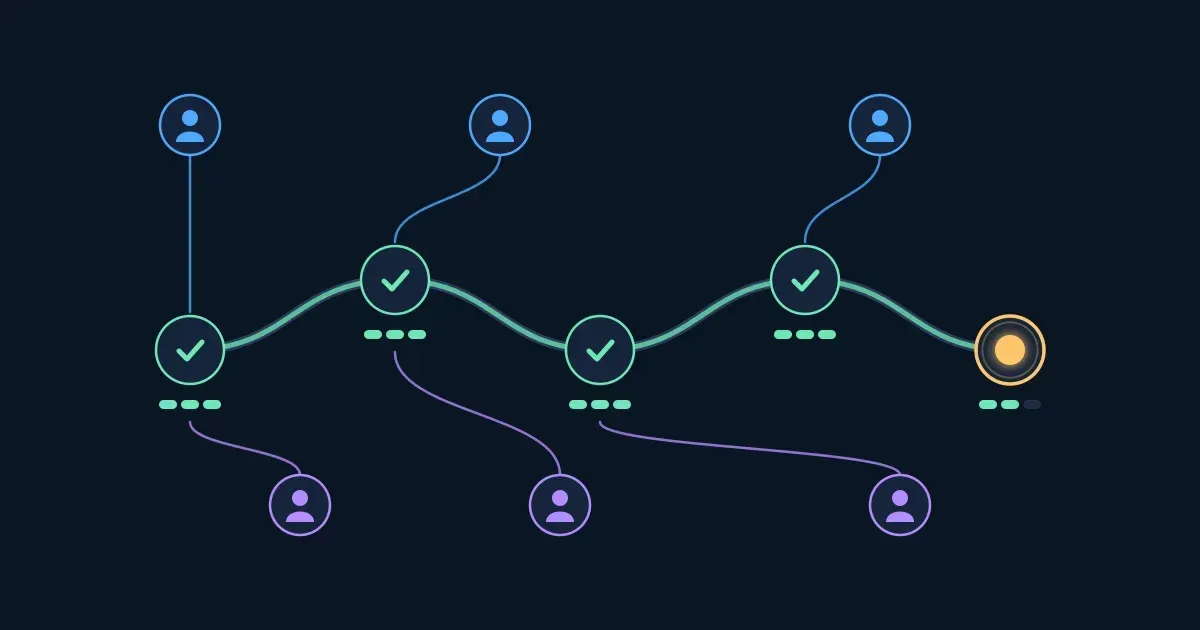
Interactive · Your first week: a path, with people to ask — try it in the lesson
That was a first week: five days, each with a few tasks, and a growing circle of people you can ask. Today you build that week for yourself.
You need a browser and nothing else. No experience at the company is expected: that's the point.
Before tools and logins, the three facts everyone at the company knows. When you can say them in one breath, the rest of your first week makes sense: why the team answers customers the way it does, why some things are urgent and others can wait.
| Value | What it means on a normal day |
|---|---|
| Same-day answers | Every customer gets an answer the day they ask, even if it's "we're checking". When two choices are close, we pick the one that answers the customer today. |
| Write it down | If you had to ask, the next person will too. Answers go in the Handbook. |
| Ask early | A question at 10:00 costs a minute. The same question at 16:00 costs an afternoon. Anyone can ask "why?", whatever their role. |
Try it: finish the three sentences. A wrong pick tells you why.
Interactive · Lantern Supply Co. in three sentences — try it in the lesson
Takeaway: what we sell, who buys it and how we decide: say those three and you know the company.
A new job hands you a pile: accounts to set up, people to meet, a handbook to read, tools to learn, a first real piece of work. Taken all at once it's overwhelming, and the questions you can't answer pile up with it.
A good first week turns the pile into a path: each day has a few tasks, in an order that makes sense (accounts before tools, watching before doing), and each day you meet the people you'll ask later. A buddy, a colleague who isn't your manager and whose job this week is to answer your everyday questions, is what keeps small questions from turning into slipped tasks.
Try it: press Next day and watch the week. Then switch the buddy off and run the same week again: same new hire, same tasks.
Interactive · Your first week, day by day: with a buddy or alone — try it in the lesson
What changed when the buddy was off? Watch the yellow bars as the days pass: tasks that waited for an answer. By Friday some are still waiting.
Takeaway: plan the week as a path, and meet the people you'll need before you need them.
Most first-week delays aren't hard problems. They're easy questions asked to the wrong person, or not asked at all. Here are the five people a new Customer Care specialist at Lantern meets first:
| Who | Ask them about |
|---|---|
| Dana, your manager | Priorities, what "good" looks like, your goals, anything about your role |
| Sam, your buddy | Everyday things: where things are, how meetings run, "is it normal that…" |
| Lee, a teammate | How the team does the work: replies, tools, shortcuts |
| IT help desk | Your laptop, accounts, passwords, access to systems |
| People team (HR) | Pay, leave, contracts, benefits, policies |
Try it: match each question to the person who can answer it fastest. A wrong pick tells you why someone else is better.
Interactive · Who do you ask? — try it in the lesson
Takeaway: write down five names on day one. Every question you have goes to one of them.
Your accounts are the keys to everything else, and day one is when attackers like to try: a new hire doesn't yet know what a real message from IT looks like. Three habits protect you from the first morning:
Try it: set up the practice account, then sort your first-morning inbox. Never type a real password into a lesson.
Interactive · Your accounts, set up safely — try it in the lesson
Takeaway: passphrase, two-step sign-in, report when in doubt: three habits from your first morning.
Four questions on what you've done so far.
Question 1. Why does a planned first week beat a pile of tasks?
Question 2. Which is the strongest choice for your new account?
Question 3. A message asks for your password "to keep your new account active". What do you do?
Question 4. Where's the kitchen, and is it fine to eat at your desk? Who do you ask first?
People are one way to an answer. The other is knowing where answers are already written down, so you only ask what isn't. At Lantern there are three places:
Try it: put each question where you'd look first.
Interactive · Where do answers live? — try it in the lesson
Takeaway: rules in the Handbook, today's work in the team channel, anything broken in a ticket.
Now turn the path into your own plan. A first week that works follows a few simple rules:
Try it: plan Lantern's first week. More than one plan is right: the rules decide.
Interactive · Build your first week — try it in the lesson
Takeaway: unlock first, watch before doing, end with a check-in, and leave room in every day.
Six situations from a new hire's first week at Lantern. Pick what you'd do, then check. A hint costs nothing.
Your first week is a path; your first three months are a longer one. A 30-60-90 day plan splits them into three stretches, so you and your manager agree on what "doing well" means at each:
| Days | Mostly about | What it looks like |
|---|---|---|
| 1–30 | Learn | Watch the work, learn the tools, meet people, ask a lot |
| 31–60 | Contribute | Do real work, with someone reviewing it |
| 61–90 | Own | Work on your own, and improve one thing |
Try it: place six goals for a new Customer Care specialist.
Interactive · Your 30-60-90 day view — try it in the lesson
Bring your first-week plan and this view to your first one-to-one with your manager, and ask:
Takeaway: learn, then contribute, then own, and agree the details with your manager.
Six questions on the whole lesson. One asks you to pick all that apply.
Question 1. What is a buddy for in your first week?
Question 2. The expenses rules are unclear to you. Where do you look first?
Question 3. Which belong on your first Monday? (pick all)
Question 4. In a 30-60-90 day plan, what are days 31 to 60 mostly about?
Question 5. What does two-step sign-in protect you from?
Question 6. What's a good way to end your first week?
Workshopy shares this lesson under CC BY 4.0. Anyone may use and change it, with credit to you. Anyone can learn it here, free. A copy in your workspace is yours to change and run live; your students never need an account.
Version 1Current
· First published
Copies are made from the current version. A copy you already have doesn’t change.
WorkshopyOfficial10 stepsQuiz9 interactiveDiagram
gitversion controlbeginners
WorkshopyOfficial16 steps2 quizzes15 interactiveDiagram
workshopyproduct touronboarding
WorkshopyOfficial10 steps2 quizzes10 interactive
data-literacystatisticsmean and median
WorkshopyOfficial10 steps2 quizzes9 interactive
managementokrgoal setting
WorkshopyOfficial10 steps2 quizzes9 interactive
managementproject managementcritical path
WorkshopyOfficial10 steps2 quizzes9 interactive
managementtime managementeisenhower matrix





Comments
No comments yet. Be the first to say how it went.