
How to run the first day of a coding bootcamp
By the Workshopy teamPublished 8 min read
The first day of a coding bootcamp has four jobs: every laptop works, every student has built and run something small, everyone knows how to ask for help, and you know who is already struggling. Make the tools check the first task and help whoever fails it before anyone else. Ship one visible result in the first hour, put everyone in pairs, and read the room before lunch, not at the end of the week.
Decide what day one is for
Day one is not the lightest day of the curriculum; it sets how the next twelve weeks feel. By the time students leave, they should be able to say yes to four things:
- My tools work. Editor, terminal, Git and whatever runtime the course uses all answer on their own laptop.
- I made something. A page, a script or a commit that is theirs, built today.
- I know how to get help here. They have asked at least once, or seen someone ask, and it cost nothing.
- I know some people. At least their partner's name, and one other.
Everything else is optional. Greg Wilson's advice in Teaching Tech Together is to teach first the things that are quick to master and useful right away, even if experts don't call them fundamental, "because a few early wins will build learners' confidence in themselves and their teacher."
Make setup the first lesson
Some students will arrive without a working machine, whatever the pre-work said. Teaching Tech Together says to plan for it: put detailed setup instructions online, remind people a couple of days before, then "have everyone run some simple command as soon as they arrive and show the teachers the result," and send helpers to those who ran into trouble.
For a web development bootcamp that command is three lines:
git --version
node --version
code --version
Each should print a version number. Make it the first task of the day, before any teaching, and make the result something students show you, not something they report.
Then help the people who failed it first, while everyone else writes their introduction or sets their Git name and email. A student still installing at 11:00 has missed the first win and started to wonder if they belong. Getting everyone set up in the first five minutes covers the setup page itself.
Write the usual failures into the first step. On a Mac, git --version can open a window offering the command-line developer tools: that window is the installer, not an error. On Windows, a terminal opened before the install doesn't know about it; a new one does.
Open with names and the rules of the room
Introduce yourself early, and say how you got here. Teaching Tech Together gives the reason: "your goals are to make yourself more approachable and to encourage their belief that they can succeed."
Have students introduce themselves too. In a cohort of a dozen, out loud; in a bigger one, a line each in a shared document or the class chat, so it takes two minutes and nobody performs.
Go through the code of conduct on the first morning. The Carpentries' instructor checklist starts the workshop with "Review Code of Conduct with learners," and Teaching Tech Together adds that a code is only useful if it is enforced: say who to tell, and what happens when someone breaks it.
Say one more thing out loud: everyone finds the first weeks hard, and it passes. In a randomized trial with 92 first-year college students, Walton and Cohen framed difficulty at the start of college as common and temporary; over the next three years it raised the grades of Black students, the group facing a stereotype, and halved the achievement gap. A bootcamp isn't a university, but the message costs one minute: the student who can't get Git to install isn't the one who doesn't belong.
Ship something in the first hour
The first real task should end in a result students can see and show: a web page with their name on it open in the browser, a script that prints a greeting, a first commit in their own repository. As Dylan Wiliam puts it, quoted in Teaching Tech Together, motivation doesn't always lead to achievement, but achievement almost always leads to motivation.
Never start them on a blank file. Teaching Tech Together warns that novices find a blank page "intimidating or bewildering," and suggests they extend or change code they already have. Give the first exercise five lines that work and ask them to change two.
Live-code the first task with them, slowly. Make a typo on purpose, read the error out loud and fix it. Running a hands-on coding workshop covers live coding and step size in detail.
Put everyone in pairs
Pair programming is two people at one computer: the driver types, the navigator reads, suggests and catches mistakes. Teaching Tech Together summarises the research: pairing raises pass rates in introductory courses, produces better code and makes learners more confident, and learners from underrepresented groups benefit even more than others.
Three rules make it work on the first day:
- Pair everyone, not just the students who look lost, so nobody is singled out.
- Switch roles three or four times an hour, so the more confident person in each pair doesn't do all the typing. A timer helps.
- Show what navigating looks like before the first exercise. Without that, the navigator watches in silence.
Pair new people each day of the first week, so by Friday every student has worked with several others.
Find who is lost before lunch
On day one nobody wants to be the first to say they're lost. Give them a way to say it without saying it. The Carpentries hand each learner two coloured sticky notes: one on the laptop means done, the other means stuck. Wilson notes it works better than raised hands because it is discreet and people keep working while the flag is up.
The students to worry about are the ones with no flag up who haven't finished: they don't know what to ask yet, or don't want to be seen asking. Walk to them first after each task. Getting students to ask for help has more on making asking normal.
Before lunch and before the end of the day, ask for minute cards: on one note, something useful from the morning; on the other, something too fast, too slow or confusing. Read them during the break. Wilson writes that it takes less than five minutes to see the patterns in a class of 40, and the afternoon can start with whatever confused most people.
End the day so they come back
Stop on time. Students who have been coding all day are tired, and Teaching Tech Together advises against homework in all-day formats: they start the next day tired as well. If students must finish setup at home, say exactly which command they should be able to run tomorrow morning.
Close with three minutes of recap: what they built, what they can do now that they couldn't at 9:00, and tomorrow's first task. Then read the minute cards and decide who you sit with first on day two.
The first day in Workshopy
In Workshopy the day is a list of steps that students follow on their own laptops while you see the whole room. They join at workshopy.io/join with the class's code and a name, without making an account.
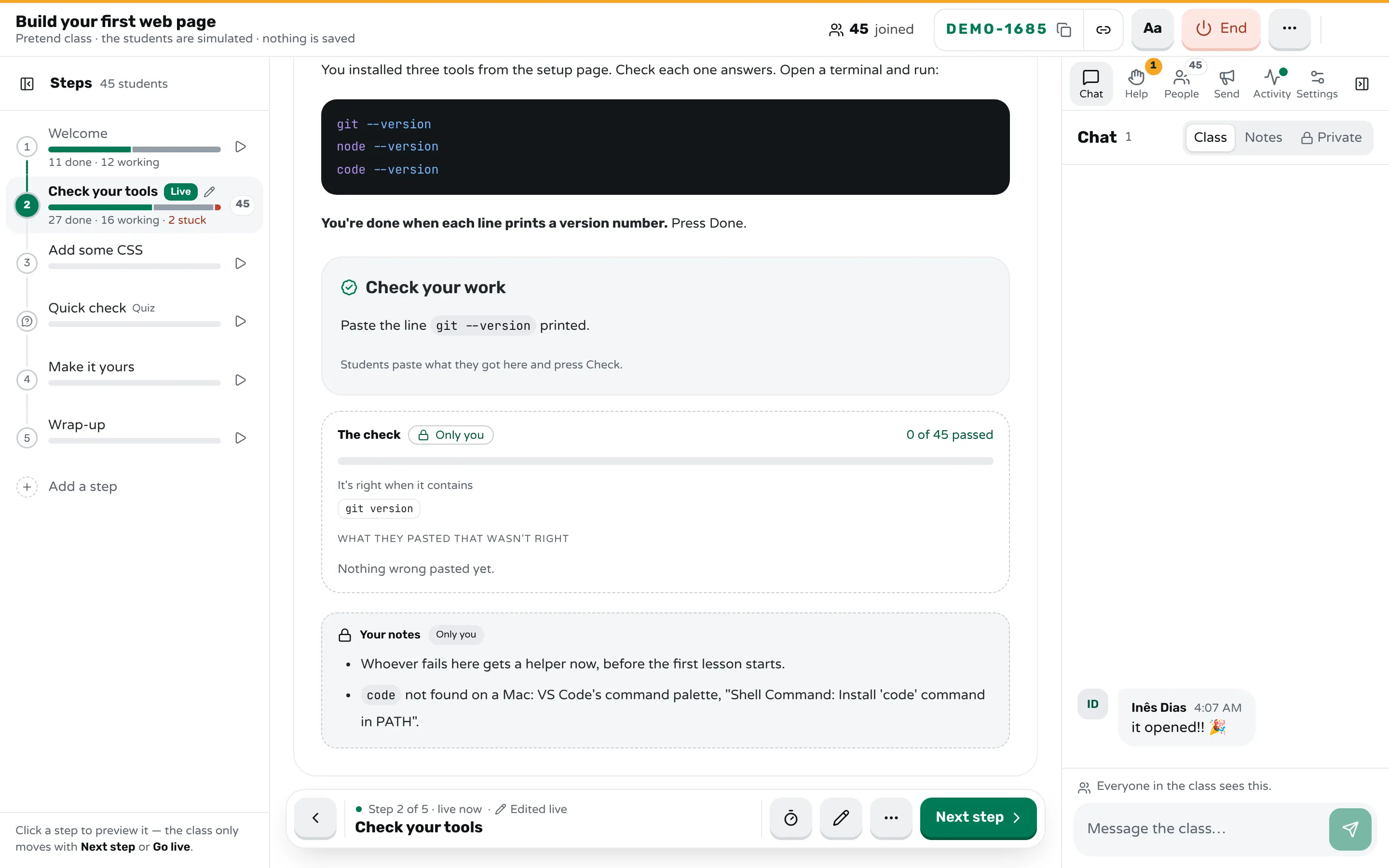
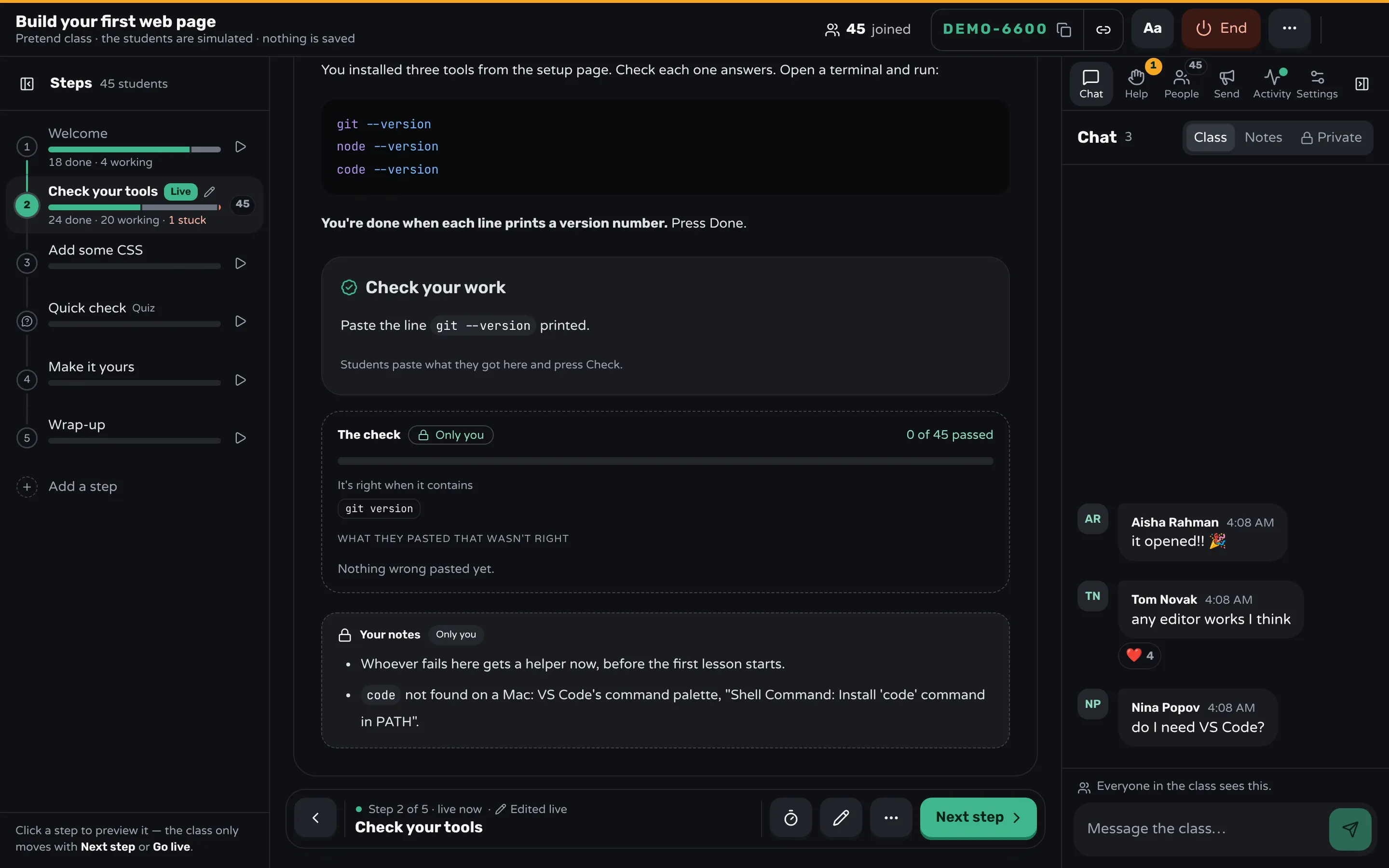
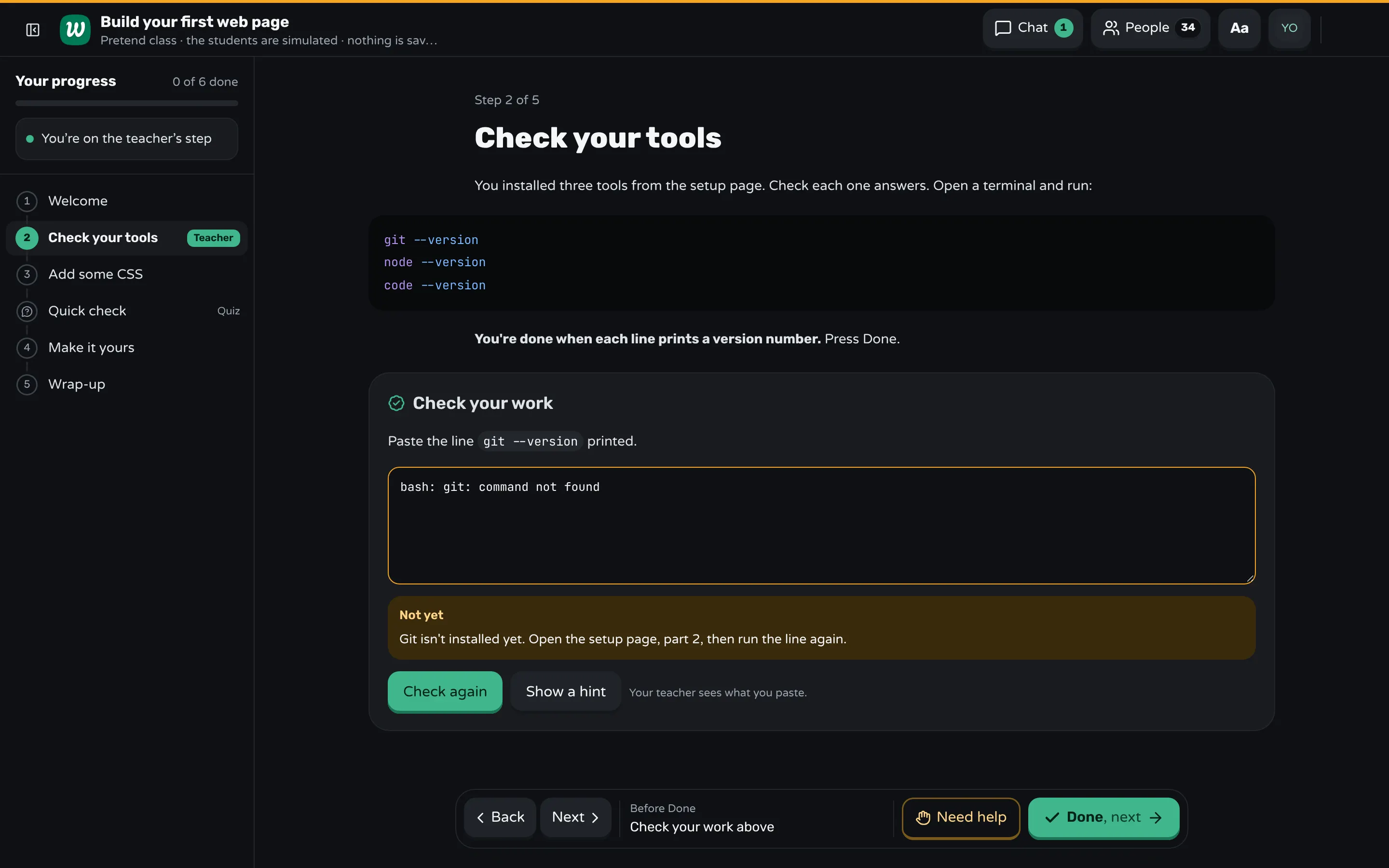
Make the tools check the first step and end it with a Check your work block: students paste what git --version printed and press Check. The server compares the paste with your answer, so the answer never reaches their screens.
```check
Paste the line `git --version` printed.

contains: git version

mistake: command not found → Git isn't installed yet. Open the setup page, part 2, then run the line again.
mistake: xcode-select → On a Mac, that window installs Git. Press Install, wait, then run the line again.
hint: Run it in the terminal, not in VS Code's search box.
```
A paste that contains a mistake you foresaw gets your words for it, so the students whose installs failed know what to do without waiting for you. A right paste marks the step done. On your screen, marked Only you, you see how many passed and the wrong pastes, grouped. A teacher block in the same step holds your own notes, such as the fix for code not being found on a Mac.
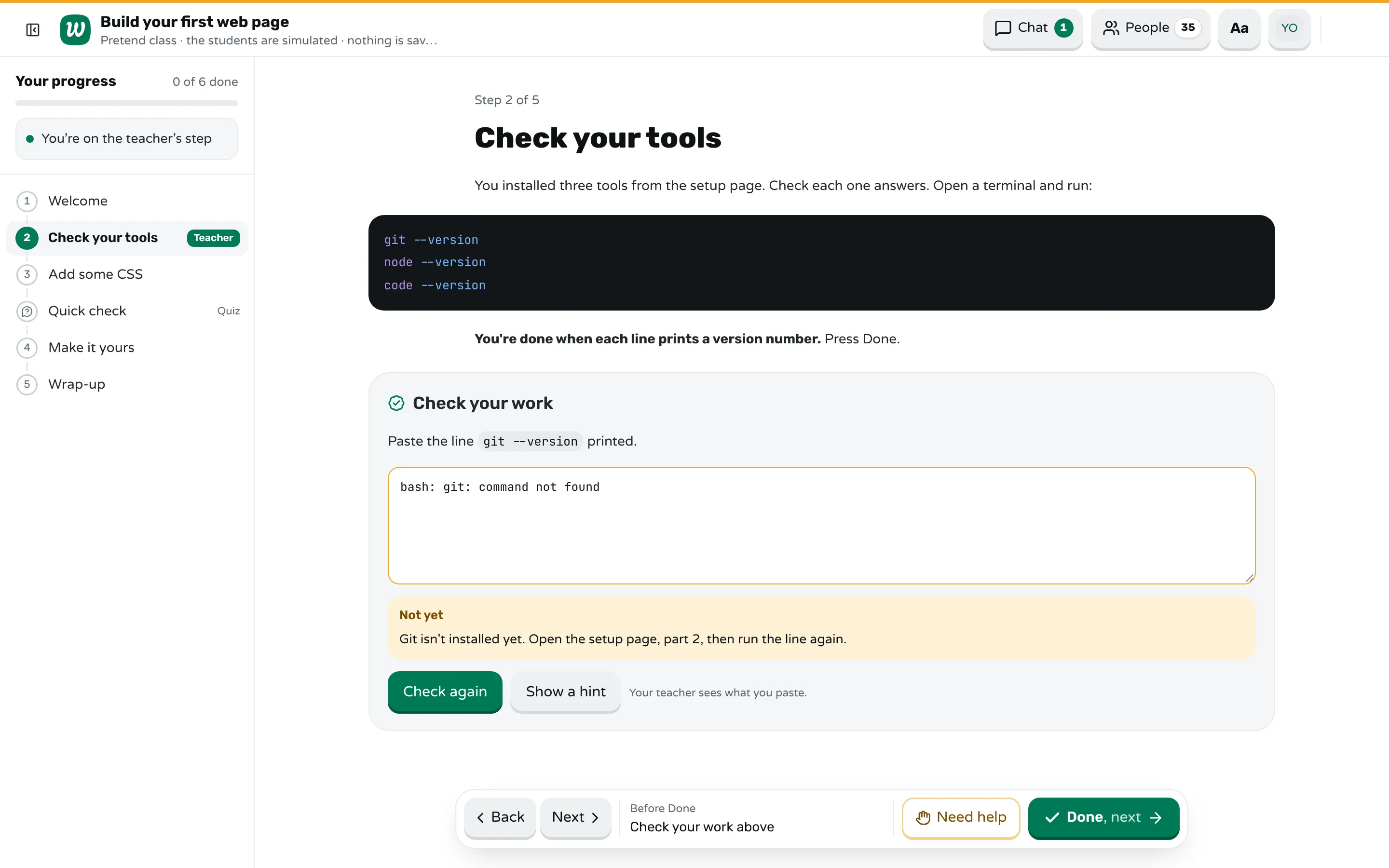
Done and Need help are the sticky notes on every screen. A student who asks picks a reason such as "I get an error" and can add a note; the Help tab lists the requests oldest first. The room shows each student by name with their state, and marks the ones who are taking much longer than the class without having asked, so you know where to walk first. You can write to a student privately from the chat, and they can write to you.
The step timer counts down on every screen when you want to say "ten minutes for this task". If a step has a mistake, edit it during the class and every screen updates. After the class, the report shows each step: who finished, who asked for help, who took longer, and the wrong pastes for each check. That is your list for the morning of day two.
Frequently asked questions
What happens on the first day of a coding bootcamp?
Introductions, the code of conduct, checking that every laptop's tools work, and a first small project such as a web page or a first commit. Good bootcamps also put students in pairs and show them how to ask for help on the first day.
What should students install before the first day?
What the course uses from week one: usually a code editor such as VS Code, Git, a terminal and the language's runtime, such as Node.js or Python. Send one setup page that ends in commands students can run to check it worked.
What if a student's laptop isn't set up on day one?
Make the tools check the first task, so you find out at once, and send a helper to that student while the others do something useful. A browser-based editor or a partner's laptop keeps them in the first lesson while the install is fixed.
Should bootcamp students pair program on the first day?
Yes. Pair everyone, switch driver and navigator several times an hour, and show what a navigator does before the first exercise. Pairing new people each day of the first week also builds the cohort.
How do you tell which bootcamp students are struggling in the first week?
Give everyone a private way to say done and stuck, and look at who has neither: no flag up and not finished. Read minute cards before breaks, and walk to the quiet students first.
Keep reading
How to get everyone set up in the first five minutes
Send one setup page that ends in a check, make the first task that same check, and help the people who can't start before anyone else.
8 min read · 27 Oct 2026
Hands-on & coding workshopsHow to run a hands-on coding workshop
Plan short steps that each end in working code, write the code live and slowly, and keep a queue for students whose code won't run.
4 min read · 19 Oct 2026
Hands-on & coding workshopsHow to teach adults in a hands-on workshop
Start with something useful the same day, match the help to what each person knows, keep mistakes private, and never call anything "just".
5 min read · 21 Oct 2026
Ready-made lessons from the library
Intro to Git — Snapshots, Branches & Sharing
A short, hands-on first lesson in Git for complete beginners. Students build the mental model one idea at a time — snapshots, the three areas…
10 steps · Free
Teacher trainingMeet Workshopy — A Live, Interactive Product Tour
A live, interactive product tour of Workshopy for new users. It runs as a real Workshopy session, so the audience experiences the product as participants while…
16 steps · Free
ScienceHow Epidemics Spread — R, Curves and Herd Immunity
An interactive first look at how infectious diseases spread through a population — and what stops them.
9 steps · Free
Learn any of them on your own, free, or copy one and teach it live. Browse the library
See it with a class of 24. No sign-up.
The live demo runs the real product with a simulated class. When you're ready, start free.