
How to teach SQL with hands-on exercises
By the Workshopy teamPublished 7 min read
Give every student the same small database, ideally one SQLite file, and teach one clause at a time: SELECT, then WHERE, ORDER BY, aggregates, GROUP BY, and joins last. Make every exercise a question with one right result, such as a count or a single row, so students can tell whether their query worked and you can tell who is behind. Then teach the traps on purpose: NULL, joins that duplicate rows, and AND where OR was meant.
Give everyone the same small database
Most of a beginner's SQL trouble happens before the first query. Vicki Boykis, who taught SQL to beginners, put it plainly: "The problem with SQL is that you can't just get started." A database needs a server, an account, a connection and tables with data in them, and each of those is a way to lose the first half hour.
SQLite removes most of it. The whole database is one file that students download, and the sqlite3 program opens it with no server and no password. Software Carpentry's Databases and SQL lesson works this way: everyone downloads survey.db and opens it, in sqlite3 or in DB Browser for SQLite if they would rather click than type. Ask students to install and open the file before the day, and to send you the line sqlite3 --version printed.
Keep the database small enough to understand: three or four tables, a few hundred rows, columns whose meaning fits in a sentence. A shop works well: customers, orders, products. Put in the problems real data has, on purpose:
- Empty values: an order with no shipping date, a customer with no city.
- A one-to-many link: a customer with several orders, so a join can repeat rows.
- Values that look alike:
Lisbonandlisbon, a price stored as text.
Keep a copy of every answer for yourself, and run each exercise against the file students have, not your working copy.
Teach one clause at a time
SQL looks like an English sentence, and beginners read it that way. They write the whole query at once, it fails, and they can't tell which part is wrong. Build it in the order the clauses can be tested:
SELECT * FROM orders LIMIT 10;to see what the table holds.SELECTa few columns by name.WHEREto keep some rows.ORDER BYandDISTINCT.COUNT,SUM,AVG.GROUP BY, thenHAVING.JOIN, once single tables are easy.
Software Carpentry's lesson follows close to this order: selecting, sorting, filtering, calculating, missing data, aggregation, then combining tables. Shopify's data team, who ran SQL workshops for colleagues, gave the same advice for each exercise: start by looking at the whole table, then make every new question a small change to the last query, adding one or two new ideas at a time.
Ask students to run the query after each clause they add. A query that worked a minute ago and fails now has its mistake in the line they just wrote.
Make every exercise end in a result they can check
"Write a query that shows the North orders" has no end. A student sees rows and can't tell whether they are the right rows. Give each exercise a question with one answer:
Open
shop.dbin sqlite3. Count the orders that haven't shipped yet. You're done when sqlite3 prints a number. Paste it below.
A number does three jobs. The student knows when they are done. You can tell a right answer from a wrong one at a glance. And the wrong answers say what went wrong. In this example the answer is 14. A student who gets 0 wrote shipped_on = NULL. A student who gets 200 left out the WHERE. A student who gets 186 counted the orders that did ship.
When the result can't be one number, ask for something nearly as short: the first row of an ordered list, the number of rows the query returned, or the top three names. Teach students to check their own results too: before trusting a total, count the rows another way, or look at five of them.
Teach the traps on purpose
Research on students' SQL shows the same mistakes year after year. Ahadi, Prior, Behbood and Lister studied queries from more than 2,300 students and found that most mistakes in meaning were omissions, and that they clustered in queries that needed a JOIN, a subquery or a GROUP BY. Taipalus, Siponen and Vartiainen analysed over 33,000 student queries and listed the logical errors that recur across students, such as AND where OR was needed and joins on columns that aren't related. Miedema, Aivaloglou and Fletcher asked students to think aloud while writing queries, and traced their errors to four causes, among them other languages they knew and a wrong picture of what a query does.
So don't hope students avoid these. Give each one an exercise where it shows:
- NULL. Software Carpentry's lesson puts it in one line: "comparing things to null with = and != produces null", and
WHEREkeeps only rows where the test is true. SoWHERE shipped_on = NULLreturns nothing, andWHERE city != 'Lisbon'silently drops every customer with no city. TeachIS NULLandIS NOT NULLthe first time an empty value appears. - Joins that repeat rows. Joining
customerstoordersgives one row per order, not per customer. Ask "how many customers have ordered?" and watchCOUNT(*)give the number of orders. Then teachCOUNT(DISTINCT customer_id). - AND and OR. "Orders from Lisbon or Porto over 100" needs parentheses:
WHERE (city = 'Lisbon' OR city = 'Porto') AND total > 100. Without them, every Lisbon order comes back whatever its total. - GROUP BY. A column in the
SELECTthat isn't grouped or aggregated is an error in most databases, and SQLite returns a value from one row of the group without warning. Ask for a total per city, and check that each city appears once.
Read the wrong answers out loud
The wrong results are the most useful thing in the room. When half the class pastes 0 for the shipping question, stop for one minute: "Who got 0? Here's why." Show = NULL and IS NULL side by side, run both, and move on. One minute on the mistake the room made teaches more than a slide on NULL before anyone has met one.
Keep the loop short for each exercise, about ten to fifteen minutes:
- Show the new clause once, on a big screen, typing it as you talk.
- Let them answer a different question with it, on their own.
- Collect the results and talk about the wrong ones.
- Give whoever finished early an extra question that needs one more idea, so they don't wait.
Run it in Workshopy
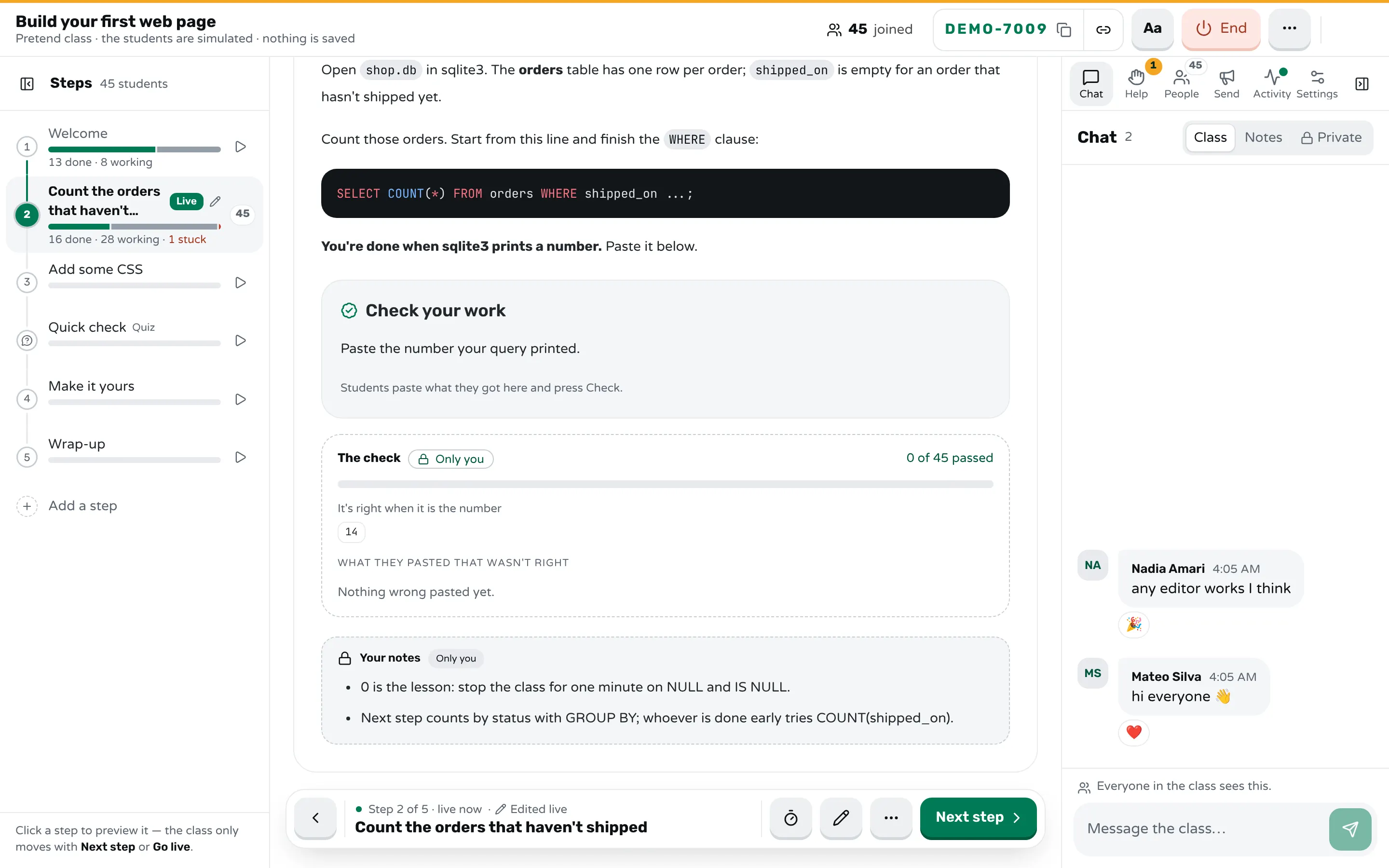
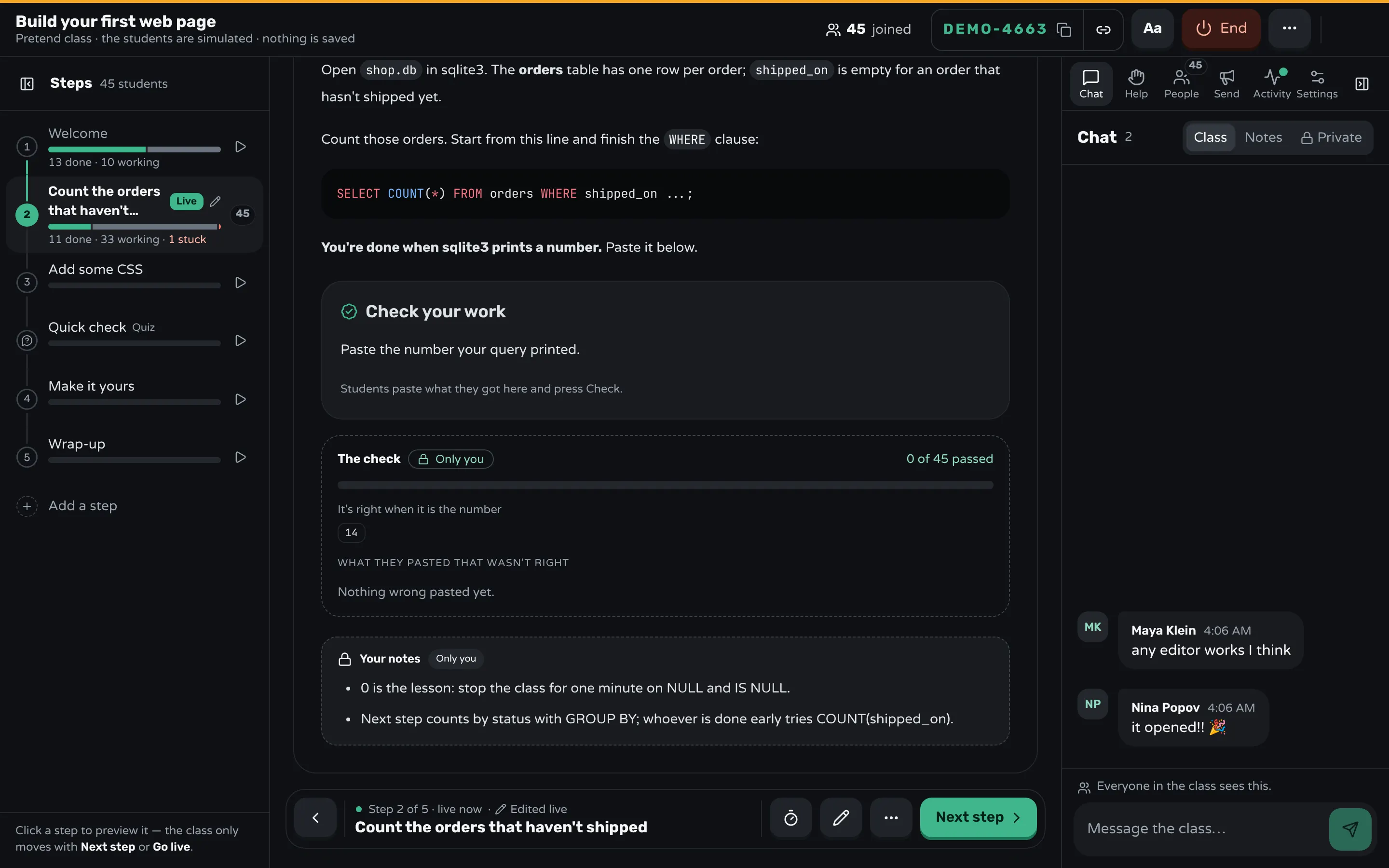
In Workshopy each exercise is a step students follow in the browser, next to their own sqlite3. They join at workshopy.io/join with the session's code and a name, without making an account. Each step can end with a Check your work block: students paste the number their query printed and press Check, and the server compares it with your answer, so the answer never reaches their screens.
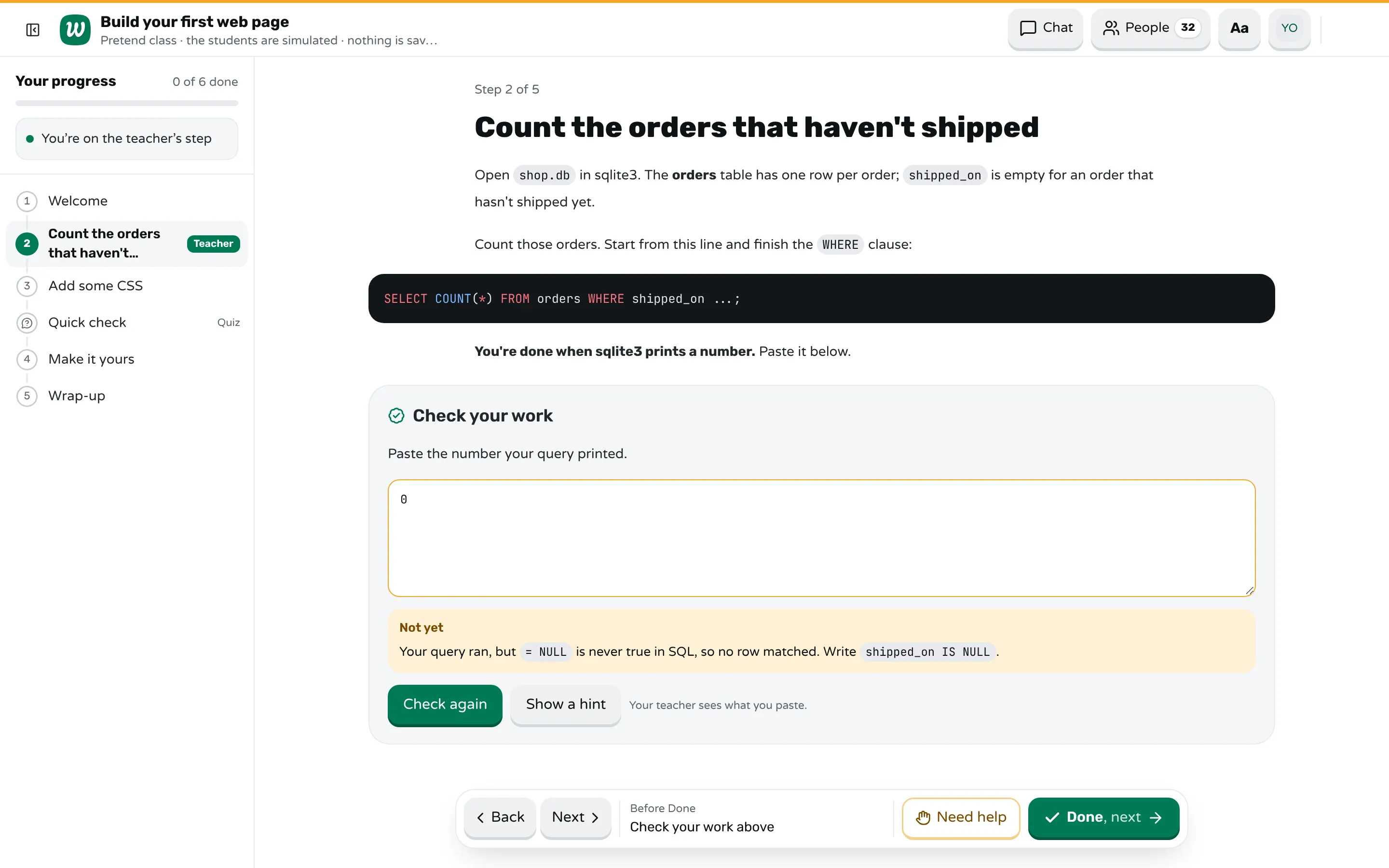
```check
Paste the number your query printed.

number: 14

mistake: 0 → Your query ran, but `= NULL` is never true in SQL, so no row matched. Write `shipped_on IS NULL`.
mistake: 200 → That's every order. Check the `WHERE` clause is there, before the semicolon.
mistake: 186 → That's the orders that HAVE shipped. You want the empty ones.
hint: An empty value in a database is NULL. It needs its own test.
```
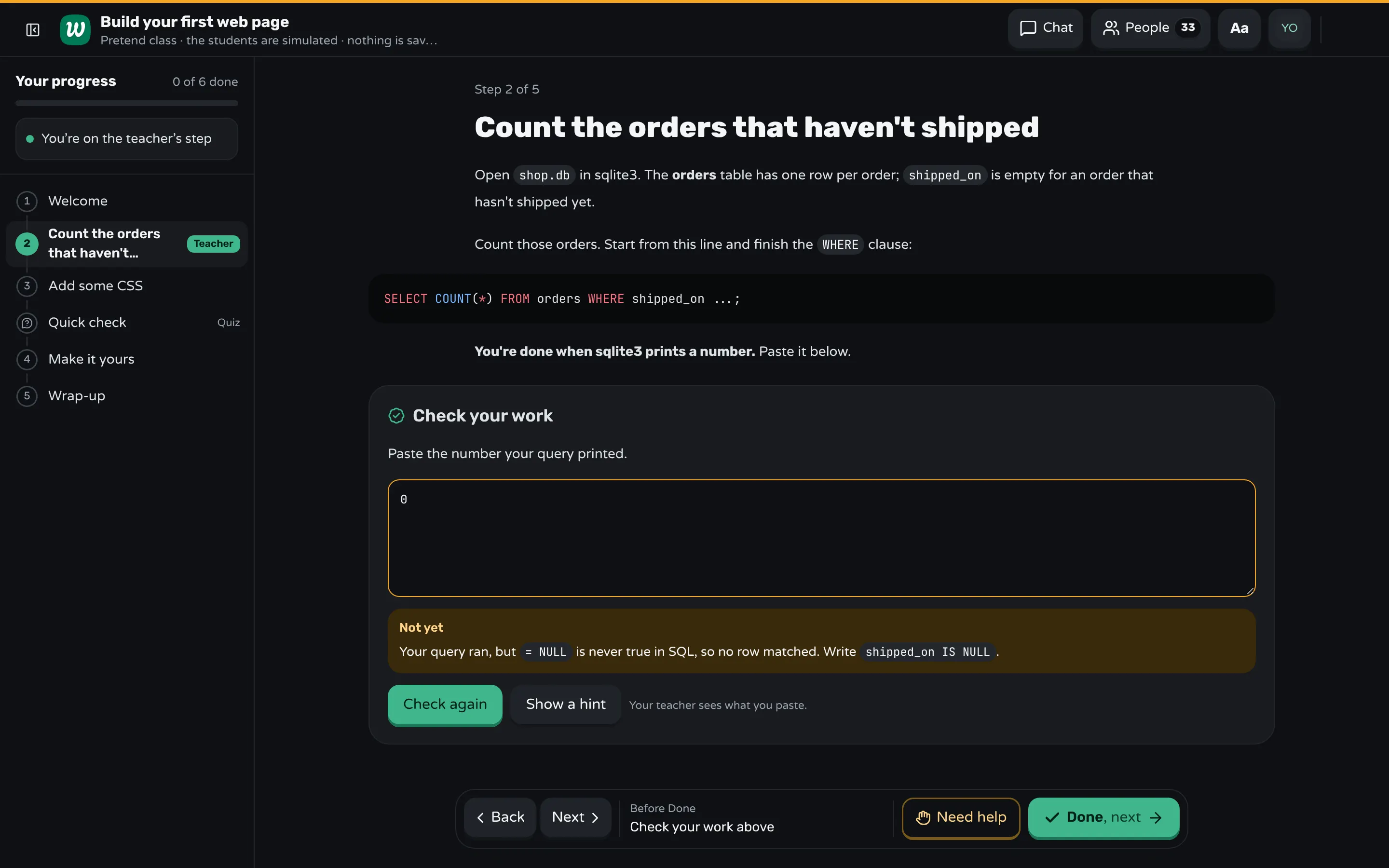
A paste that matches a mistake you wrote gets your words for it at once, so the student with 0 learns about IS NULL without waiting for you. A right answer marks the step done. For a query that returns rows rather than a number, the key can be lines:, the rows it should print. On your screen, marked Only you, you see how many have passed and the wrong answers grouped, so "who got 0?" is a fact. A teacher block in the step holds your own notes, such as where to stop the class.
Need help sends a request with a reason and a note, and the Help tab lists them oldest first. The room shows every student by name with their state, and marks students who are taking much longer than the rest without having asked. The step timer counts down on every screen when you say "ten minutes for this one". After the class, the report shows each step: who finished, who asked for help, and the wrong answers for each check, so you know which trap to spend more time on next time.
Sources
- Software Carpentry, Databases and SQL
- Software Carpentry, Databases and SQL: Missing Data
- Vicki Boykis, Setting up SQL for beginners is hard (2017)
- Shopify Engineering, 7 Ways to Make Your SQL Workshop Beginner-friendly
- Ahadi, Prior, Behbood and Lister, Students' Semantic Mistakes in Writing Seven Different Types of SQL Queries (2016)
- Taipalus, Siponen and Vartiainen, Errors and Complications in SQL Query Formulation (2018)
- Miedema, Aivaloglou and Fletcher, Identifying SQL Misconceptions of Novices: Findings from a Think-Aloud Study (2021)
Frequently asked questions
What is the best database for teaching SQL to beginners?
SQLite, for a first course. The database is one file students download, there is no server or password, and the sqlite3 program or DB Browser for SQLite opens it. Move to PostgreSQL or the database students will use at work once queries are easy.
In what order should SQL be taught?
SELECT and FROM first, then WHERE, ORDER BY, aggregates such as COUNT and SUM, GROUP BY and HAVING, and joins last. Add one clause at a time and run the query after each.
What are the most common SQL mistakes beginners make?
Comparing with = NULL instead of IS NULL, counting rows after a join that repeats them, mixing AND and OR without parentheses, and leaving out a join or a GROUP BY the question needs. Give each one an exercise where it shows.
How do you know if students' SQL queries are right?
Make each exercise a question with one answer, such as a count or a single row, and ask students to paste what their query returned. A wrong number usually tells you which mistake they made.
How long does it take to teach SQL basics?
A half-day workshop covers SELECT, WHERE, ORDER BY, aggregates and GROUP BY with practice. Joins need their own session, or most of a second half day.
Keep reading
How to run a Python workshop for beginners
Make setup part of the day, give every step a program that prints something, and plan for the errors beginners hit in the first hour.
8 min read · 3 Nov 2026
Hands-on & coding workshopsHow to run a corporate Excel training session
Plan Excel training for employees around their own work: real files, short tasks with a number to check, and a room of mixed levels.
8 min read · 6 Nov 2026
Build lessonsHow to break a lesson into small steps
List what students must be able to do, give each skill a step with one new idea, and end every step with a result students can check.
8 min read · 2 Nov 2026
Ready-made lessons from the library
Intro to Git — Snapshots, Branches & Sharing
A short, hands-on first lesson in Git for complete beginners. Students build the mental model one idea at a time — snapshots, the three areas…
10 steps · Free
Teacher trainingMeet Workshopy — A Live, Interactive Product Tour
A live, interactive product tour of Workshopy for new users. It runs as a real Workshopy session, so the audience experiences the product as participants while…
16 steps · Free
Teacher trainingTrain the Trainer: How to Design a Hands-On Workshop
A train the trainer workshop on designing hands-on sessions: write objectives you can see, plan an hour of talks, exercises and checks, find who's stuck.
11 steps · Free
Learn any of them on your own, free, or copy one and teach it live. Browse the library
See it with a class of 24. No sign-up.
The live demo runs the real product with a simulated class. When you're ready, start free.