
How to use pair programming in a classroom
By the Workshopy teamPublished 7 min read
Put two students at one computer: the driver types, the navigator reads the task, catches mistakes and says what comes next. Switch roles on a timer every 10 to 15 minutes, pair everyone rather than only the students who struggle, and change partners every week or so. Show the class what a good navigator does before the first task, then walk the room looking for pairs where one person has stopped taking part.
What pair programming is, and what it helps with
Pair programming started in industry: two developers share one keyboard, and the second one reviews every line as it is written. In a classroom it works the same way, with two named roles:
- The driver has the keyboard and mouse, and types. A good driver says out loud what they are about to write.
- The navigator keeps their hands off the keyboard. They read the task, spot the typo before it becomes an error, look things up and think one step ahead.
The research on introductory programming courses is mostly good news. Porter, Guzdial, McDowell and Simon list pair programming as one of three changes to first programming courses with measured effects on how many students pass and stay. They describe a study at UC Santa Cruz that ran two sections of a first course with pairs and two with solo work: more students passed in the pairing sections (72% against 63%) and more went on to the next course (85% against 67%), while the final exam scores of students who had paired were no different from those who had worked alone. That last finding answers the usual worry, that the weaker partner lets the stronger one do the learning.
It is not magic. Reviews of the research describe mixed results, and the difference usually lies in how the pairing is run: whether students know what each role does, whether they switch, and whether someone is watching. The rest of this guide is about those three things.
Teach the roles before the first task
Told to "work in pairs", most students split the task in half and each do one part, or one types while the other watches in silence. Williams, McCrickard, Layman and Hussein, who ran pairing in university courses for seven years, put this first in their guidelines: students need to practise pairing in a supervised setting, because the teacher "cannot assume that the students will know what to do if they are told to pair program".
Spend five minutes on it the first time:
- Act it out. Pair with a student or a helper at the front, on a small task. Drive for two minutes, then navigate. As navigator, say things like "you've opened the tag but not closed it" and "next we need the list, not the heading".
- Show a bad pair too. A navigator looking at their phone, a driver who grabs the keyboard back. Students laugh, and they remember it.
- Write the roles into the task. Put two lines at the top of the first paired exercise saying what the driver and the navigator do. The middle-school guide from ETR suggests a poster of good pairing that the class makes together and that stays on the wall.
Switch roles on a timer
Without a rule, the more confident student drives the whole lesson. Teaching Tech Together recommends switching three or four times an hour, so the stronger personality doesn't take over. ETR's tips for school classrooms say the same in practice: if pairs resist switching, give them a timer.
Every 10 to 15 minutes is a good rhythm for a lesson. Use a timer the whole room can see, and say the rule once: when it ends, the navigator takes the keyboard, even in the middle of a line. Switching mid-task is the point; the new driver has to understand what is on the screen to carry on.
The room matters too. Williams and her colleagues give a simple test: the driver and navigator should not need to swap chairs to swap roles. Two chairs side by side, the screen between them, the keyboard able to slide across.
Choose the pairs
Who sits with whom is the question teachers ask most, and the evidence gives a few clear rules rather than one right answer:
- Pair everyone. Teaching Tech Together is firm on this: if only the struggling students are paired, they feel singled out.
- Avoid a large gap in skill. In the North Carolina State courses, fewer than 9% of pairs reported problems working together, and the pairs that did not work were mostly students of very different skill and work ethic. Students, the same paper notes, want a partner at their level or better. Pair students at roughly the same level, not the strongest with the weakest.
- Watch for two beginners alone. Pairing two novices without guidance can become "the blind leading the blind". Give those pairs smaller steps and visit them first.
- Change partners regularly. Every week or two in a course, every day in a bootcamp's first week. Rotating lets a pair that doesn't work end without anyone having to say so, and students meet more of the class. For younger students, ETR notes that letting friends choose each other can keep students in the course.
Walk the room
In a paired lesson the teacher's job changes. Williams and her colleagues describe it: pairs ask fewer questions than students working alone, because together they solve most small problems, so the time goes on visiting pairs and checking that both people are working.
What to look for:
- A quiet navigator. Ask them, not the driver, "What's the next line?" It brings them back without a lecture.
- A driver who never gives up the keyboard. Restart the timer and stay until they switch.
- A pair that has split the task. Two laptops open, two halves of the code. Close one.
- A pair stuck together. Two heads get past most errors, but when both are stuck they can stay stuck in silence longer than one student would. Make asking for help one of the rules.
Grade on a mix of paired and individual work, as Williams recommends, so nobody can lean on a partner all term. A short individual task at the end of a paired lesson, such as an exit ticket, also tells you whether both people learned it.
Run a paired lesson in Workshopy
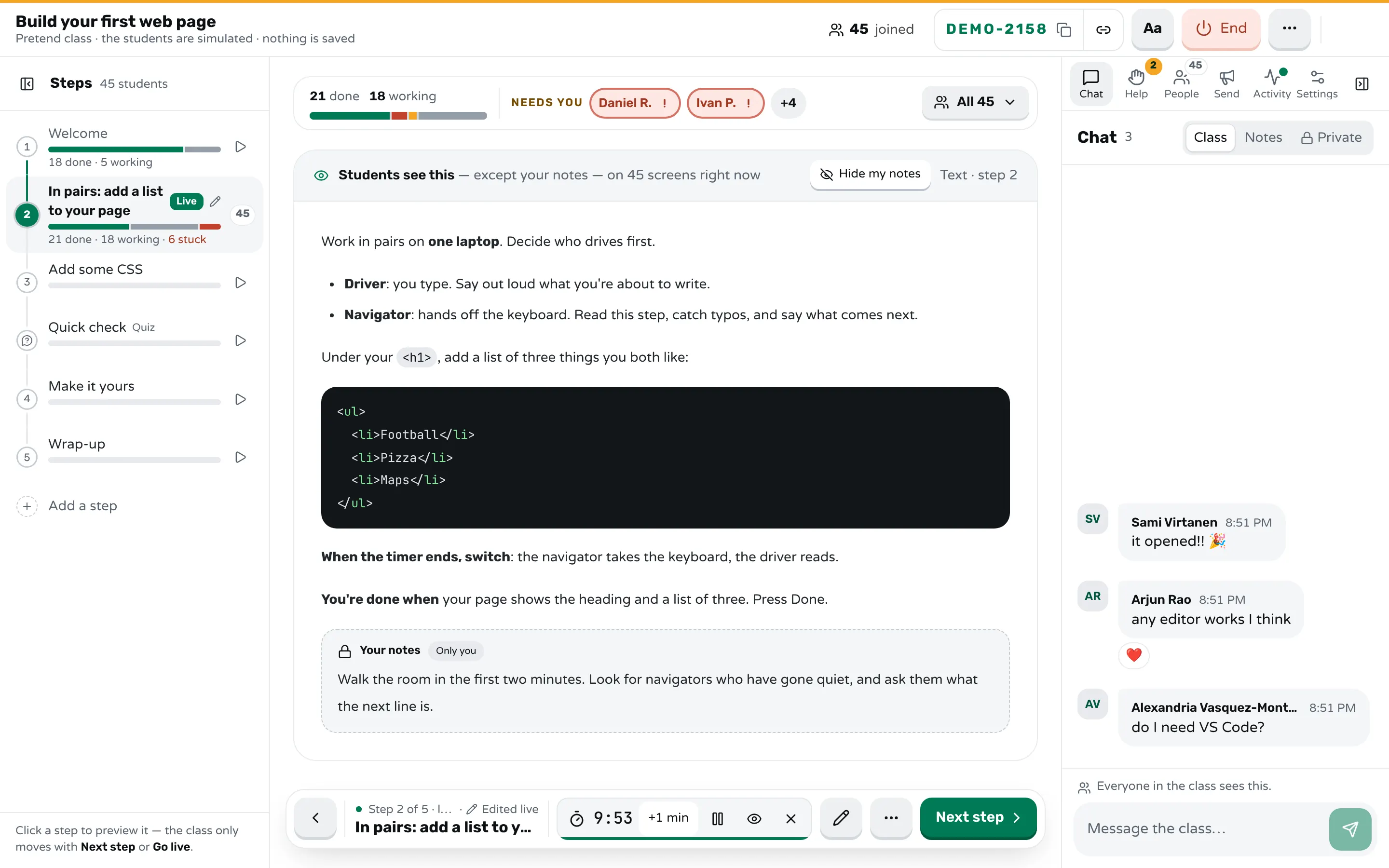
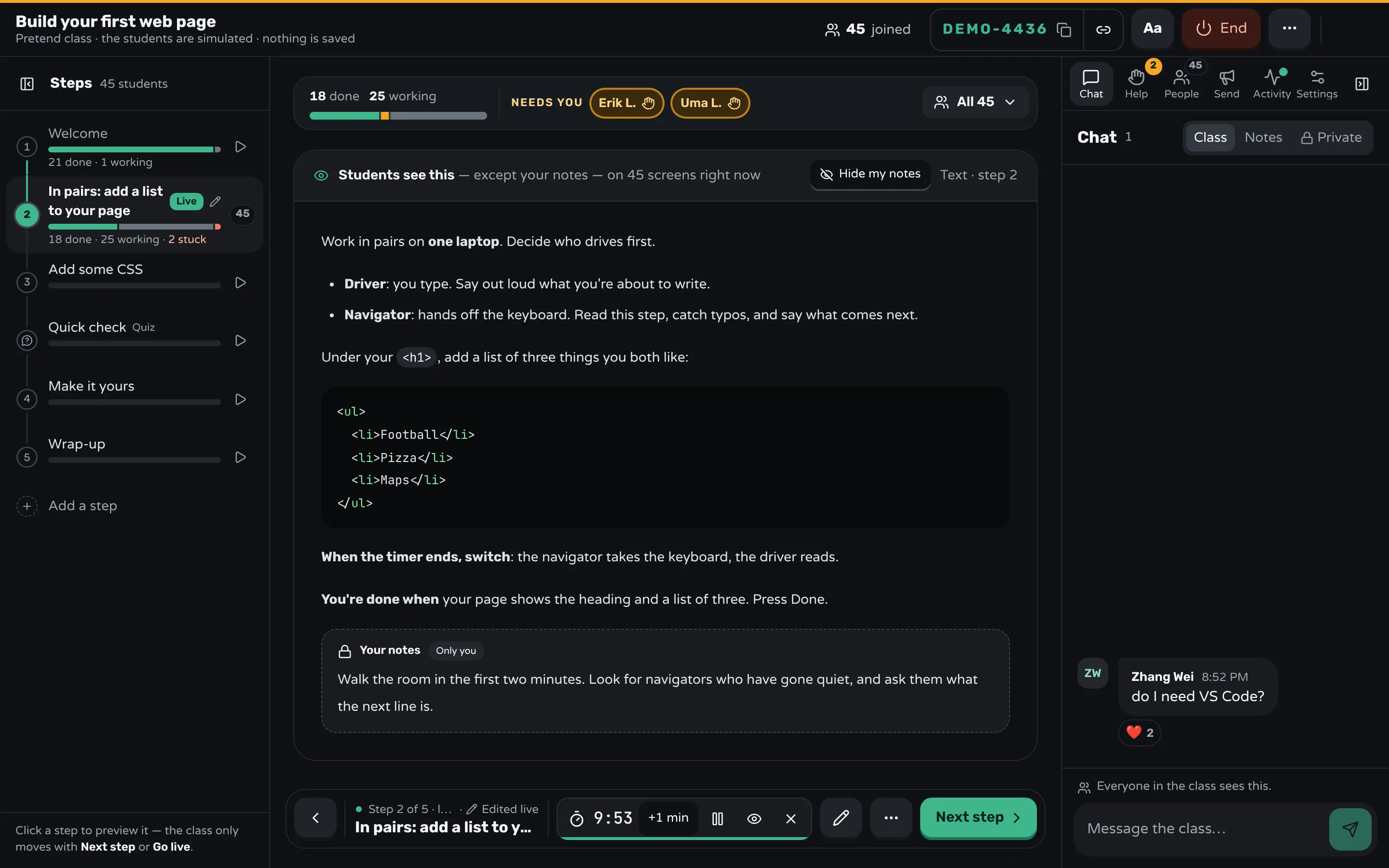
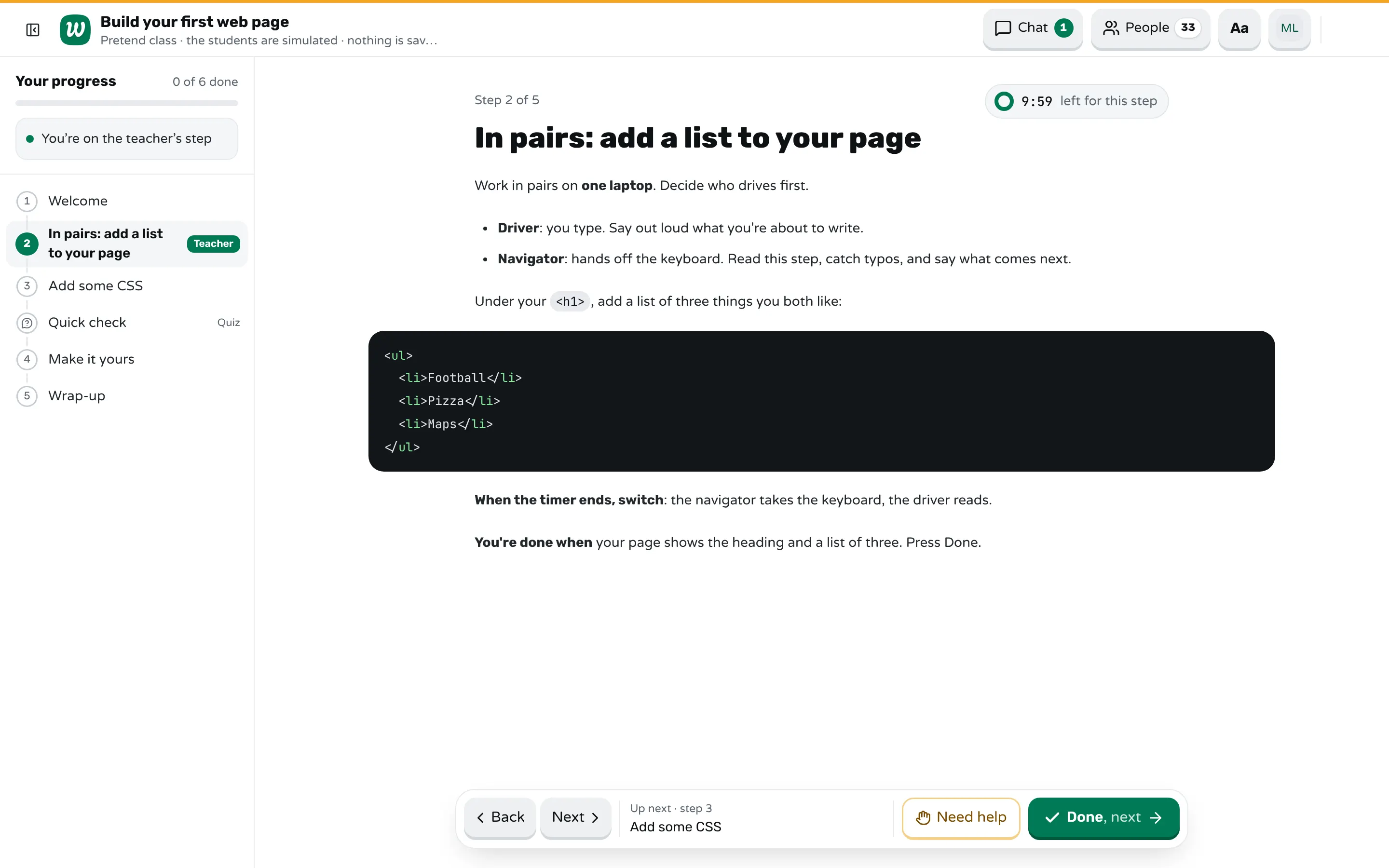
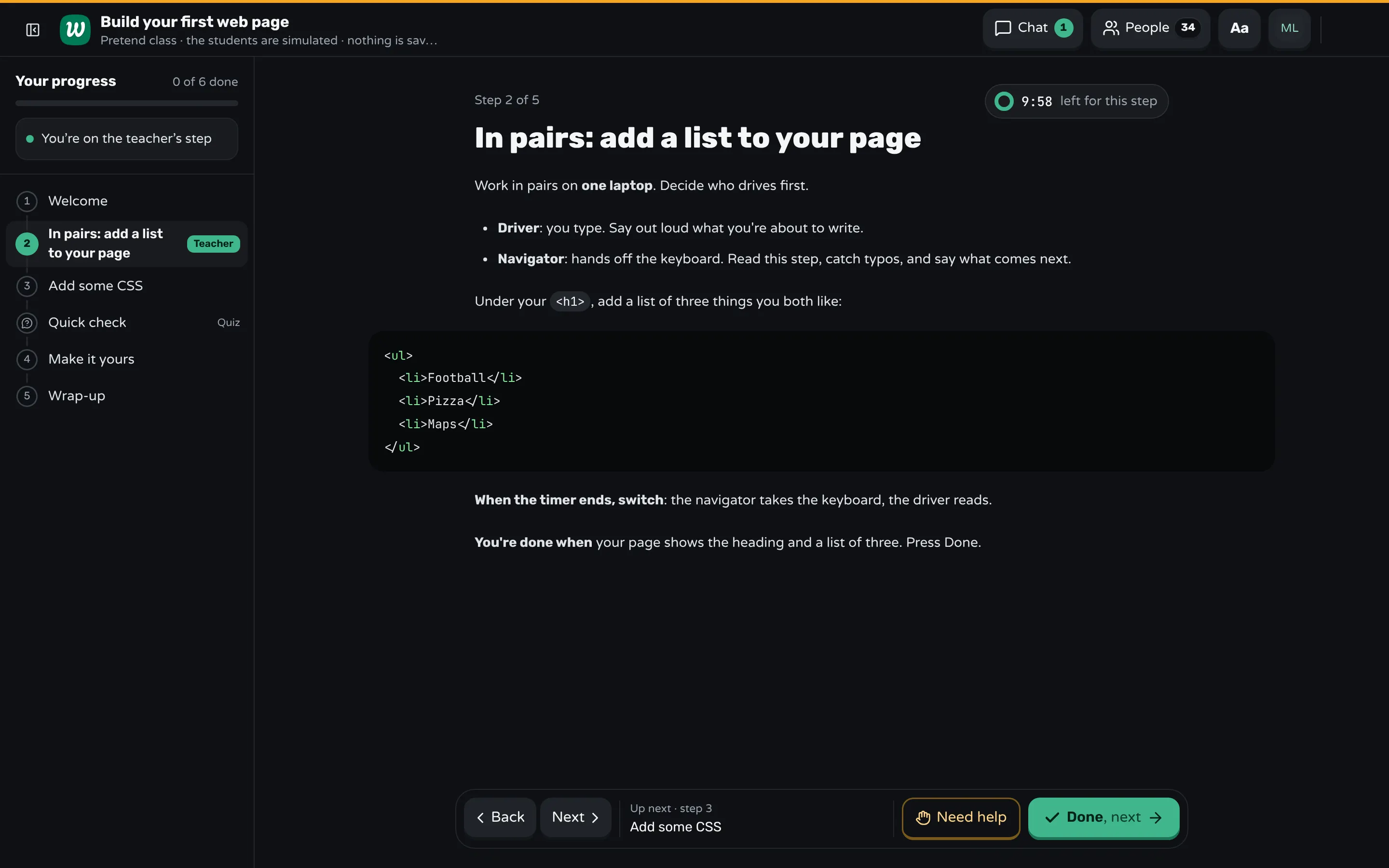
Workshopy has no pairing feature of its own: each name that joins is one seat. A pair at one laptop joins once, at workshopy.io/join with the class code, under both names, such as "Maya & Leo". The pair then has one tile in the room, one Done and one Need help, which is what you want when they share the work. If you want the navigator to read the task on their own laptop while the driver types, both can join instead.
Write the roles into the step itself. A teacher block in the same step holds a note only you see, such as "look for quiet navigators in the first two minutes", and Hide my notes puts it away when you share your screen.
Give the class a timer sets 2, 3, 5, 10 or 15 minutes, or a length of your own, and every student's screen counts down from the same clock. It is the switch signal: when it ends, you see "Time's up" on your screen, nothing moves on by itself, and you start the next one. To make sure the room heard you, send a pop-up with a Got it button, such as "Switch now: navigators take the keyboard", and see how many have seen it and pressed Got it.
The room shows every pair by name with their state, and marks a pair that is taking much longer than the rest without having asked, which is often a pair stuck together in silence. After the class, the report shows each step: who finished, who asked for help and how long they waited.
Sources
- Porter, Guzdial, McDowell and Simon, Success in Introductory Programming: What Works? (2013)
- Williams, McCrickard, Layman and Hussein, Eleven Guidelines for Implementing Pair Programming in the Classroom (2008)
- Greg Wilson, Teaching Tech Together (2019)
- ETR, Pair Programming 10 Tips: How to Teach and Support Pair Programming in your Middle and High School Classroom
- J. Walker Orr, Enhancing Computer Science Education with Pair Programming and Problem Solving Studios (2023)
Frequently asked questions
How often should students switch roles in pair programming?
Every 10 to 15 minutes, or three or four times an hour. Use a timer the whole class can see, and switch when it ends, even in the middle of a task.
Should you pair a strong student with a weak one?
Not with a large gap. Pairs of very different skill are the ones most likely to break down, and the stronger student tends to do all the typing. Pair students at roughly the same level and change partners regularly.
Does pair programming help students learn?
In introductory programming courses, studies found more students passing and continuing to the next course, with exam scores no different from students who worked alone. Results depend on how it is run: taught roles, regular switching and a teacher watching the pairs.
What does the navigator do in pair programming?
The navigator reads the task, catches mistakes as they are typed, looks things up and says what comes next, without touching the keyboard. A navigator who only watches is the most common problem, so show the role before the first task.
How do you grade pair programming fairly?
Mix paired work with individual work, so each student shows what they can do alone. A short individual task at the end of a paired lesson tells you whether both partners learned it.
Keep reading
How to run the first day of a coding bootcamp
Make the tools check the first task, get everyone a working result in the first hour, pair people up, and find who is lost before lunch.
8 min read · 5 Nov 2026
Hands-on & coding workshopsHow to run a hands-on coding workshop
Plan short steps that each end in working code, write the code live and slowly, and keep a queue for students whose code won't run.
4 min read · 19 Oct 2026
Run a live classHow to pace a lesson when students work at different speeds
Plan a core task everyone finishes, extra work for whoever finishes first, and a checkpoint where the class meets before the next idea.
7 min read · 28 Oct 2026
Ready-made lessons from the library
Intro to Git — Snapshots, Branches & Sharing
A short, hands-on first lesson in Git for complete beginners. Students build the mental model one idea at a time — snapshots, the three areas…
10 steps · Free
Teacher trainingMeet Workshopy — A Live, Interactive Product Tour
A live, interactive product tour of Workshopy for new users. It runs as a real Workshopy session, so the audience experiences the product as participants while…
16 steps · Free
Teacher trainingTrain the Trainer: How to Design a Hands-On Workshop
A train the trainer workshop on designing hands-on sessions: write objectives you can see, plan an hour of talks, exercises and checks, find who's stuck.
11 steps · Free
Learn any of them on your own, free, or copy one and teach it live. Browse the library
See it with a class of 24. No sign-up.
The live demo runs the real product with a simulated class. When you're ready, start free.