
How to write lab instructions students can follow
By the Workshopy teamPublished 8 min read
Write lab instructions as numbered steps with one action each, in the order students do them, with every name, command and value spelled out exactly. After each action, say what the student should see, so they can tell on their own whether it worked. Then add what to do when it doesn't match: most of a lab's lost time is students who went wrong three steps ago and only find out now.
Start from what students will have at the end
Before writing a single step, write one sentence that says what students will have when the lab is done: "a web page with your name on it, open in your browser", "a spreadsheet that totals each month", "a commit in your repository". That sentence goes at the top of the lab, and it tells you which steps belong. A step that doesn't move students toward it is background, and background goes somewhere else.
Keep the background short and separate from the steps. Durham University's guidance on laboratory guides asks for exactly that: a clear statement of purpose at the start, and background kept apart from the procedure, in its own box or under its own heading. Students who want the why can read it; students working through the steps don't have to wade through it to find the next action.
List what students need before step 1: the files, the accounts, the software and its version, the folder to work in. A missing file discovered at step 6 stops the whole lab.
Write one action per step
A step is one thing the student does. "Create a file called index.html, add a heading and open it in the browser" is three steps, and the student who gets the second one wrong won't know which of the three went wrong. Microsoft's writing style guide puts the rule plainly: use a numbered list, and a separate step for each instruction. It allows one exception that works in labs too: two short actions in the same place can share a step.
Three habits make each step easy to follow:
- Say where before what. "In the folder
my-page, create a file calledindex.html." The student looks in the right place before they act. - Start with the verb. Open, type, paste, save, run. A step that starts with a verb reads as something to do; a step that starts with an explanation reads as something to skip.
- Be exact. Write the file name, the command and the value as the student must type them, in a code block they can copy. "Give the file a suitable name" leaves twenty students with twenty names, and your next step only works for one of them.
Expect students to start before they have read to the end. Durham's guidance warns about exactly this: not all students read all of the instructions before beginning. So nothing important can wait at the bottom of the page. If step 4 overwrites the file from step 2, say so in step 4, not in a note under the last step.
Say what students should see after each step
This is the part most lab sheets leave out, and it is the one that matters most. After an action, tell the student what the screen looks like when it worked:
-
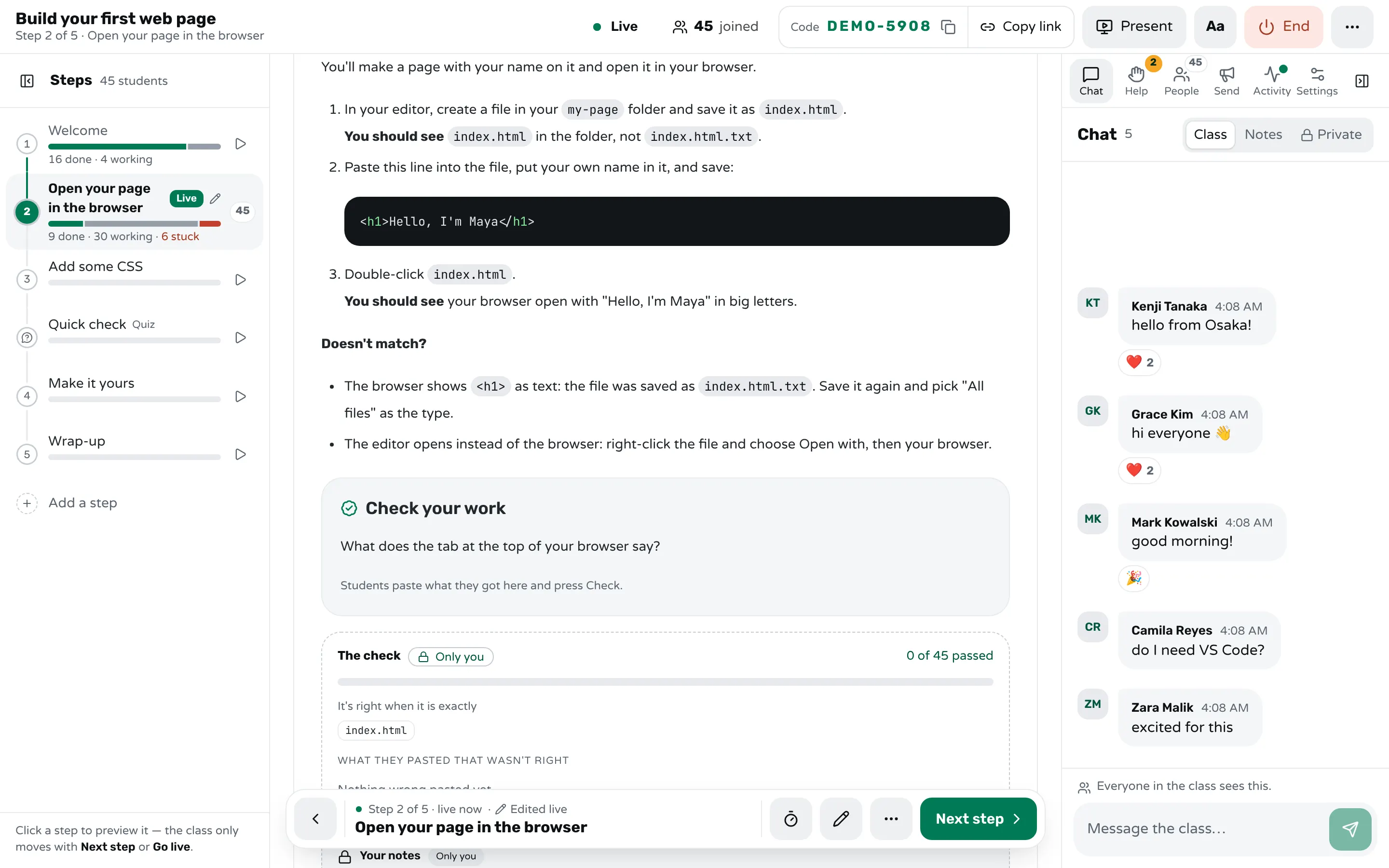
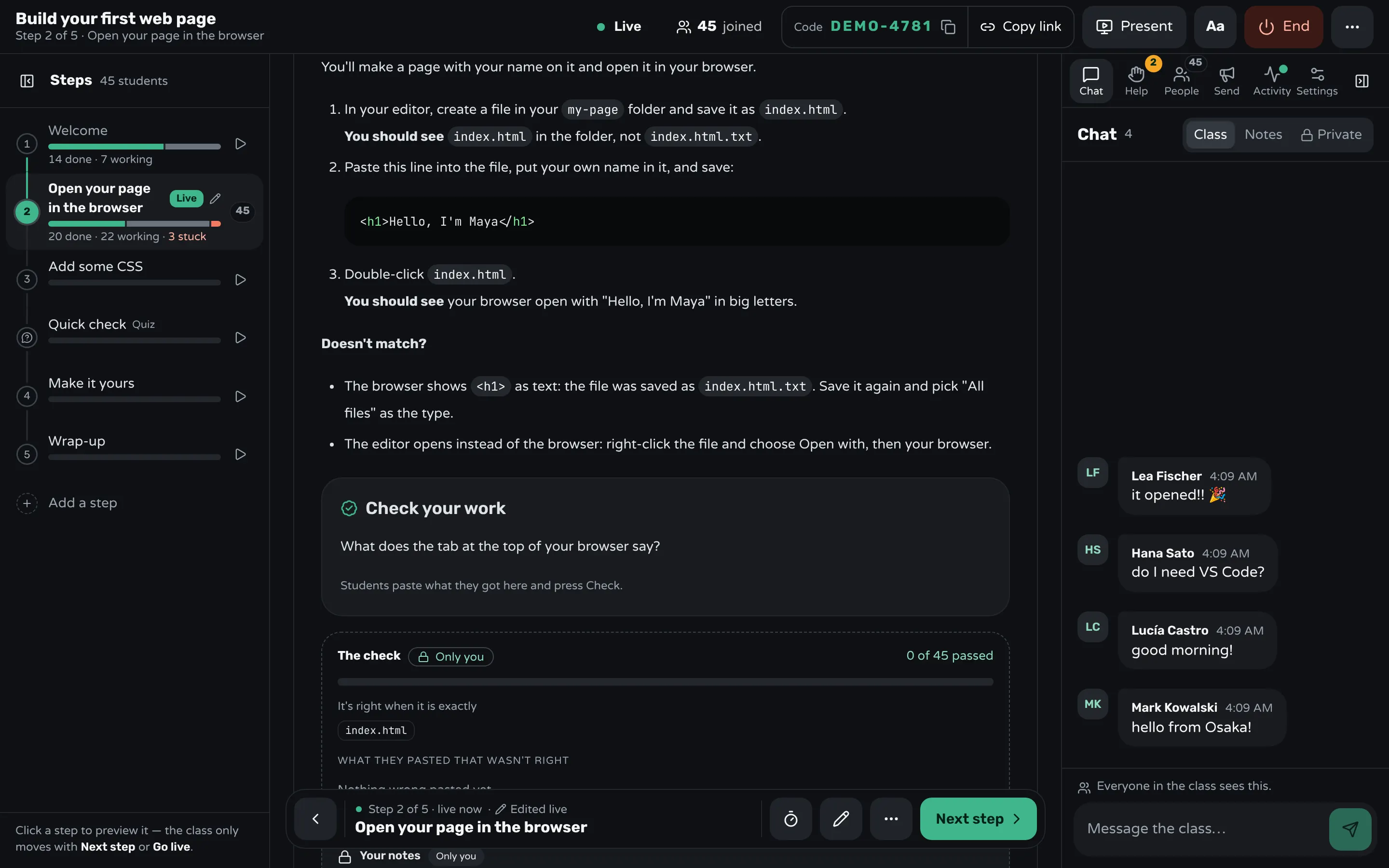
In your editor, create a file in your
my-pagefolder and save it asindex.html.You should see
index.htmlin the folder, notindex.html.txt. -
Double-click
index.html.You should see your browser open with your heading in big letters.
The "you should see" line turns every step into a check the student runs alone. Without it, a student whose editor saved index.html.txt carries on for three more steps, and the problem shows up as something else entirely. With it, they notice at the step where it happened.
Durham's guidance makes the same point for laboratory work: tell less experienced students what should happen at each stage. Make it something they can see, not something they have to judge: a name, a number, the words on a screen, a colour. "It should work" is not a result. "The terminal prints Tests passed: 3" is.
Tell them what to do when it doesn't match
A step that says what students should see will sometimes be wrong for some of them, and they need to know what to do next. Under each step where it happens, add the two or three ways it usually goes wrong and the fix for each:
Doesn't match?
- The browser shows
<h1>as text: the file was saved asindex.html.txt. Save it again and pick "All files" as the type. - The editor opens instead of the browser: right-click the file and choose Open with, then your browser.
This is not just kindness. Lazonder and van der Meij tested two versions of a tutorial manual for novices: one with plenty of information about recognising, diagnosing and fixing mistakes, one with almost none. Learners with the error information trained faster and fixed mistakes better afterwards, and learned the task itself just as well. Writing down the usual mistakes costs you a few lines and saves the class the time it would spend waiting for you.
You already know the usual mistakes: they are the questions you answered last time. If you have never taught the lab, run it yourself on a clean machine, and watch someone else follow it without your help. Every place they hesitate needs a "you should see" line or a "doesn't match" entry.
End the list with what to do when none of it helps: "Still stuck? Raise the red card", or whatever your help signal is. A student who has tried the listed fixes asks with more to say, which makes the help quicker. Running a help queue covers the rest.
Give the most detail early, then less
The first lab of a course needs every click written out. By the fourth, students who have opened a terminal a dozen times don't need "click the Start menu, type Terminal, press Enter" again, and reading it slows them down. Carleton College's guidance on lab handouts calls this scaffolding: make the first set of instructions the most detailed, and let later sections rely on what students have learned.
The same goes for one lab. Write out the first use of a new tool step by step; the second time, "Commit your change as before" is enough. What should not fade is the "you should see" line: experienced students still benefit from knowing the result they are aiming for.
Keep the format the same across every lab, too. Durham's guidance recommends a standard format for all lab guides, so students learn where to look: the goal at the top, steps numbered, results in bold, fixes in the same place each time.
Test the instructions before the class does
Read your lab as a student would, and you will read what you meant, not what you wrote. The only reliable test is someone else following it with no help from you: a colleague, a teaching assistant, last year's student. Sit next to them, say nothing, and write down every place they pause, guess or ask. The Carpentries' lesson-development training gives the same advice for anyone writing lessons for others to teach or learn alone: if in doubt, be explicit.
Then teach it, and note where the class got stuck. That list is your next version.
How Workshopy turns a lab sheet into steps students check
In Workshopy a lesson is a list of steps that students follow on their own screens while you watch the room. Each # heading starts a step, so a lab written the way this guide describes, one goal per step, actions numbered inside it, maps onto it directly (writing a workshop in Markdown has the format). Code blocks get a copy button, so students paste the exact command instead of retyping it from a projector.
End a step with a Check your work block, and the "you should see" line becomes something the student pastes and Workshopy checks. You write the answer and the mistakes you expect; students never get either:
```check
What does the tab at the top of your browser say?

answer: index.html

mistake: .txt → The file was saved as text. Save it again as index.html, with "All files" as the type.
hint: Look at the top edge of the browser window, above the address bar.
```
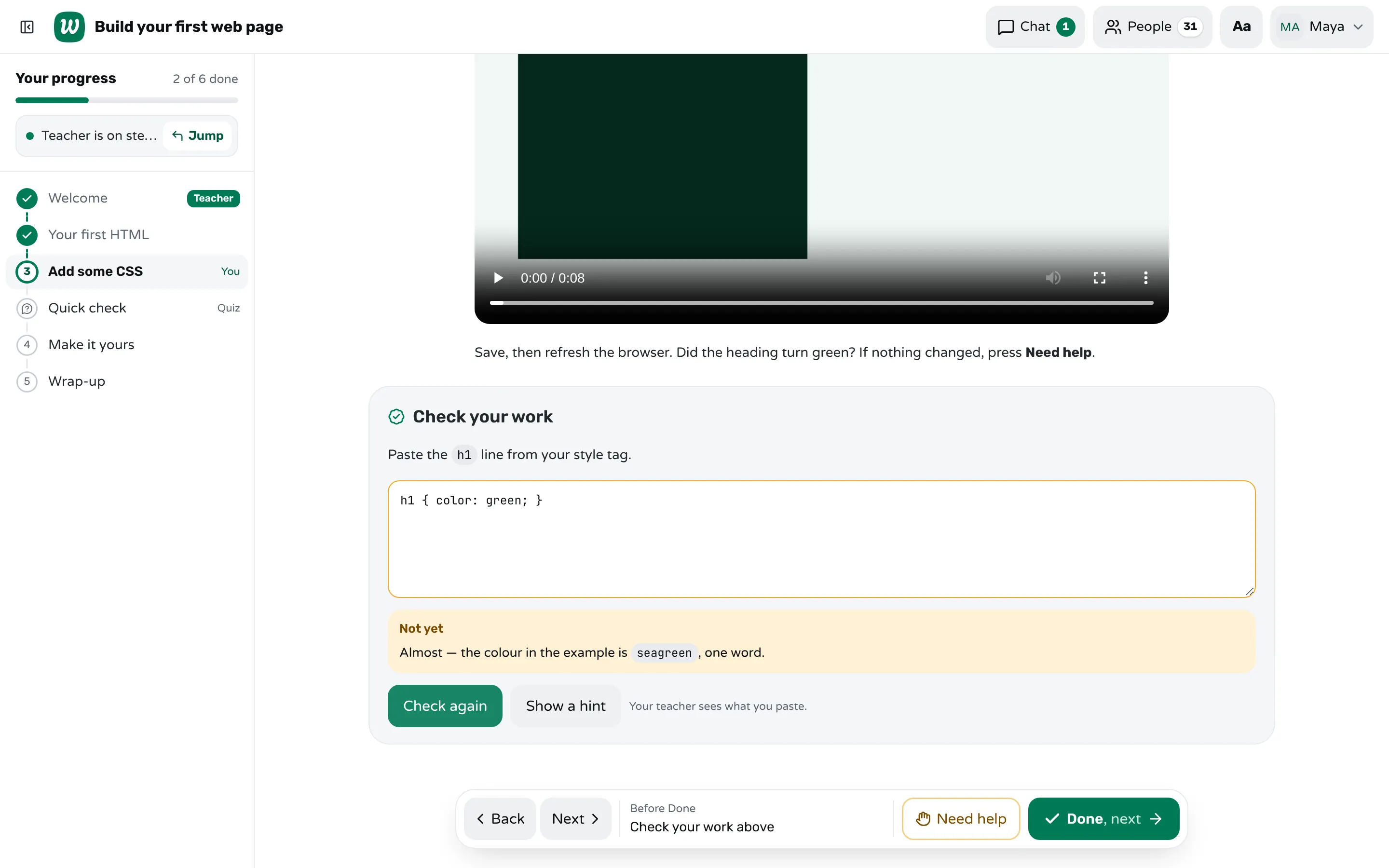
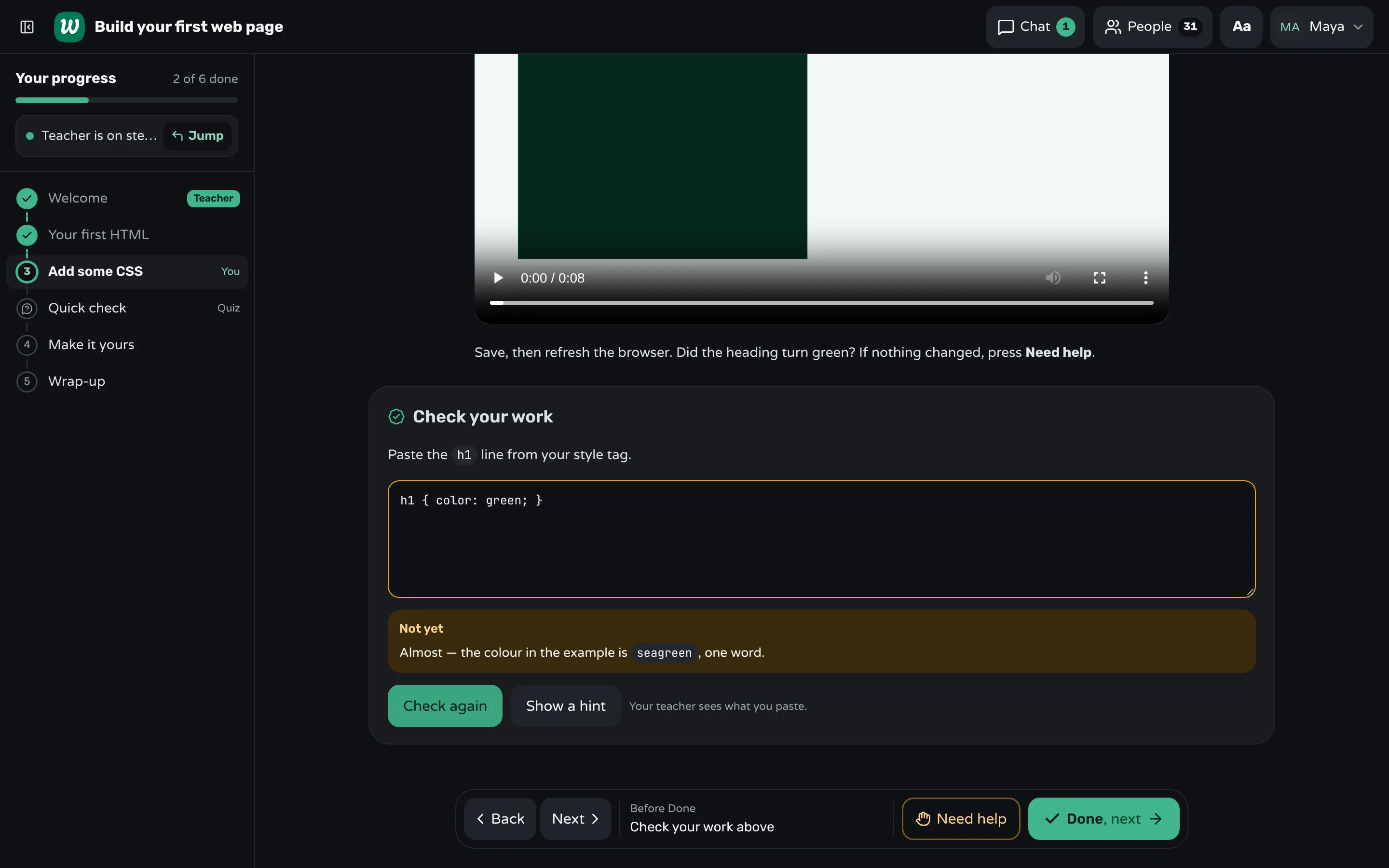
A paste that matches a mistake you foresaw gets your words for it on the spot, right under the box, and after a wrong try Show a hint opens the next of your hints. A right paste marks the step done.
On your screen, beside the step, you see how many students passed, every wrong paste grouped, and which of them you foresaw; the room marks who pressed Done without checking. A wrong paste nobody foresaw is a new "doesn't match" entry for next time. A teacher block in the step holds your own notes, such as the usual slip and how long the step takes; students never get it.
A student whose problem isn't on your list presses Need help, picks a reason and can say what they see, and keeps working while the request waits in your Help tab, oldest first. If a step's instructions turn out to be wrong mid-class, edit the step and every student's screen updates. After the class, the report shows which steps had the most help requests and each check's wrong pastes: the steps to rewrite first.
Sources
- Durham University DCAD, Effective laboratory written guides (2019)
- SERC, Carleton College, Writing lab handouts (2007)
- Microsoft Writing Style Guide, Writing step-by-step instructions
- Adrianus W. Lazonder and Hans van der Meij, Error-information in tutorial documentation: Supporting users' errors to facilitate initial skill learning (International Journal of Human-Computer Studies, 1995)
- The Carpentries, Collaborative Lesson Development Training: How to Write a Lesson
Frequently asked questions
How long should each step of a lab be?
One action, or two short ones in the same place. If a step needs a paragraph to explain, split it, or move the explanation into background text above the steps.
Should lab instructions explain why, or only what to do?
Both, but apart. Put the purpose and background in a short section before the steps, and keep each step to the action and its result, so students working through the lab find the next action at a glance.
What is the difference between lab instructions and a lab report?
Lab instructions tell students what to do and what they should see; a lab report is what students write afterwards about what they did and found. This guide is about the first.
Should I include screenshots in lab instructions?
Use one where words can't say where to click, or to show what the result should look like. Too many make the steps hard to scan, and they go out of date every time the software changes its look.
How do I know my instructions are clear enough?
Watch someone follow them without your help. Every place they pause, guess or ask needs a clearer step, a "you should see" line, or a fix for when it doesn't match.
Keep reading
How to run a hands-on coding workshop
Plan short steps that each end in working code, write the code live and slowly, and keep a queue for students whose code won't run.
4 min read · 19 Oct 2026
Run a live classHow to get everyone set up in the first five minutes
Send one setup page that ends in a check, make the first task that same check, and help the people who can't start before anyone else.
8 min read · 27 Oct 2026
Hands-on & coding workshopsHow to teach Git to beginners in a workshop
Teach the few commands that matter on day one, draw where each one moves a file, and end every step with output students can check.
7 min read · 29 Oct 2026
Ready-made lessons from the library
Meet Workshopy — A Live, Interactive Product Tour
A live, interactive product tour of Workshopy for new users. It runs as a real Workshopy session, so the audience experiences the product as participants while…
16 steps · ~120 min · Free
OtherIntro to Git — Snapshots, Branches & Sharing
A short, hands-on first lesson in Git for complete beginners. Students build the mental model one idea at a time — snapshots, the three areas…
10 steps · ~65 min · Free
ScienceHow Epidemics Spread — R, Curves and Herd Immunity
An interactive first look at how infectious diseases spread through a population — and what stops them.
9 steps · ~60 min · Free
Learn any of them on your own, free, or copy one and teach it live. Browse the library
See it with a class of 45. No sign-up.
The live demo runs the real product with a simulated class. When you're ready, start free.