
How to run a workshop for 100 people
By the Workshopy teamPublished 7 min read
A hands-on workshop for 100 people works when the teacher stops being the only person who helps. Bring helpers, about one for every eight to ten people, and give each a part of the room. Replace raised hands with a signal that stays up until someone reads it, and cut the work into steps short enough that a lost student is noticed within minutes, not at the end.
Plan the room before the content
With 20 people you can walk to anyone who looks lost. With 100 you can't reach most of them, and you can't see their screens from the front. So the first decisions are about people and space, not slides.
- Helpers. The Carpentries recommend one helper for every 8 to 10 learners, not counting the instructors: ten to twelve helpers for 100 people. CodeRefinery, which runs hands-on workshops for around 100 learners at a time, planned one for every five. With fewer, the help queue grows faster than it shrinks.
- Areas. Split the room into areas of tables and give each helper one. A helper who knows their area spots trouble early; a helper who roams everywhere walks past it.
- Registrations. Expect people who signed up not to come. ENCCS, which trains instructors for these workshops, tells organisers to assume 25–30% no-shows and to accept about 25% more registrations than the seats they want filled.
- Sound and screens. Every table must see the projector and hear you. Check from the back row before anyone arrives, with the font size you'll actually use.
Give helpers a job, not just a badge
Helpers who aren't told what to do stand at the front and wait to be asked. Brief them the day before, or an hour before at the latest. The Carpentries' helper checklist covers it: read the lesson, review the installation steps so you can fix them, and during the class help anyone stuck on setup or an exercise, watch the room for people who need help, and keep an eye on written questions.
Add two rules that matter more at this size. First, a helper never takes over the keyboard; they say what to try and the learner types (the same checklist calls taking over a demotivating habit). Second, a helper who sees the same problem three times tells you, because it's the lesson's problem, not the learner's. One explanation from the front then saves twenty visits.
Teaching Tech Together suggests a good source of helpers: people who took the workshop before, or advanced learners who already know the material. They understand the problems their peers hit, and it keeps them from getting bored.
Make help a signal that stays up
A raised hand doesn't scale. People lower it after a minute, and in a room of 100 the teacher can't tell who raised it first. Greg Wilson's answer in Teaching Tech Together is two sticky notes on each laptop: one colour for "done", one for "I need help". The note stays up while the learner keeps working, it's more discreet than a hand, so people actually use it, and the teacher can read the room from the front.
Whatever signal you use, three things make it work with 100 people:
- It stays until someone reads it, so nobody has to keep asking.
- It shows who asked first, so helpers go in order and the quiet asker isn't skipped.
- It says what's wrong, even in a few words ("error on line 3", "the page is blank"), so a helper arrives knowing what to bring.
Chat doesn't meet those rules at this size. CodeRefinery found their shared notes document reached its limits at 50 to 100 people; a live chat with 100 people asking at once is worse. Keep questions in a list helpers can work through, and keep chat for links and announcements.
Keep steps short and end each one with a check
In a big room, the cost of a long step is that you find out who got lost too late. A step of five to ten minutes, ending in a result students can check themselves ("you're done when the page shows your name in green"), gives you a reading of the room every few minutes. Two signals tell you most of what you need: how many are done, and how many are asking for help.
Give the room a rhythm. Explain for a few minutes, then everyone works on one step with a time on it, then you look at the room and decide: move on, wait, or stop and explain something to everyone. A visible countdown helps here. People finish what matters when they can see the time, and nobody has to ask how long is left.
Some people will finish in half the time. Put one or two optional extras at the end of the step, as in pacing a lesson when students work at different speeds, so they keep working while the room catches up.
Talk to everyone only on purpose
With 100 people, stopping the room costs 100 people's attention, so do it only when it pays: a mistake you've seen many times, a step everyone must do the same way, the start of a new idea. Ask helpers to send you the problems they keep seeing, then explain the fix once from the front.
To check whether an explanation landed, ask one question everyone answers at once, rather than "any questions?", which in a big room gets silence. Peer Instruction, developed in large introductory physics courses, is built on this: one conceptual question, everyone answers, and the spread of answers decides what happens next. Checking for understanding without stopping the class shows how to write that question.
Have a plan for the first ten minutes
Large workshops lose their first half hour to people who arrive late, can't connect or never installed anything. Send a setup page beforehand that ends in a check people run themselves, and make the first step of the workshop that same check, so helpers can find the ones who failed it while everyone else starts (getting everyone set up in the first five minutes covers it). Put the joining instructions on the projector for the whole of the first step, for the latecomers.
Running a class of 100 in Workshopy
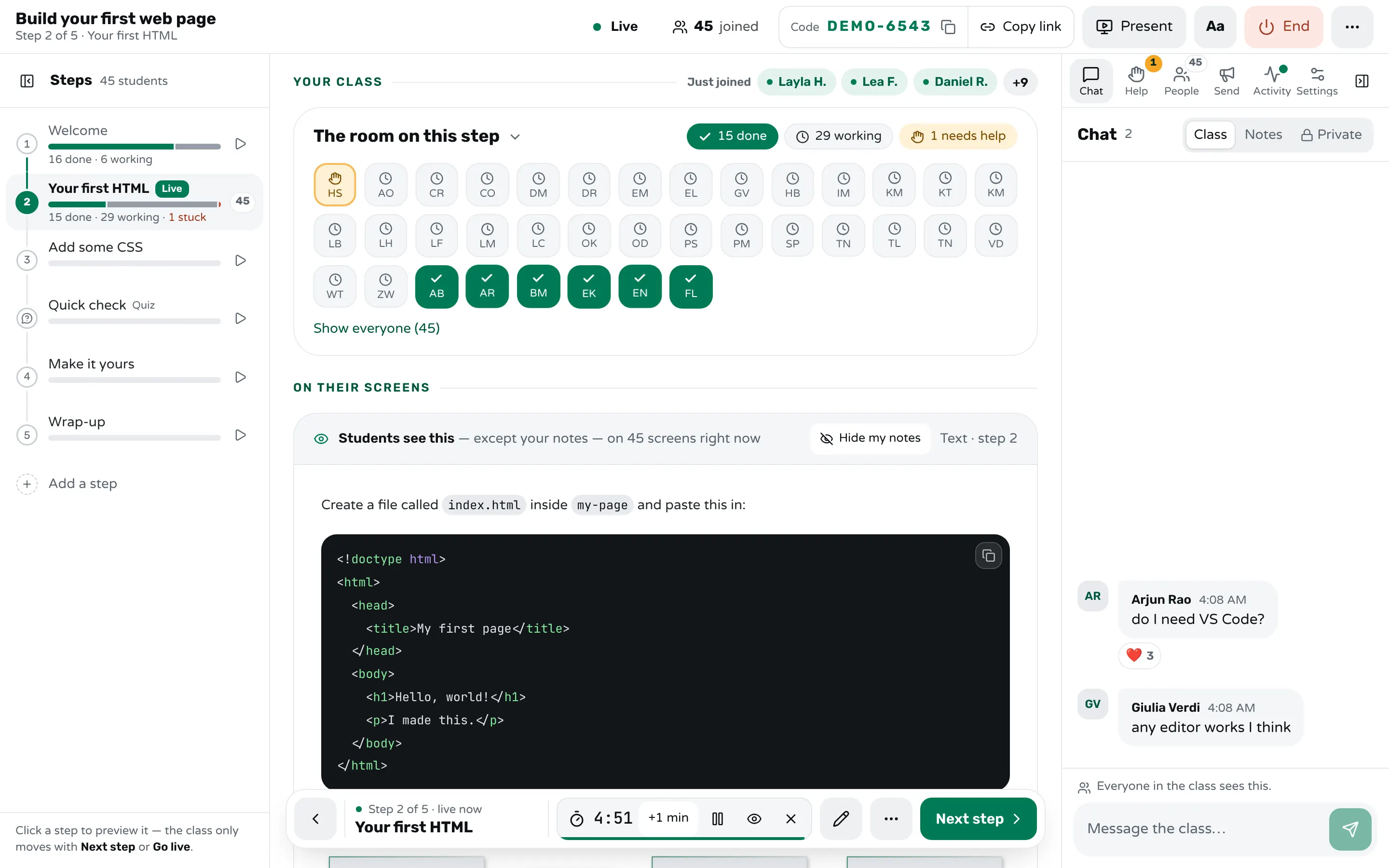
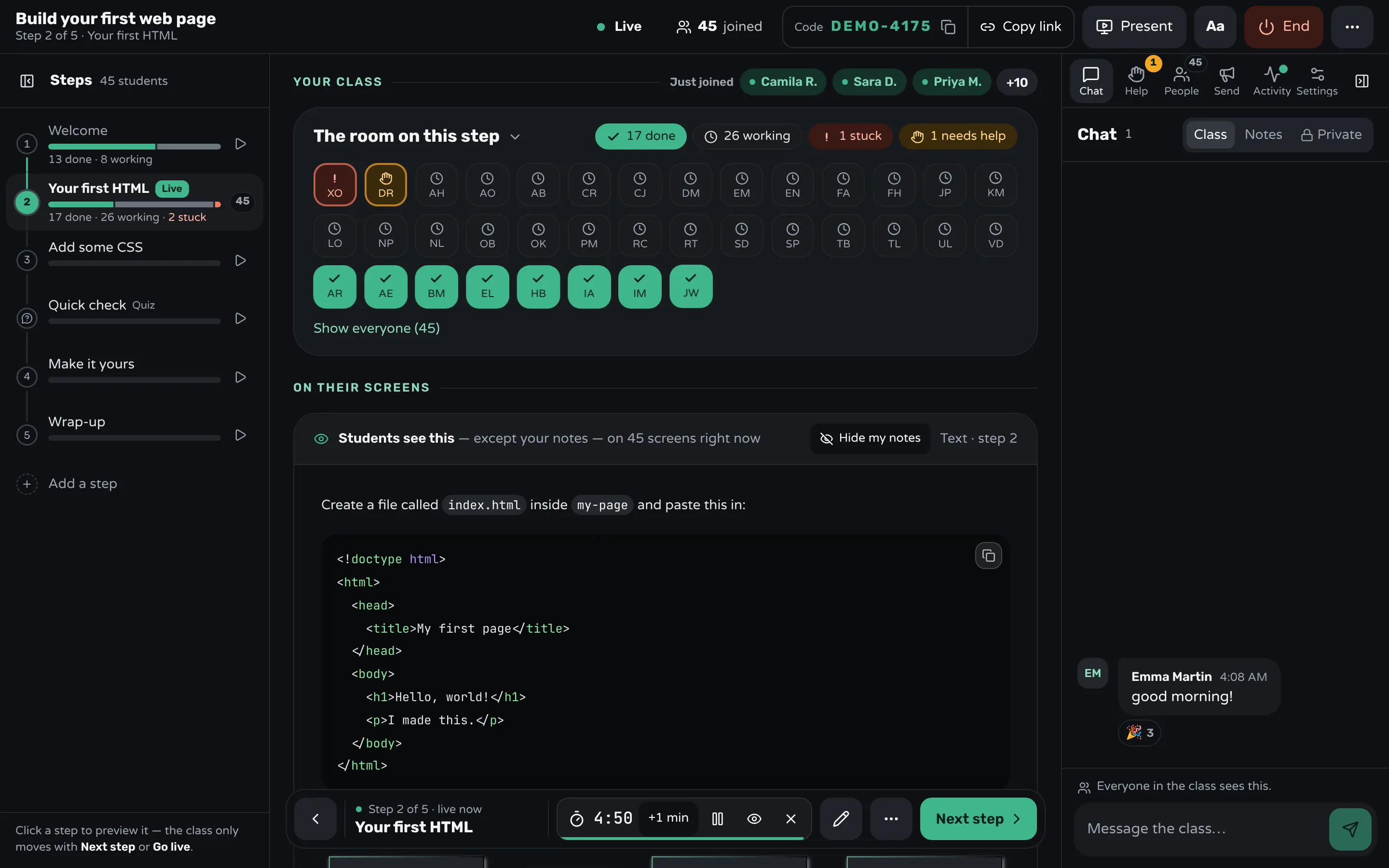
In Workshopy each student follows the lesson's steps on their own screen, and your screen shows the room: one tile per student, working, done, or asking for help. Before the day, check the seats on your plan: a class on Free seats 30 students and one on Pro 200. The seat counter in your header turns amber as the class nears the limit.
Students join with the class's code or link. The projector view (Present) shows the class's progress as counts, never names, and can show a join QR code for latecomers. Ask people to put their table in their name when they join ("Noa · table 4"), and your helpers will find the student behind each request in seconds.
When a student presses Need help, they pick a reason and can add a note, and keep working while it waits. The Help tab lists the requests oldest first, and one waiting more than five minutes turns red. Read them out to the helper for that area. With Spot students who take longer on, the tab also lists students who are well behind the class's pace and haven't asked, so a helper can check on them. Workshopy has no separate helper view: you hold the list, and helpers work the room.
Give a step a timer: 2 to 15 minutes, or a length of your own. Every student's screen counts down from the same clock, and nothing moves on when it ends; you decide. To regroup, Bring everyone to this step moves the whole class in one press, and Keep everyone on my step in Settings keeps them with you. In Settings you can also turn Chat off for the class, so 100 people's messages don't bury what you post. If a step has a mistake in it, edit it during the class and every student's screen updates.
After the class, the report shows where the class slowed down and which step had the most help requests: that is the step to rewrite before the next 100 people take it.
Sources
- CodeRefinery, Report from the Mega-CodeRefinery workshop (2020)
- ENCCS Instructor Training, Organising and Running Online Workshops
- The Carpentries Handbook, Workshop checklists
- Greg Wilson, Teaching Tech Together (2019)
- Catherine H. Crouch and Eric Mazur, Peer Instruction: Ten years of experience and results (American Journal of Physics, 2001)
Frequently asked questions
How many helpers do I need for a workshop of 100 people?
The Carpentries recommend one helper for every 8 to 10 learners, so ten to twelve for 100 people, and more for beginners or a difficult setup. CodeRefinery planned one helper for every five learners in its large workshops.
Can one teacher run a hands-on workshop for 100 people alone?
They can lecture alone, but not help 100 people work alone. Without helpers, short steps with self-checks and a help list ordered by time are what keep it working, and the teacher should expect to explain common problems to the whole room more often.
How do I answer questions from 100 people?
Collect them in one list ordered by when they were asked, send helpers through it, and answer from the front any question that comes up again and again. An open chat with 100 people fills faster than anyone can read it.
How long should each step be in a large workshop?
Five to ten minutes of work, ending in a result students can check themselves. Short steps tell you within minutes who has fallen behind.
How do I handle people who arrive late?
Keep the joining instructions on the projector during the first step, and make that first step a setup check a helper can run with them while the class goes on.
Keep reading
How to run a help queue in a classroom
Keep one list of who needs help, take it in order, keep each visit short, and explain a repeated problem to the whole room at once.
6 min read · 20 Oct 2026
See who's stuckHow to tell which students are stuck in a hands-on class
Stuck students rarely raise a hand. Give every step a done signal, look for who hasn't sent it, and help the right student first.
3 min read · 19 Oct 2026
Run a live classHow to keep a whole class on the same step
Decide step by step whether the class moves together or at its own pace, check who is behind before you move on, and regroup in one move.
2 min read · 19 Oct 2026
Ready-made lessons from the library
Meet Workshopy — A Live, Interactive Product Tour
A live, interactive product tour of Workshopy for new users. It runs as a real Workshopy session, so the audience experiences the product as participants while…
16 steps · ~120 min · Free
OtherIntro to Git — Snapshots, Branches & Sharing
A short, hands-on first lesson in Git for complete beginners. Students build the mental model one idea at a time — snapshots, the three areas…
10 steps · ~65 min · Free
ScienceHow Epidemics Spread — R, Curves and Herd Immunity
An interactive first look at how infectious diseases spread through a population — and what stops them.
9 steps · ~60 min · Free
Learn any of them on your own, free, or copy one and teach it live. Browse the library
See it with a class of 45. No sign-up.
The live demo runs the real product with a simulated class. When you're ready, start free.